
Getting in
3The app opens on the brand mark, signs in with the product's own two fields, and says plainly when a role cannot see something.
Splash
The Clinicana mark while the session token is validated and the lead-status settings are fetched.
Login
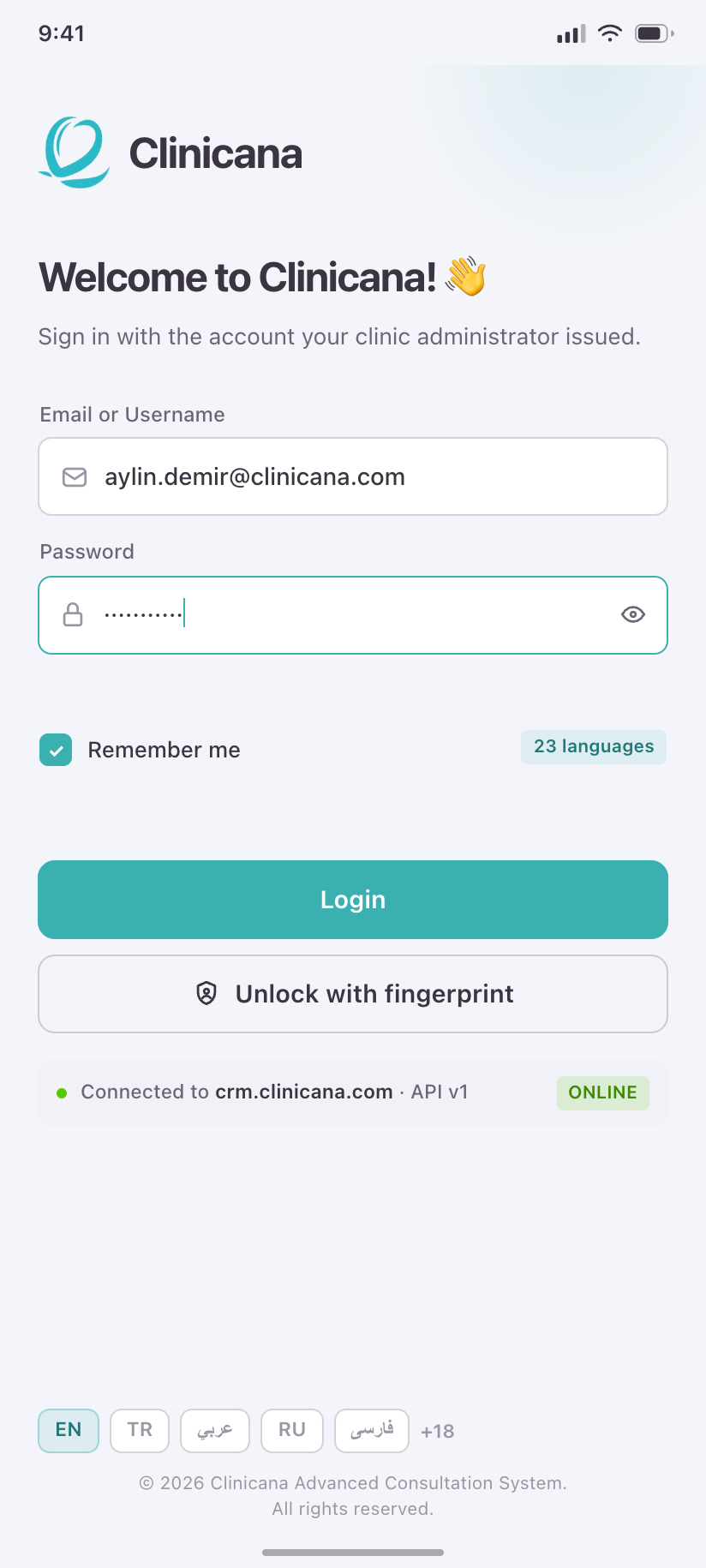
The product's exact sign-in: Email or Username, Password, Remember me — plus biometric unlock, which only a phone can offer.
Access Denied
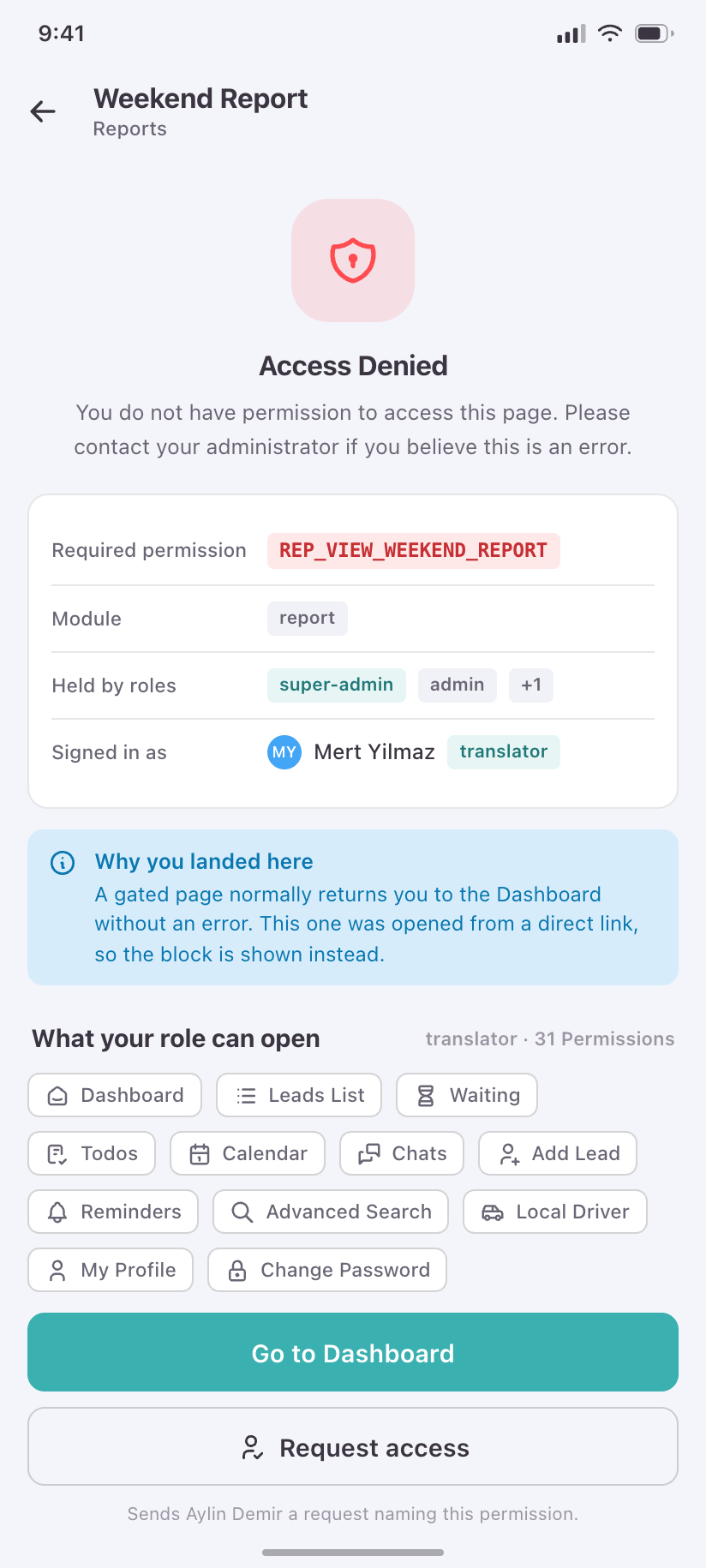
What a translator sees when a permission gate closes, naming the permission rather than dead-ending.
Home
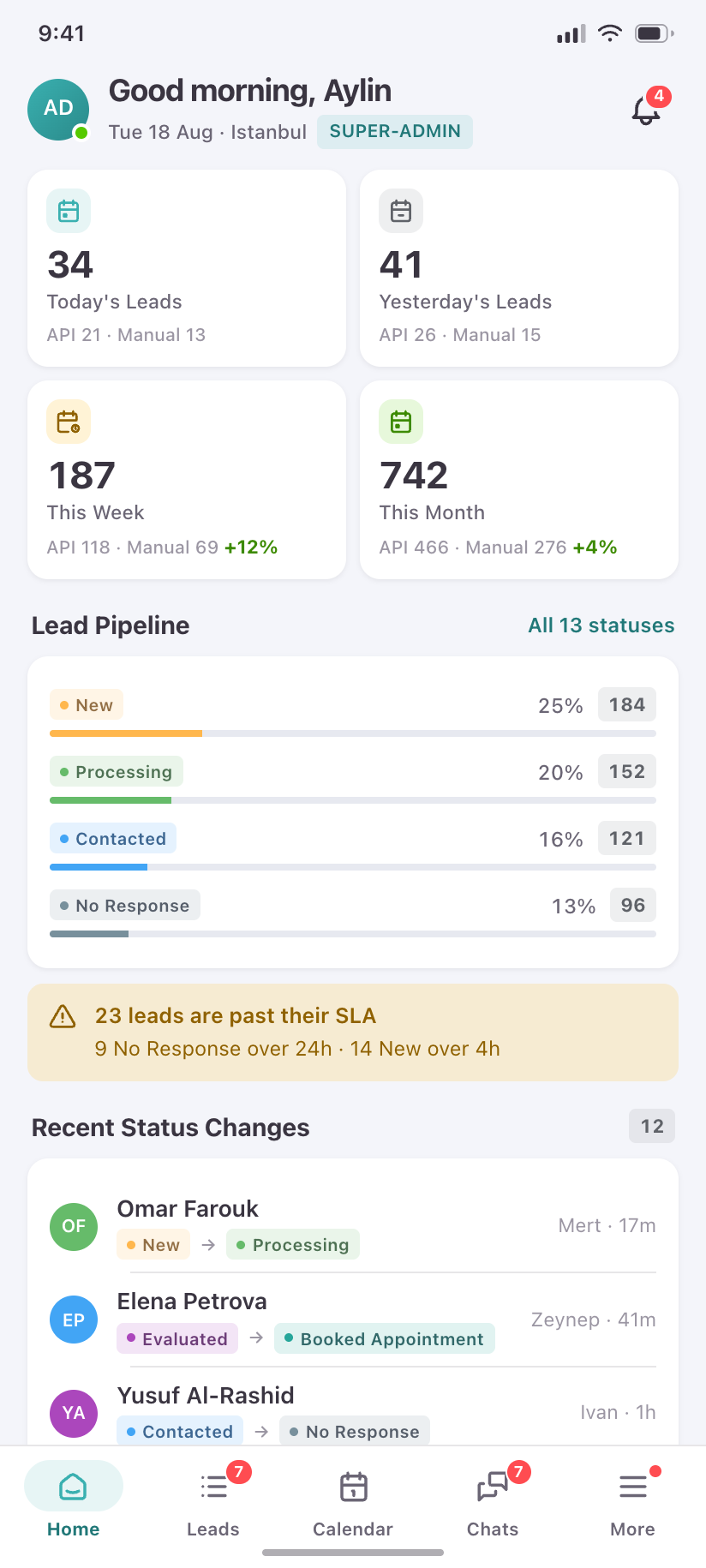
5One route, three products. The web dashboard branches on REP_ADMIN_DASHBOARD_STATS and the admin role; the phone keeps all three variants because a translator's home is a work queue, not an analytics page.
Home · admin
The four KPI cards with their API/Manual split, the pipeline, an SLA alert the desktop only implies, and the status-change feed.
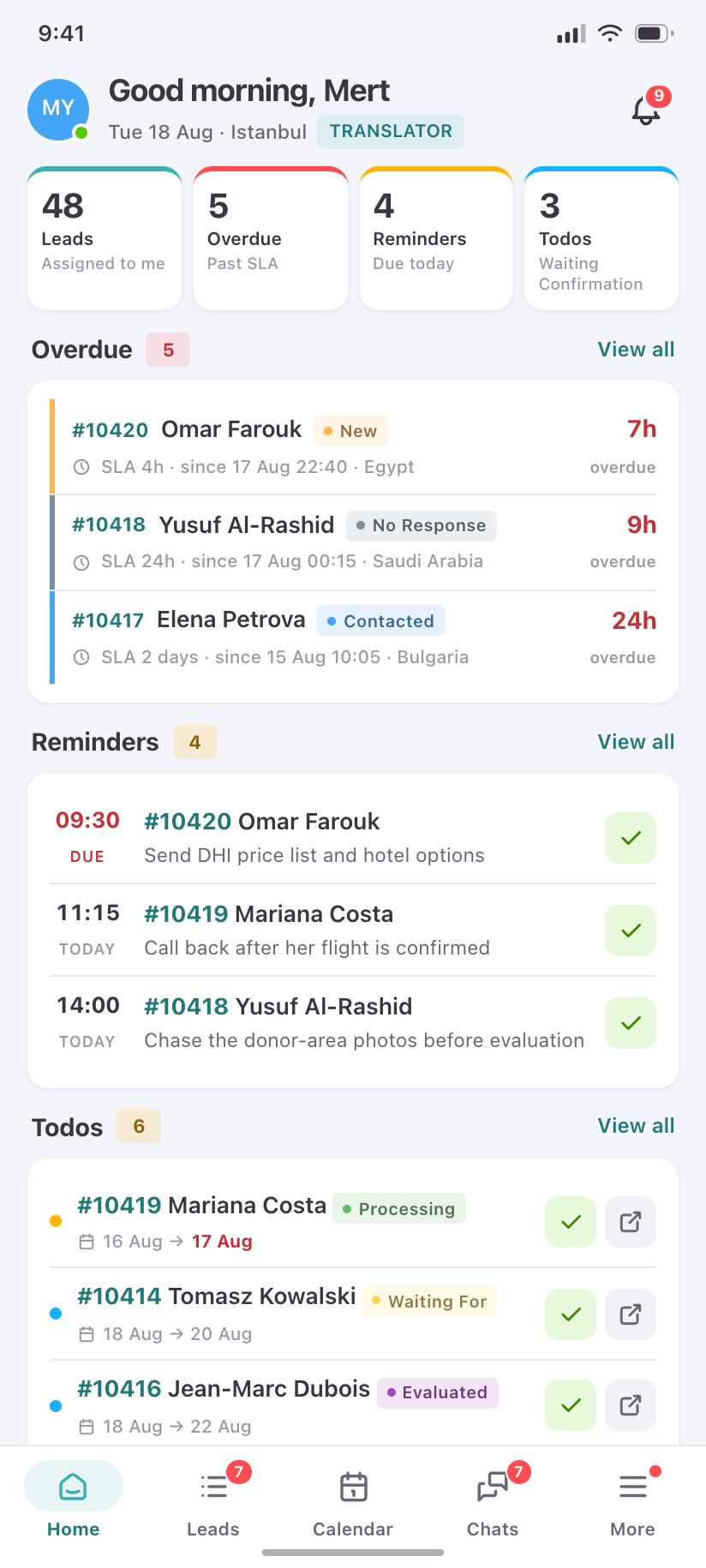
Home · translator
My Day: the four numbers that decide a translator's morning, then overdue leads, today's reminders and unconfirmed todos.
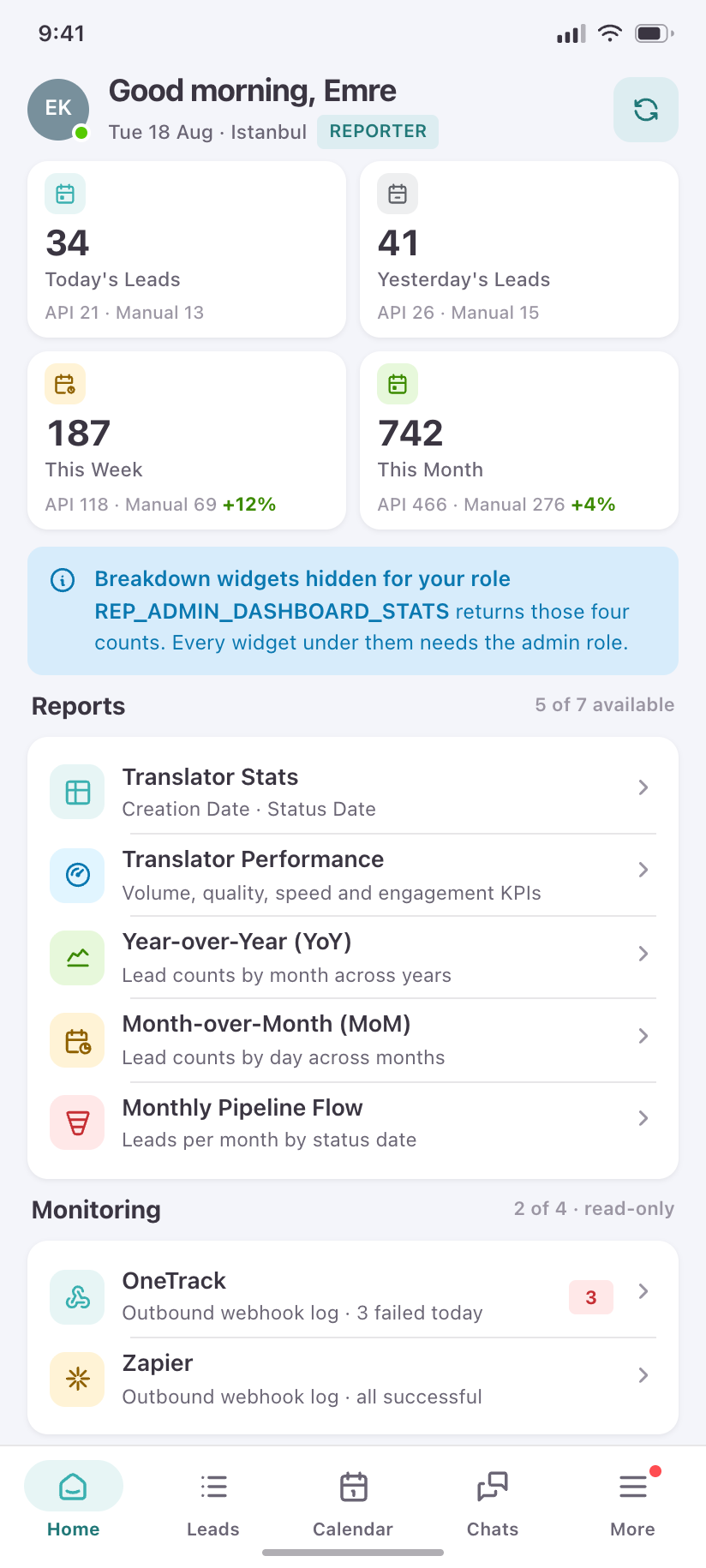
Home · reporter
A reporter holds the stats permission but not the admin role, so every widget below the KPI row disappears — shown honestly, with the reports they can reach.
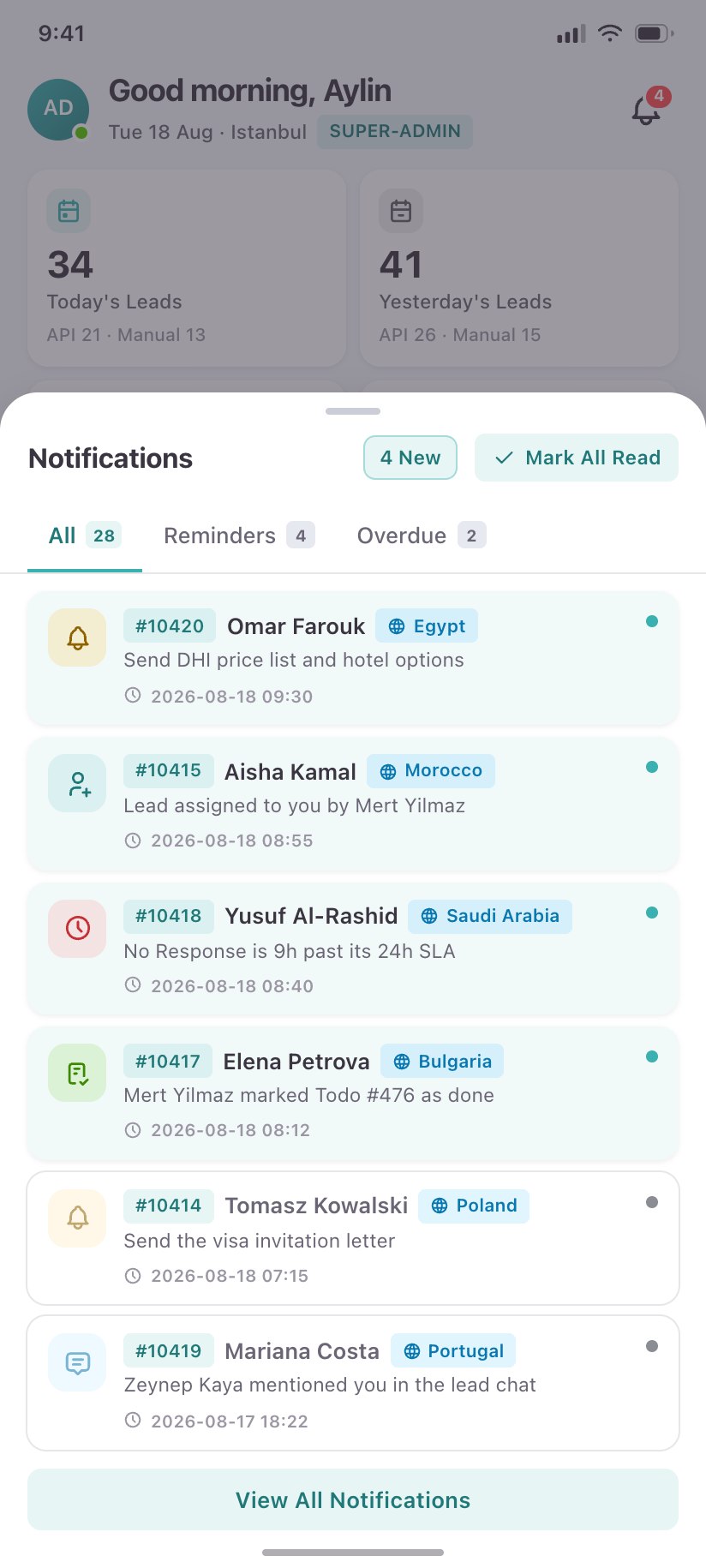
Notifications panel
The navbar bell as a bottom sheet: fast triage of reminders and overdue leads without leaving the screen.
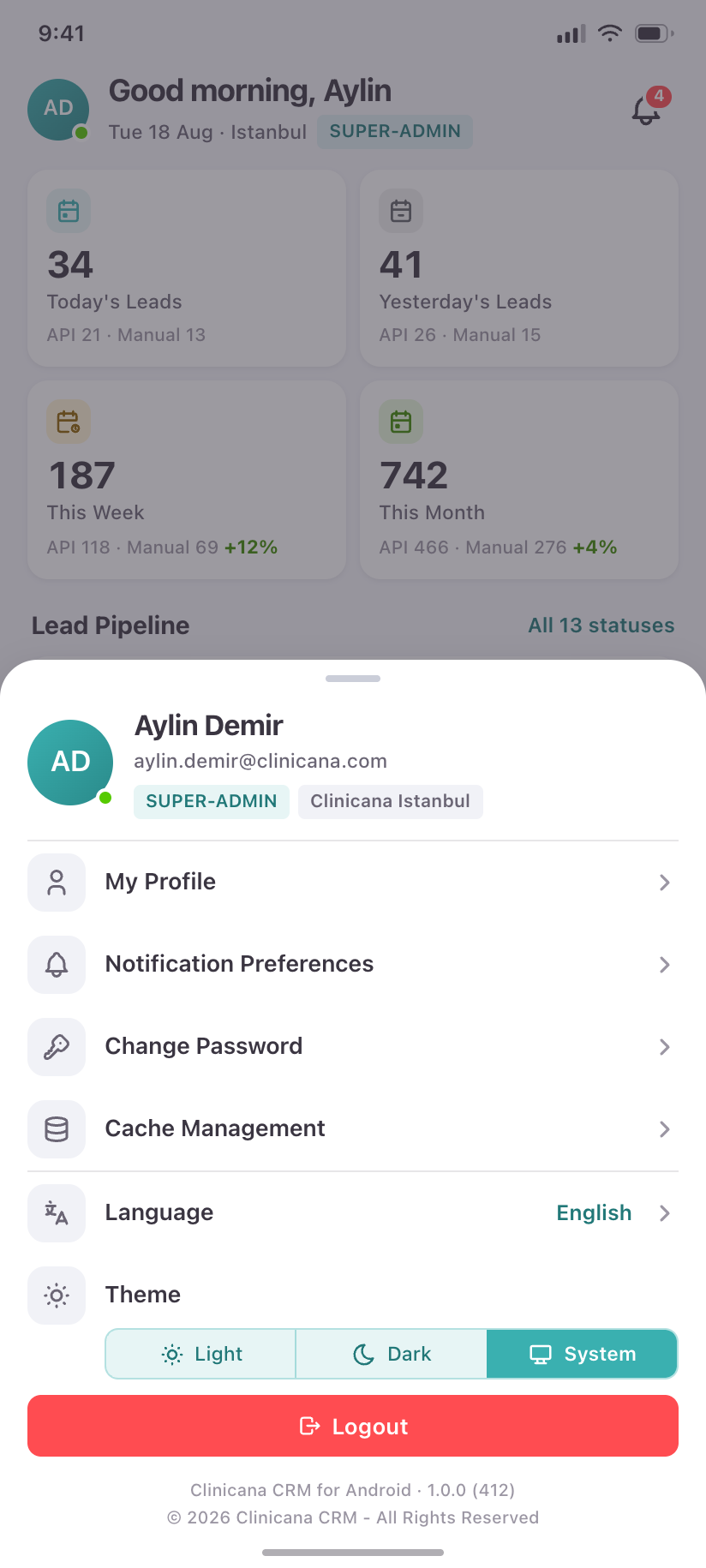
Account menu
Identity, role, locale, theme and sign-out — the avatar dropdown, re-cut as a sheet.
Leads
15The web table carries eleven columns. Each lead becomes a four-line card that keeps every one of them, with status doubled as a left spine so the pipeline reads at a scroll.
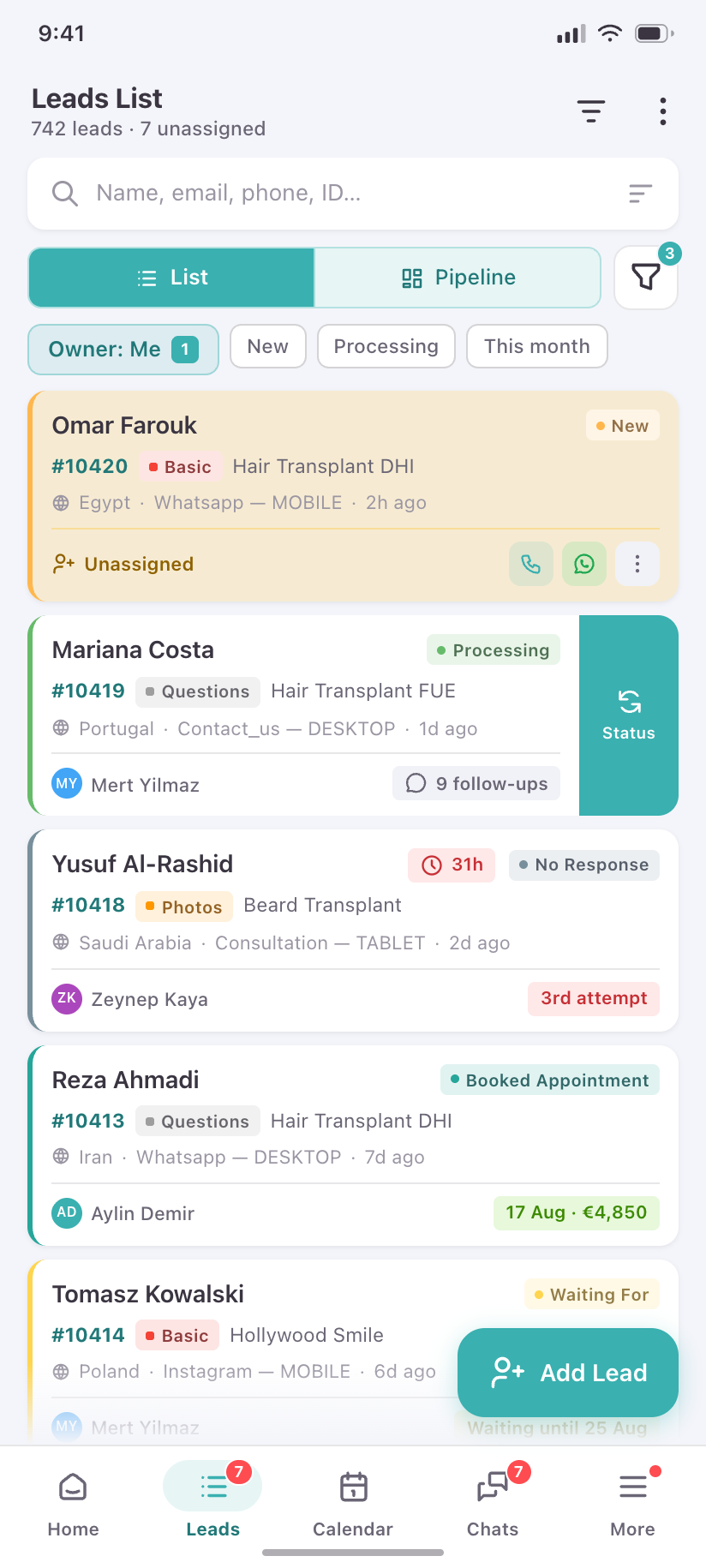
Leads List
Search, List/Pipeline, an active-filter count, and cards that keep all eleven columns. Unassigned rows carry the web table's amber wash.
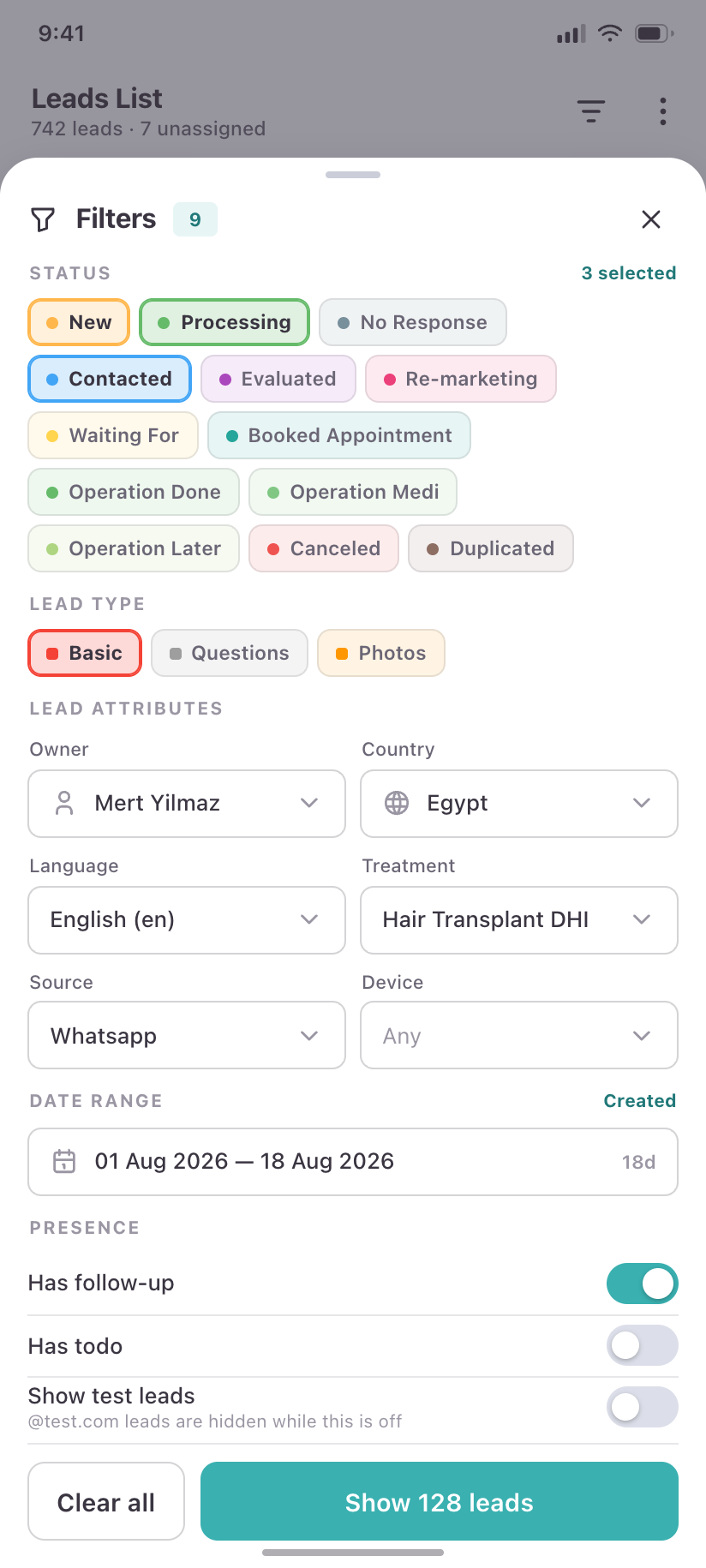
Filters
The desktop filter panel as a full sheet — status, type, owner, country, language, treatment, source, device, date range.
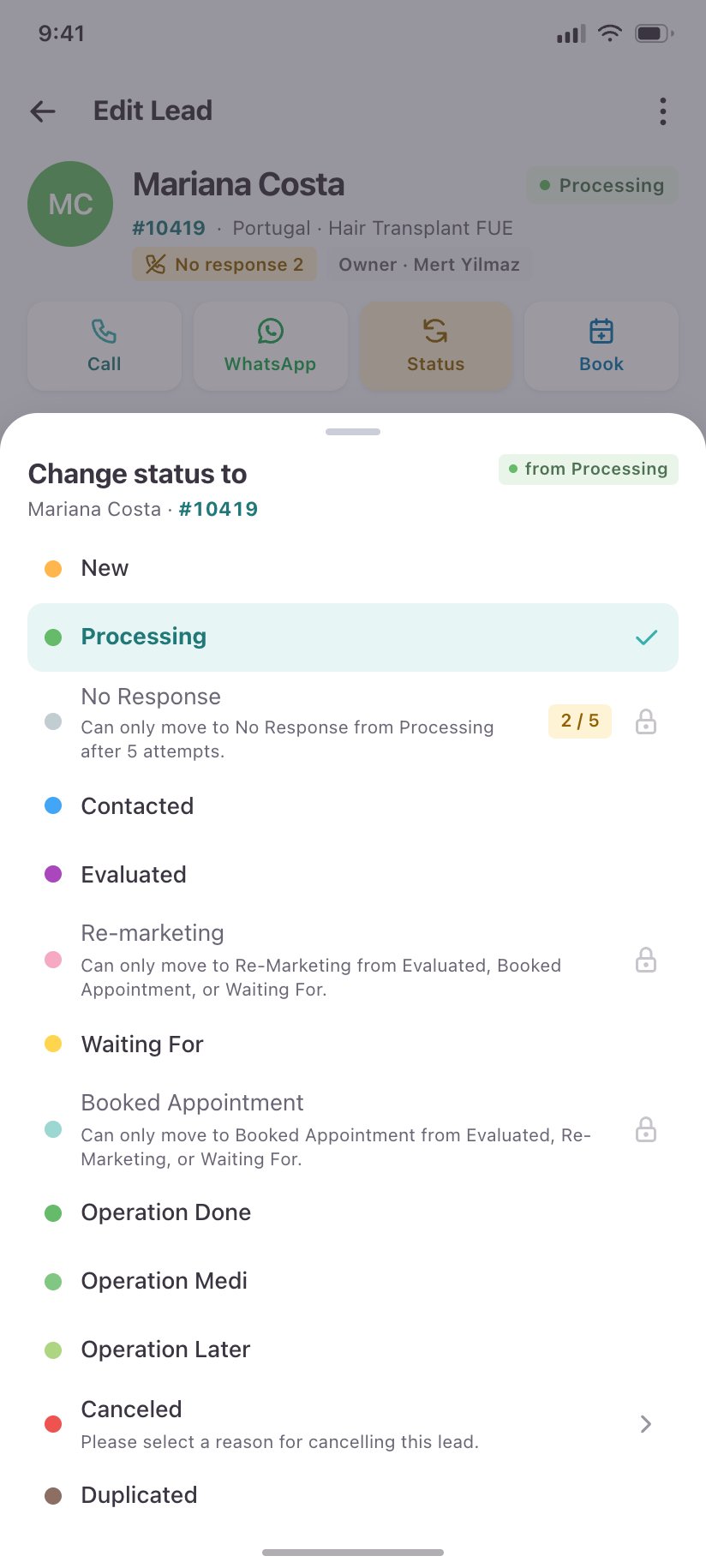
Change status to
The pipeline state machine made visible: transitions a translator may not make are shown disabled, with the rule that blocks them.
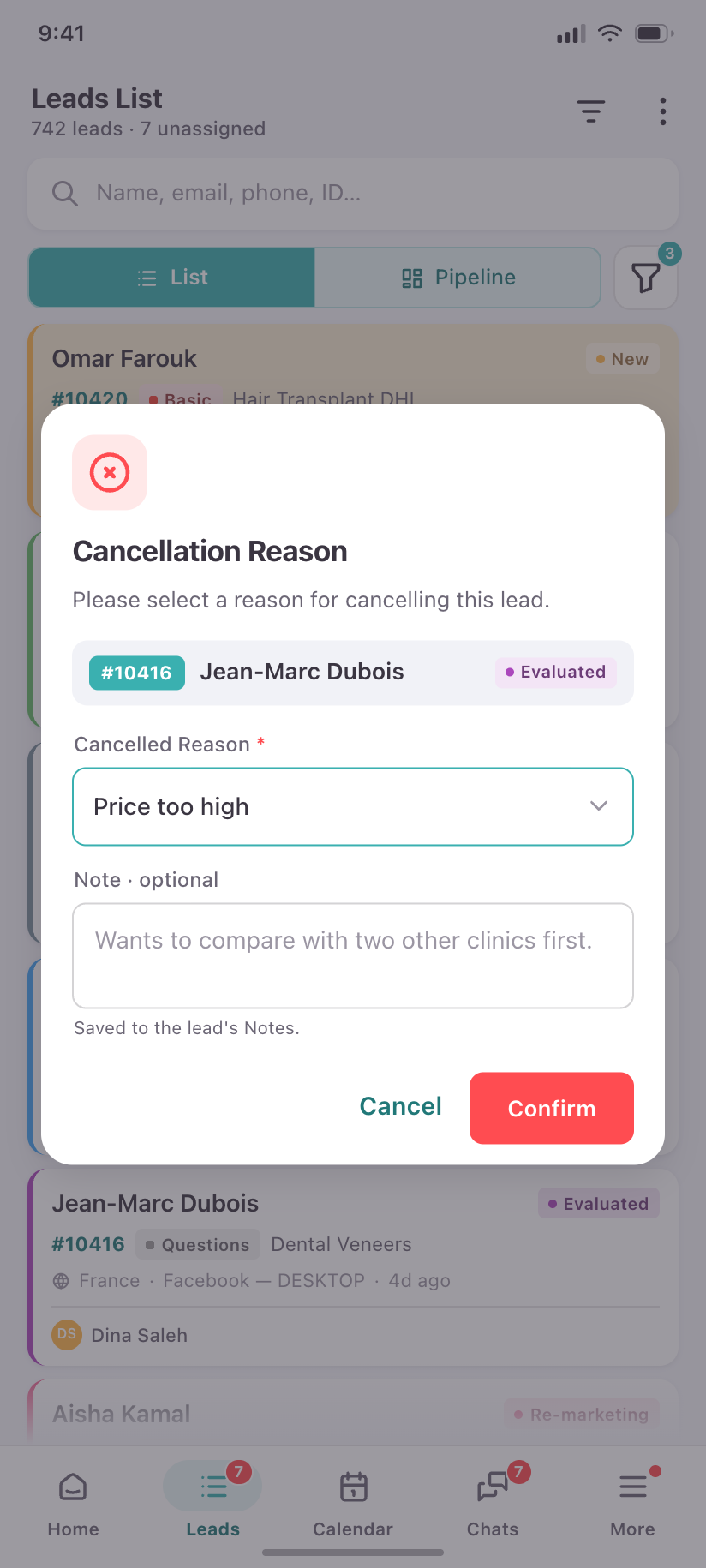
Cancellation Reason
The mandatory gate before any lead may enter Canceled.
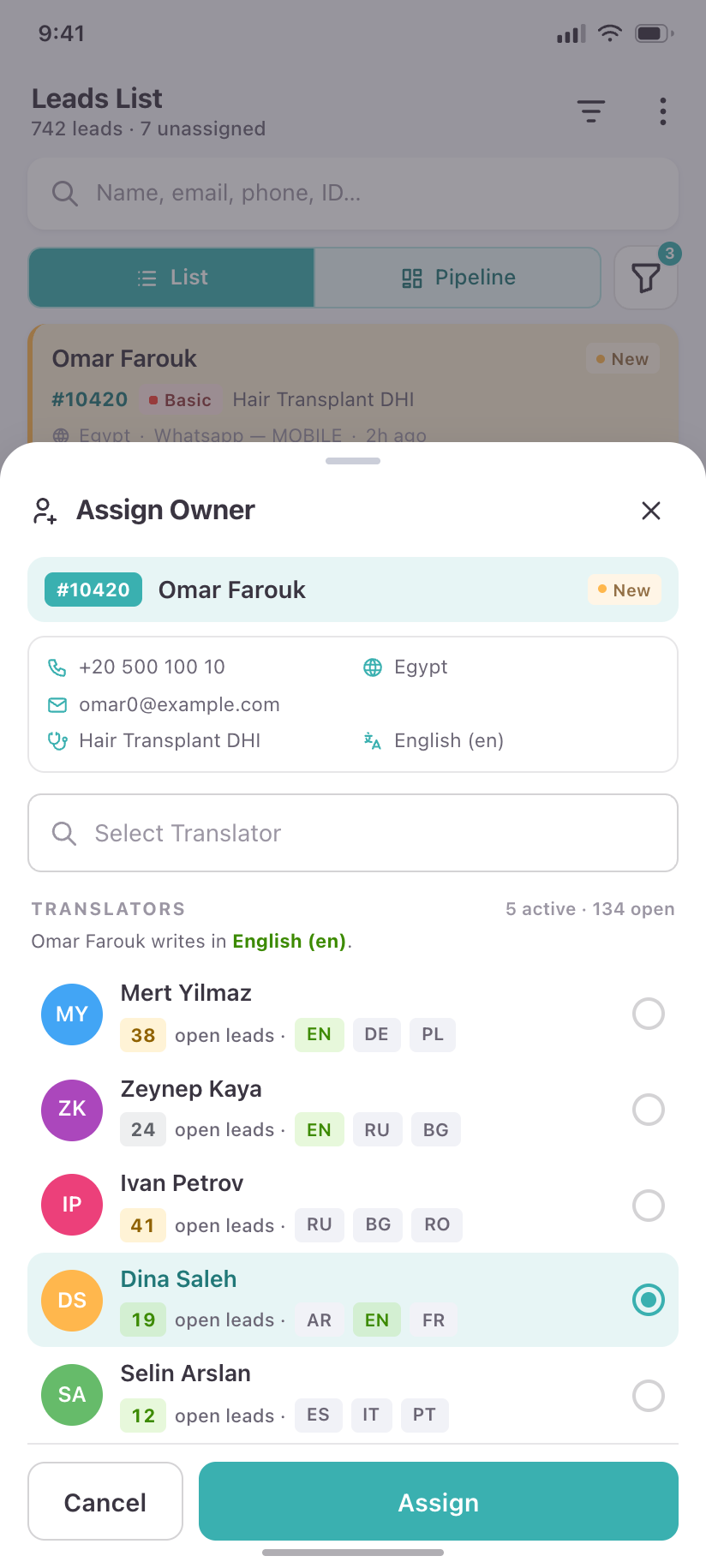
Assign Owner
Hand an unassigned lead to a translator, with each translator's current load shown so the choice is informed.
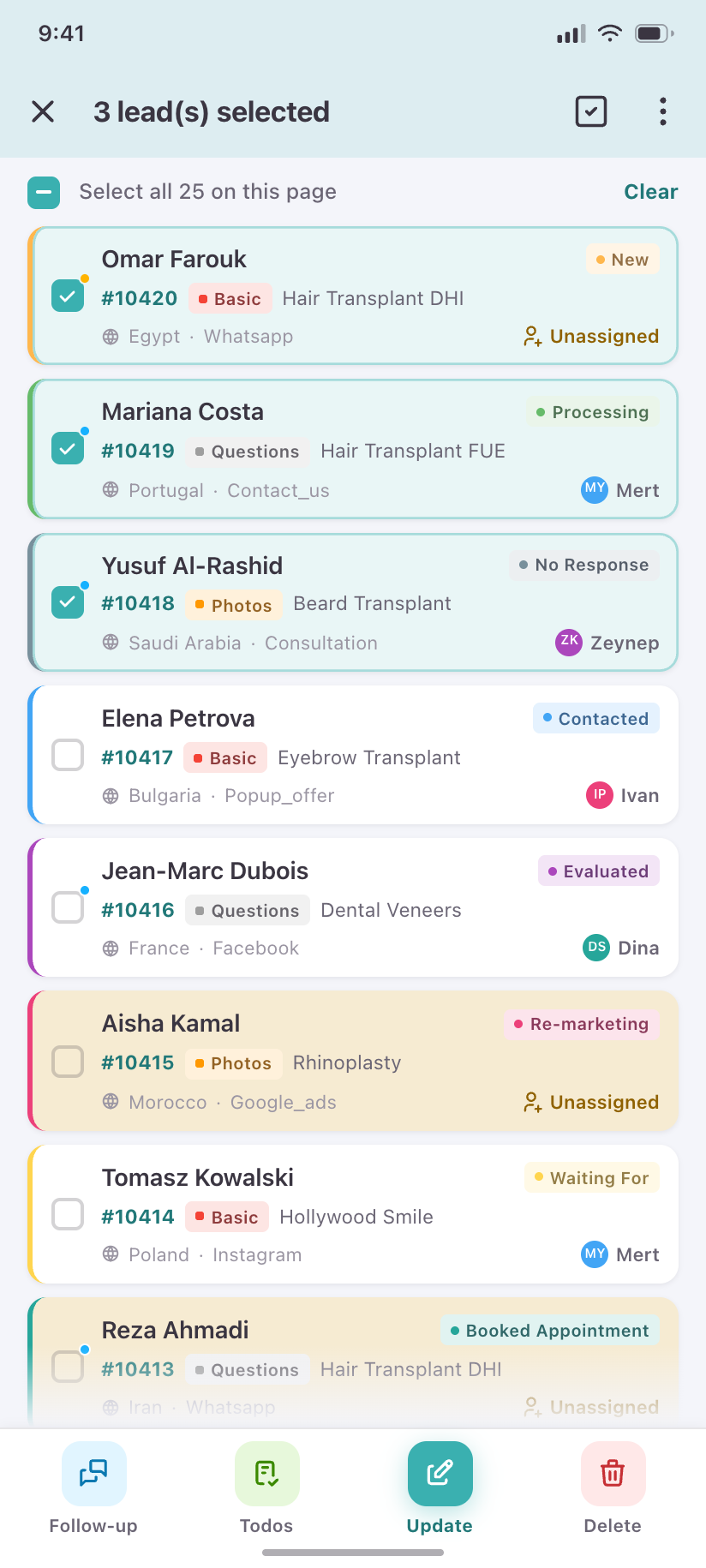
3 leads selected
Multi-select mode: the app bar becomes a selection bar and the four bulk actions replace the FAB.
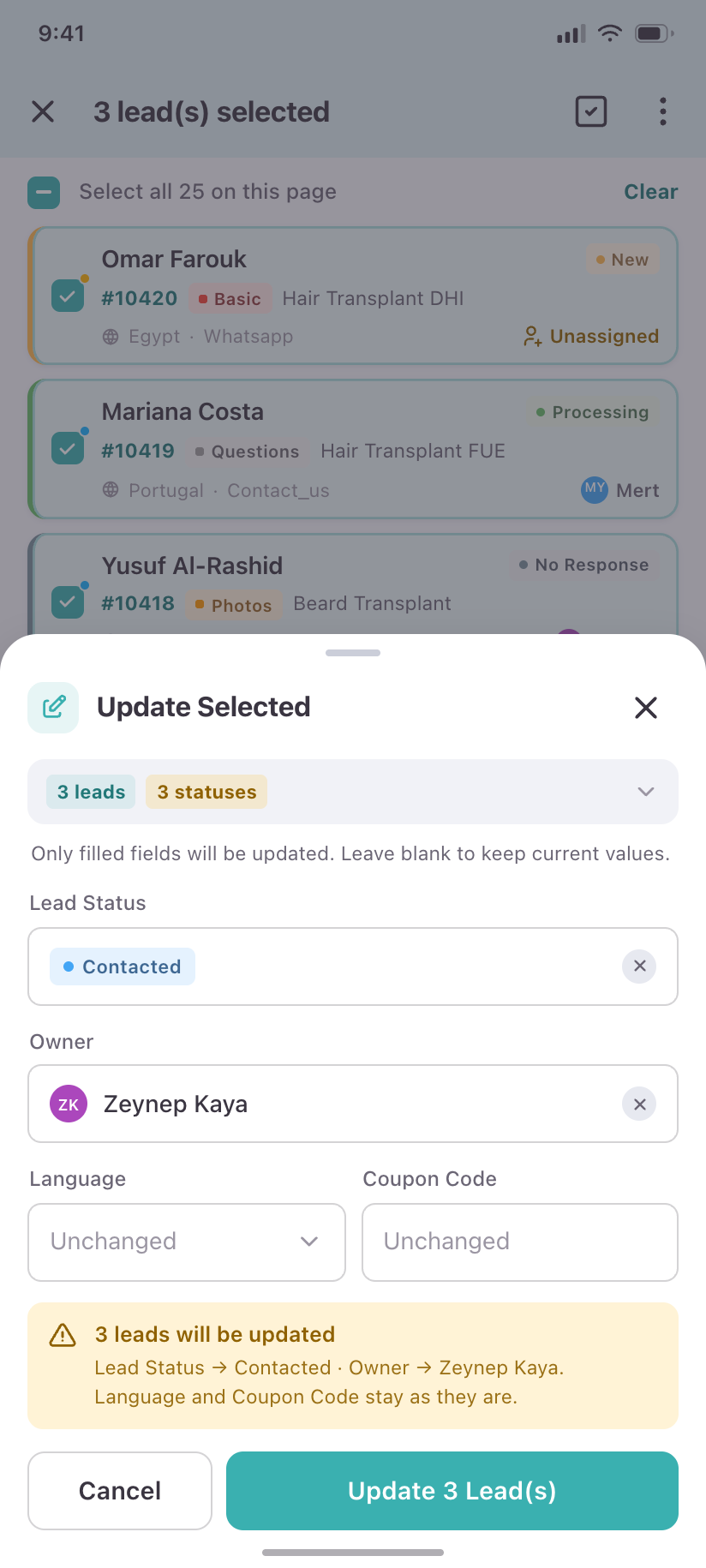
Update Selected
Apply status, owner, language or coupon code to every selected lead, with the blast radius stated before the button.
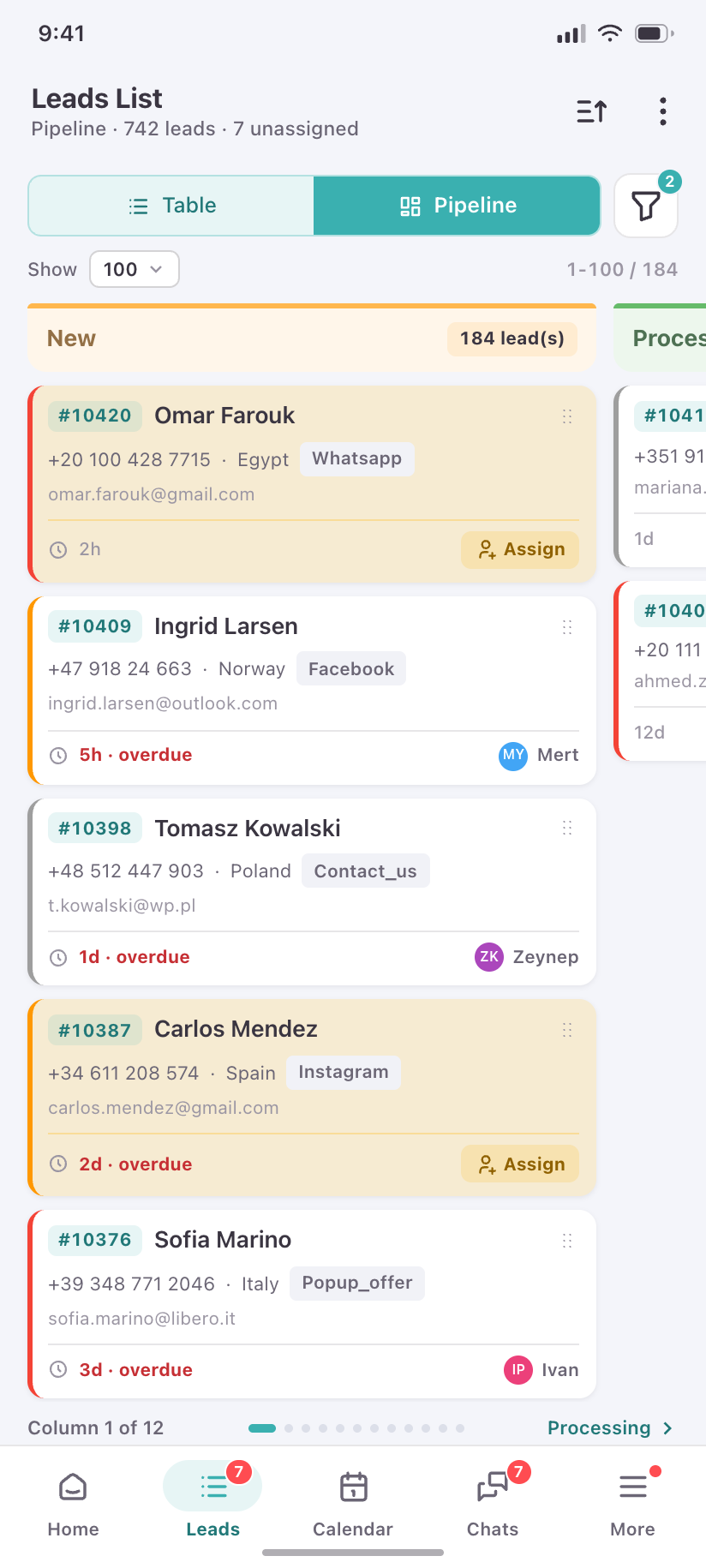
Pipeline
The kanban board, one column per status, sized for a thumb — swipe between columns rather than drag across a wall.
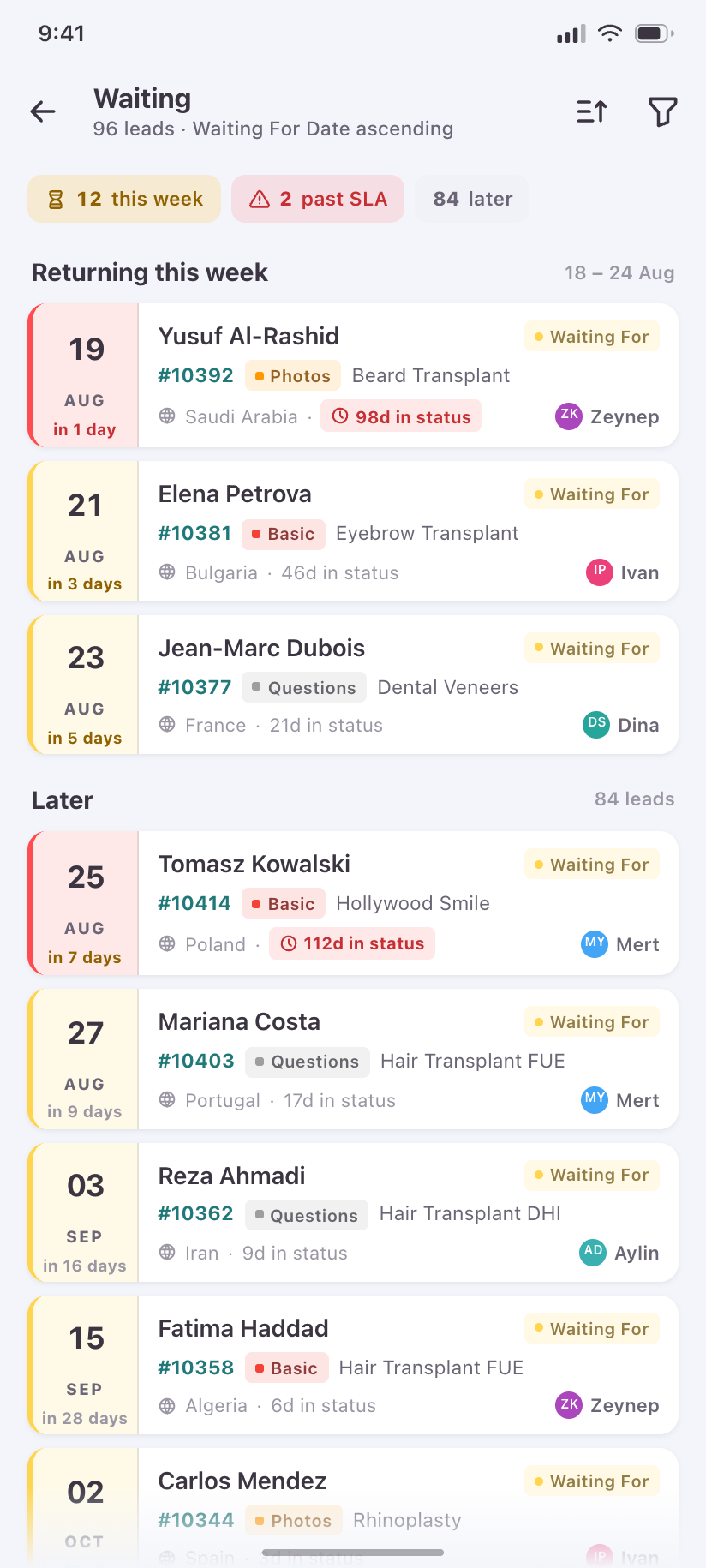
Waiting
The snooze queue: leads locked to Waiting For, sorted by the date they come back, with the 3-month SLA visible.
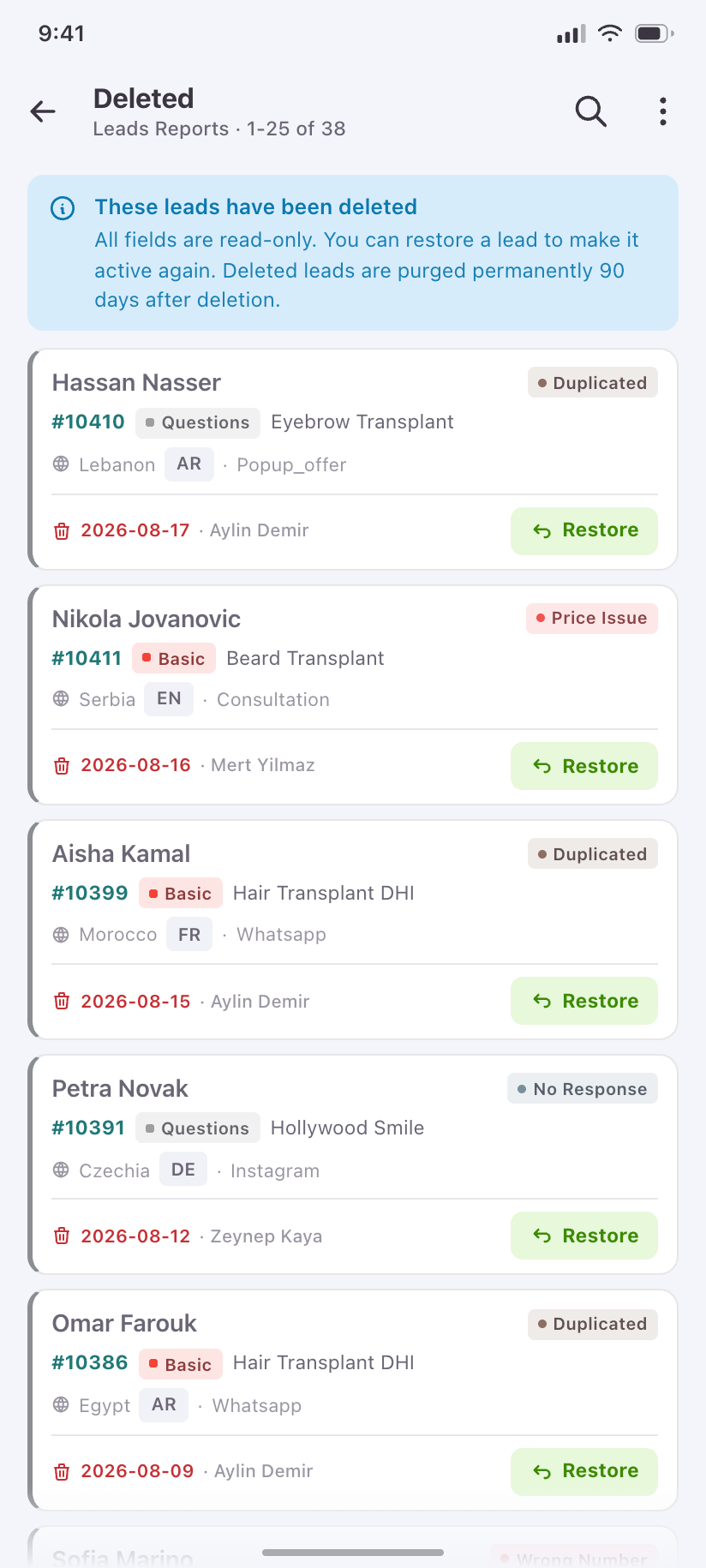
Deleted
Soft-deleted leads, read-only, with Restore as the only mutation and who deleted them on every row.
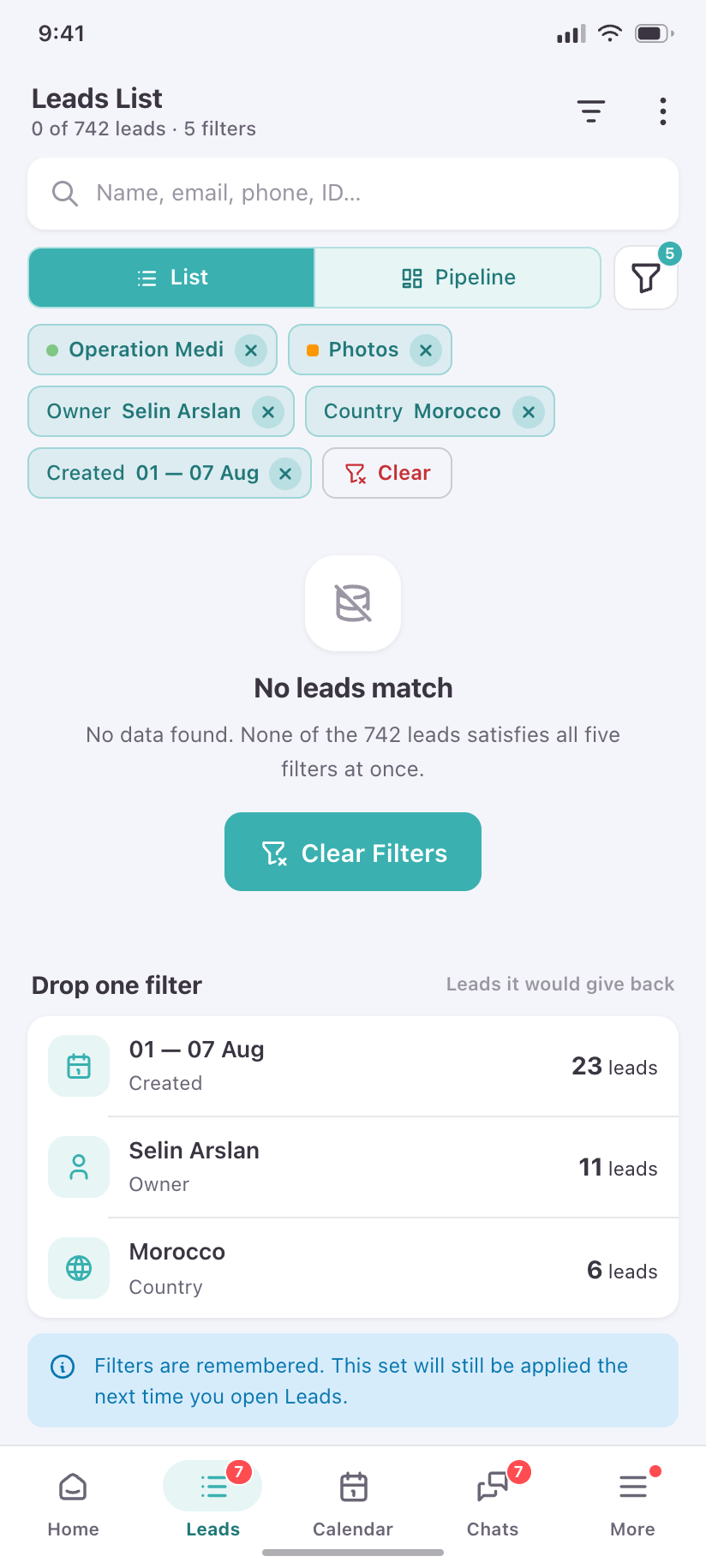
No leads match
The empty result of an over-narrow filter, with the active filters listed so the user can undo the one that hurt.
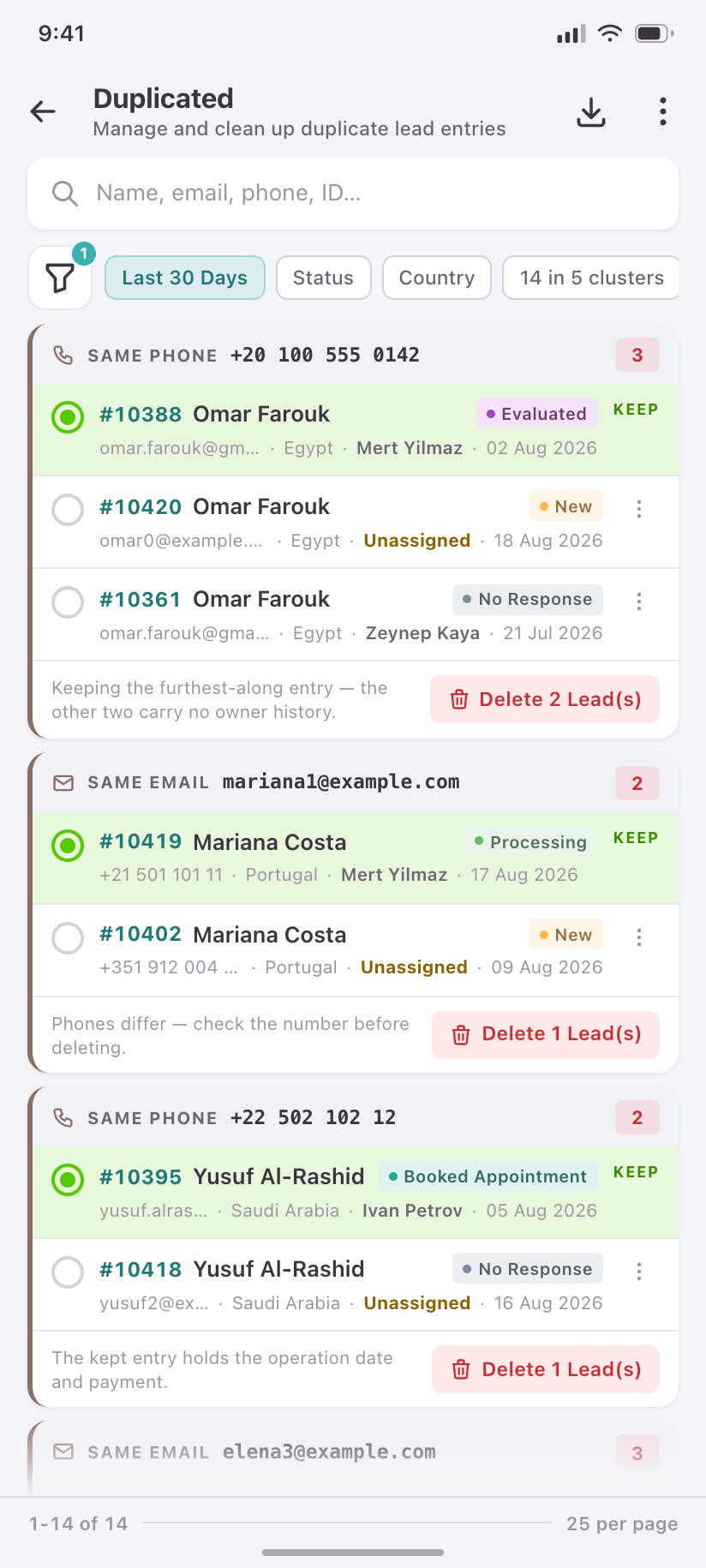
Duplicated
The cleanup queue: duplicate clusters grouped by what matched — same phone, same email — so the reviewer can see which record to keep.
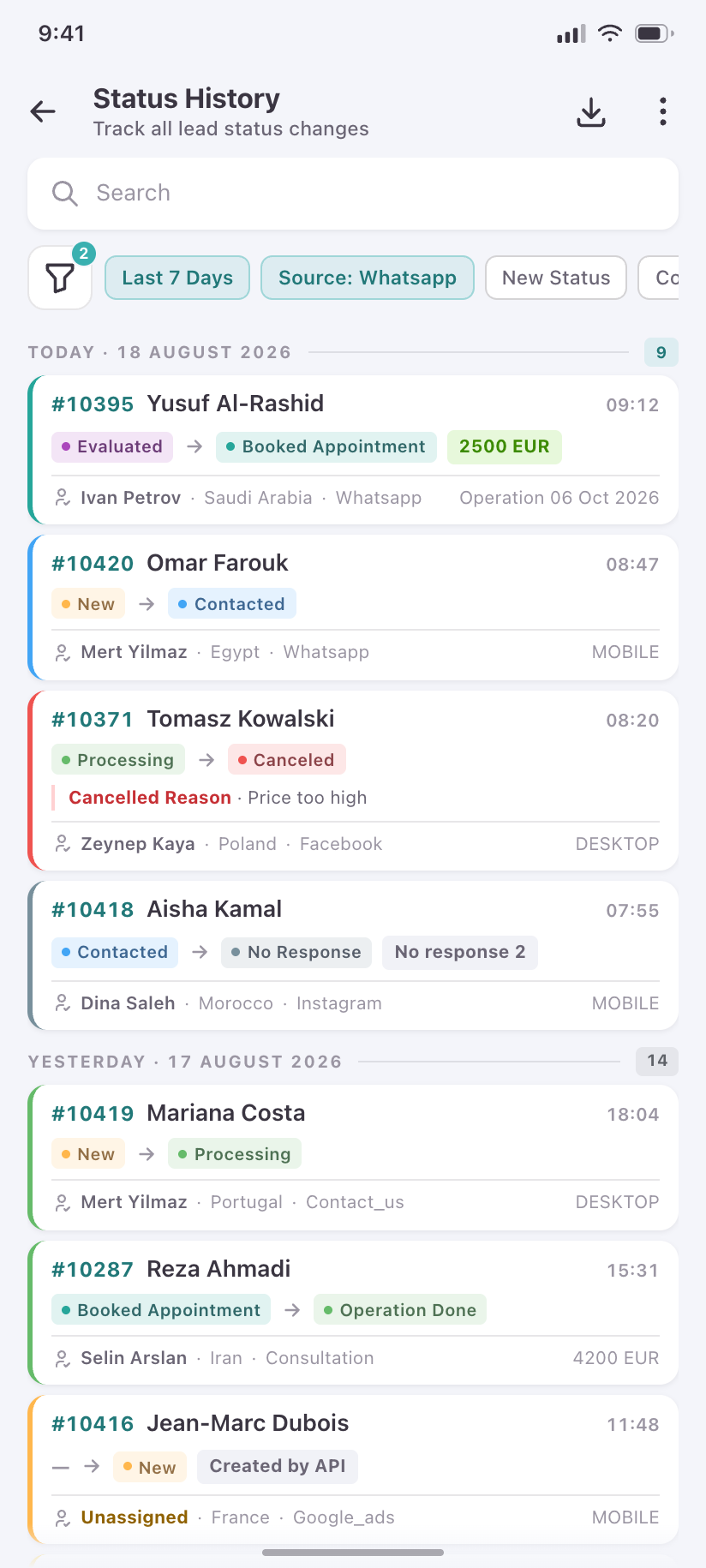
Status History
The global audit of every status change, the system-wide version of a single lead’s History tab.
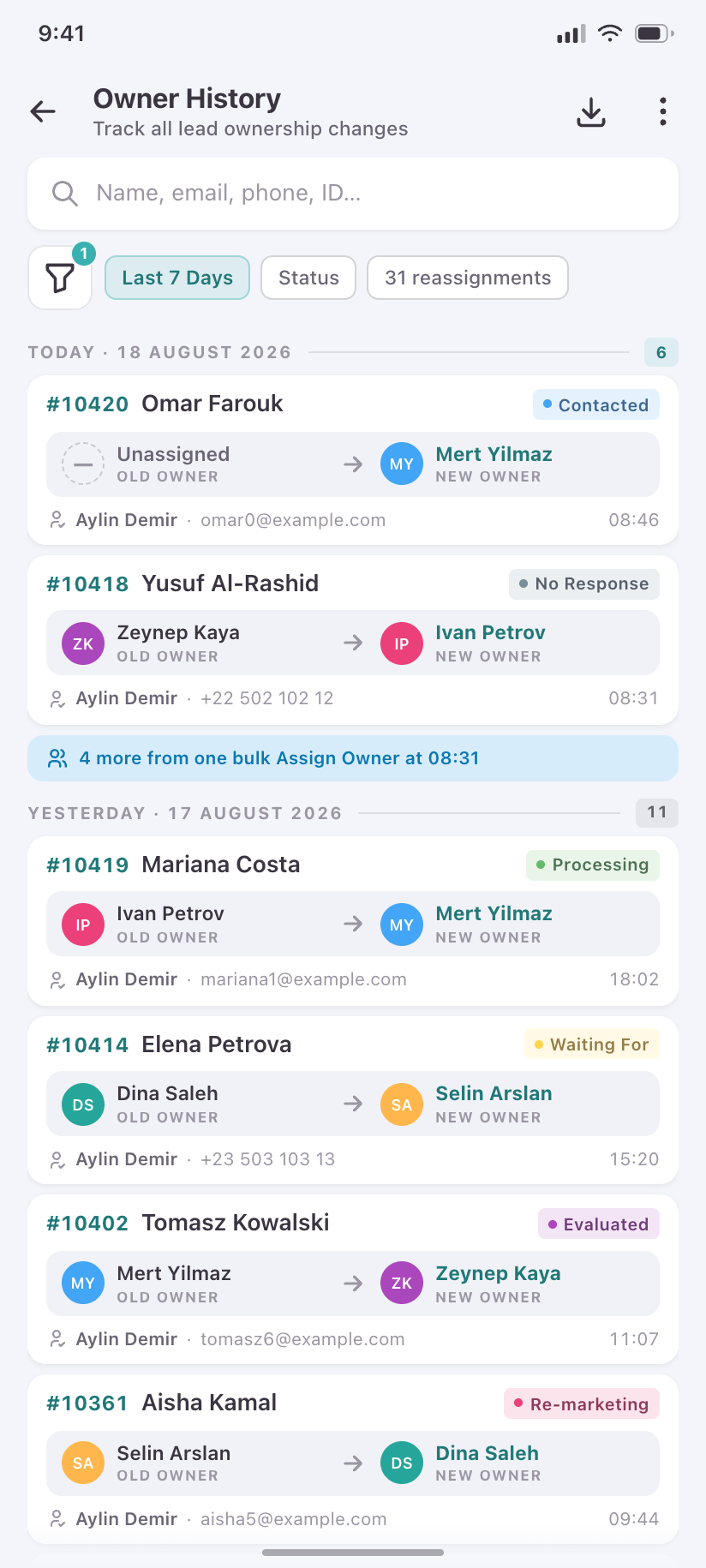
Owner History
Every reassignment between translators, with who moved it and when.
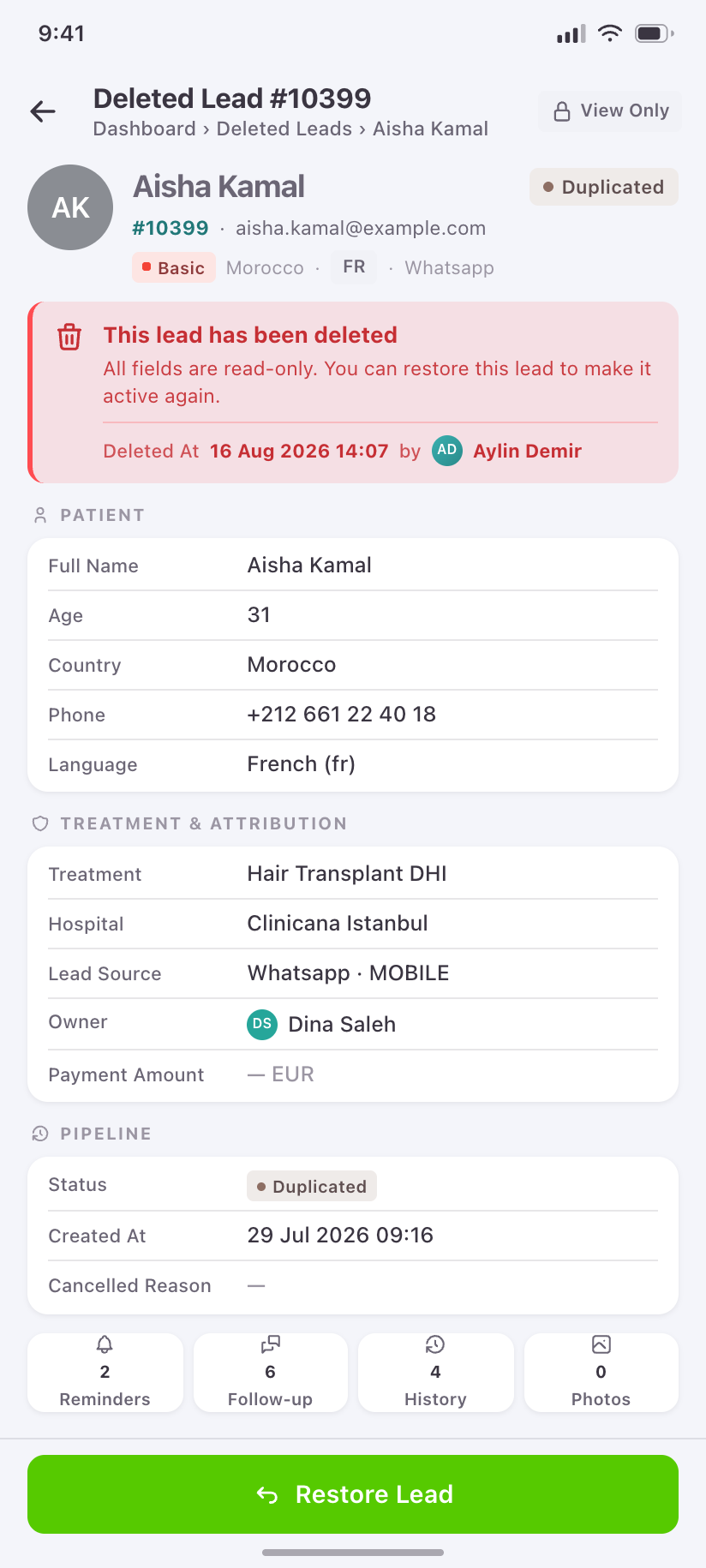
Deleted lead
A soft-deleted record, read-only, with who deleted it and Restore as the only action.
The lead record
10Eleven possible tabs, but a given lead shows four or five — the tab list is data-driven, and the phone keeps that rule instead of showing eleven empty tabs.
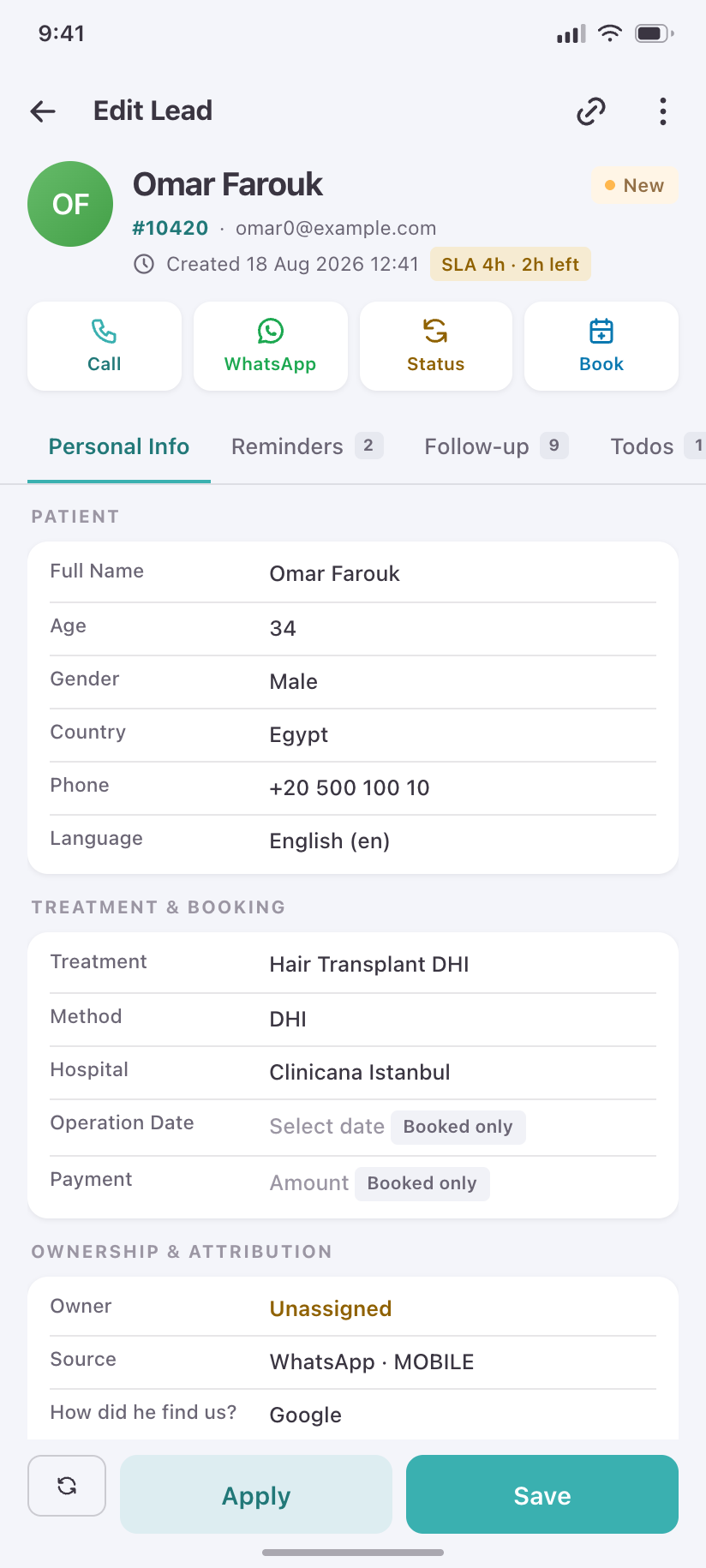
Lead detail
Identity band, the four actions a translator actually reaches for, the SLA countdown, and Personal Info grouped for reading rather than editing.
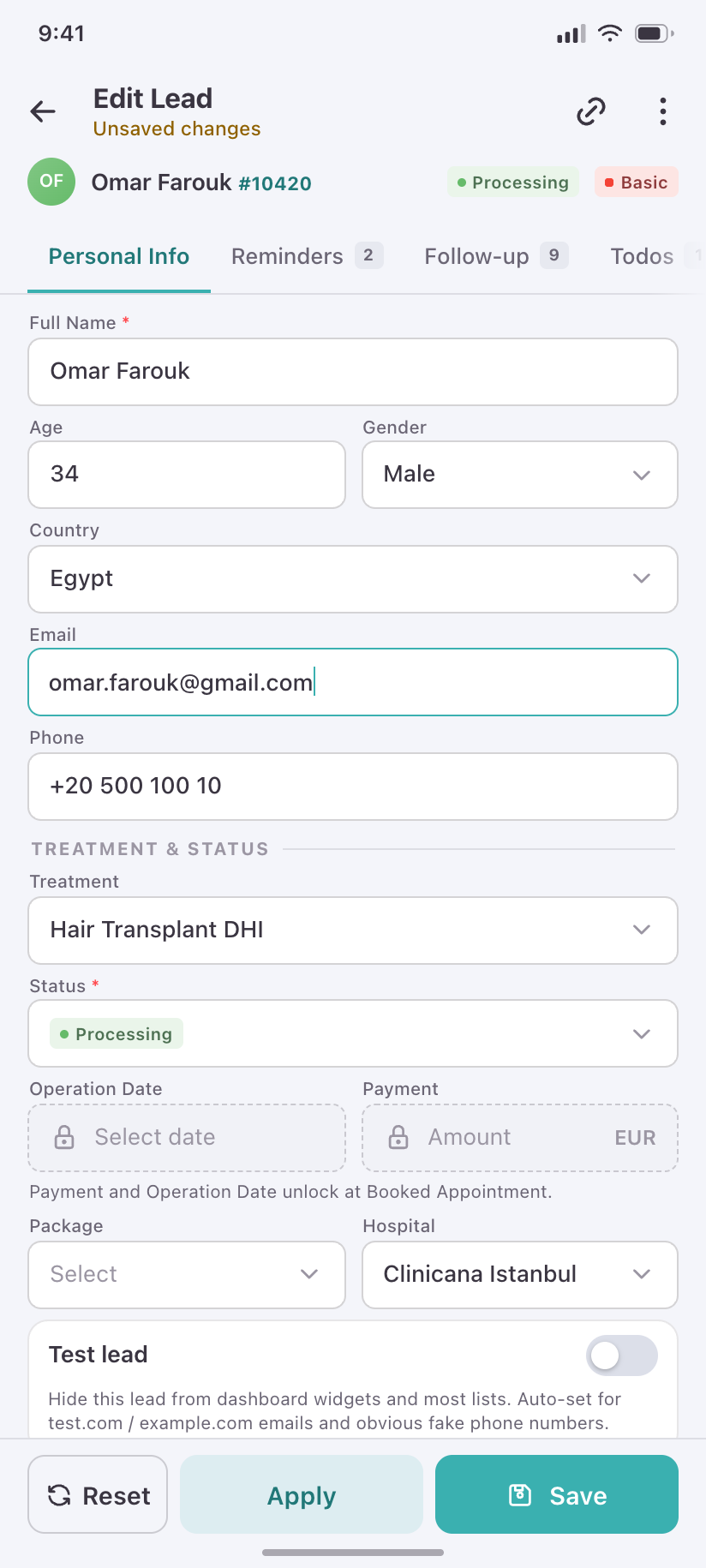
Personal Info · editing
The same form in edit mode, showing the product's own rules: Operation Date and Payment stay locked until the lead is booked.
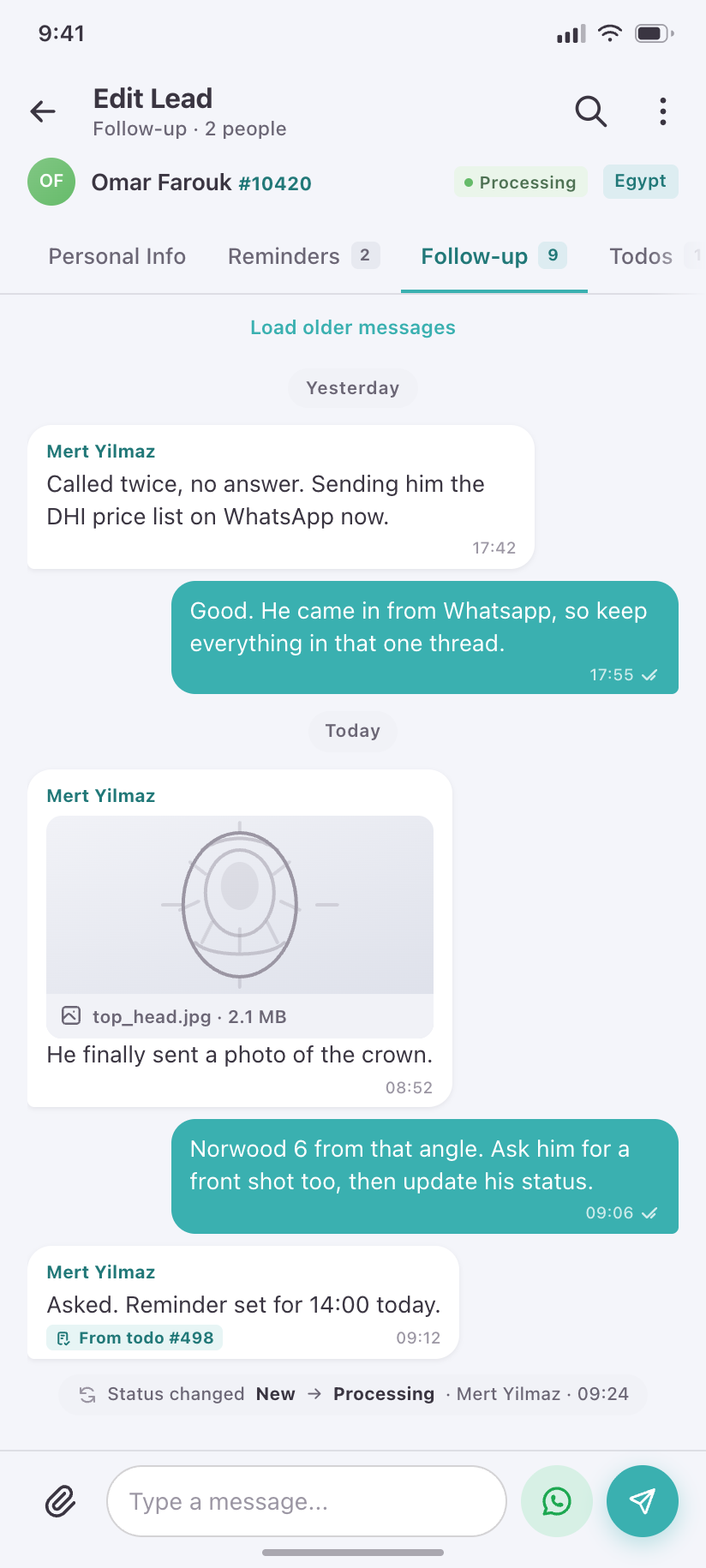
Follow-up
The internal thread about this lead between admin and translator, with attachments and the WhatsApp hand-off.
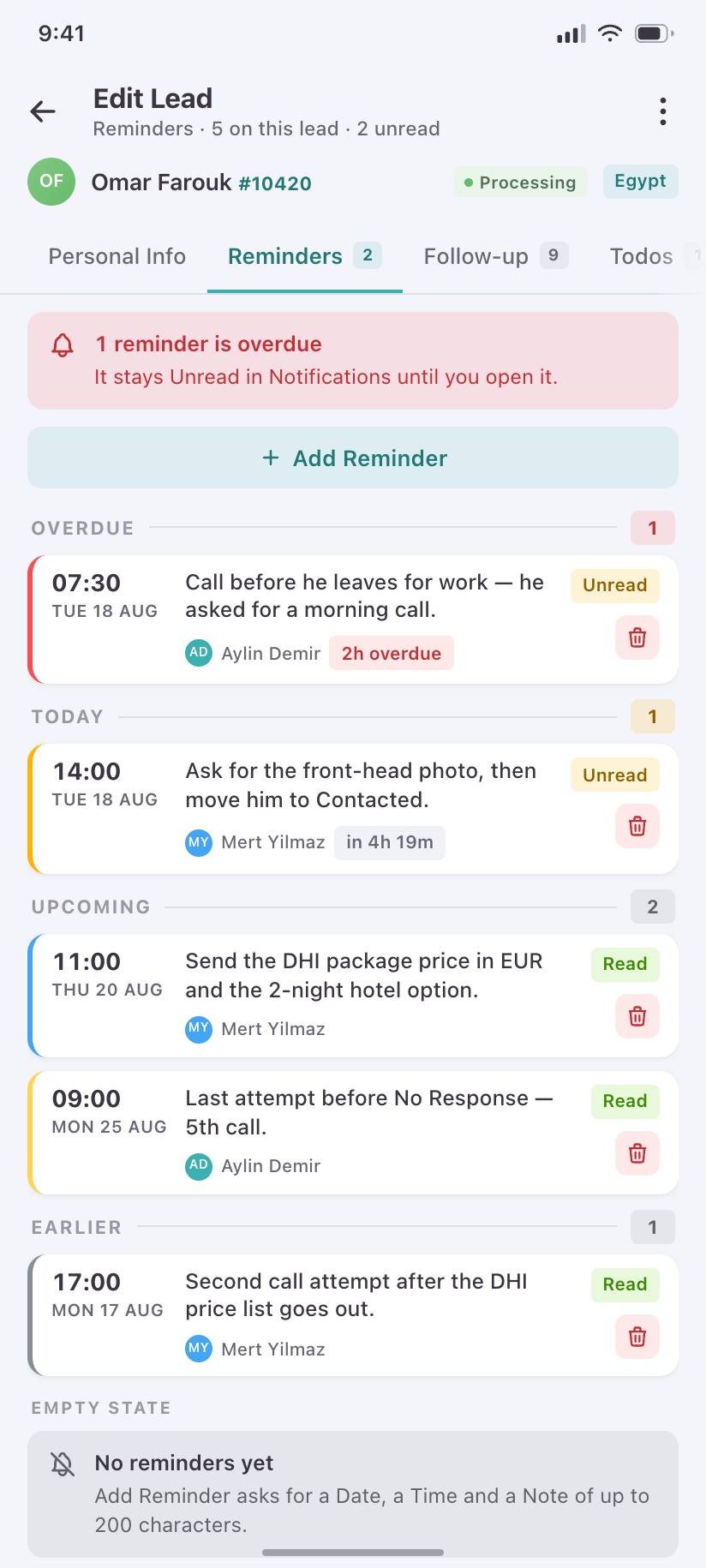
Reminders
Date-and-time call-backs on this lead, overdue ones spined red, feeding the app-wide reminder badge.
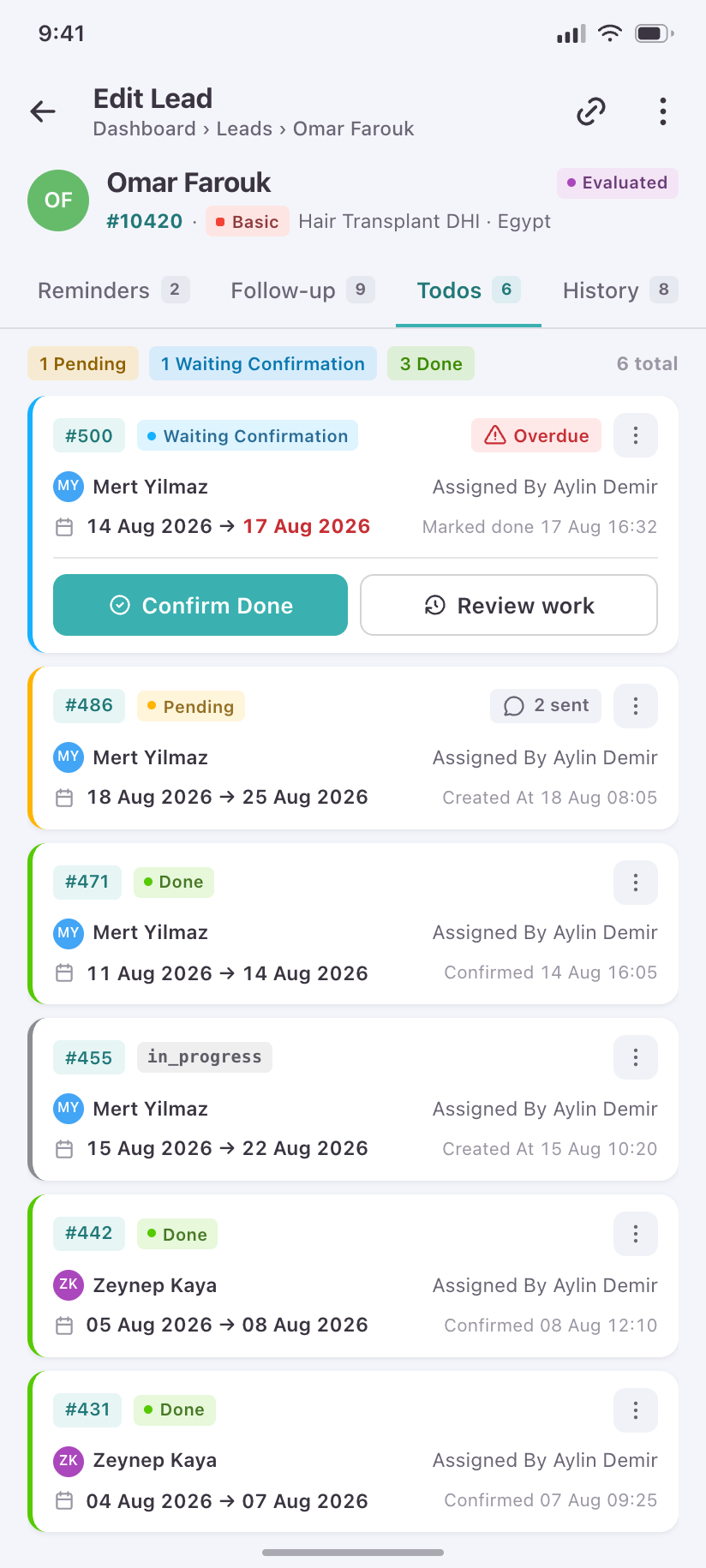
Todos
Tasks raised on this lead and their confirm state, so an admin can close out work without opening the Todos queue.
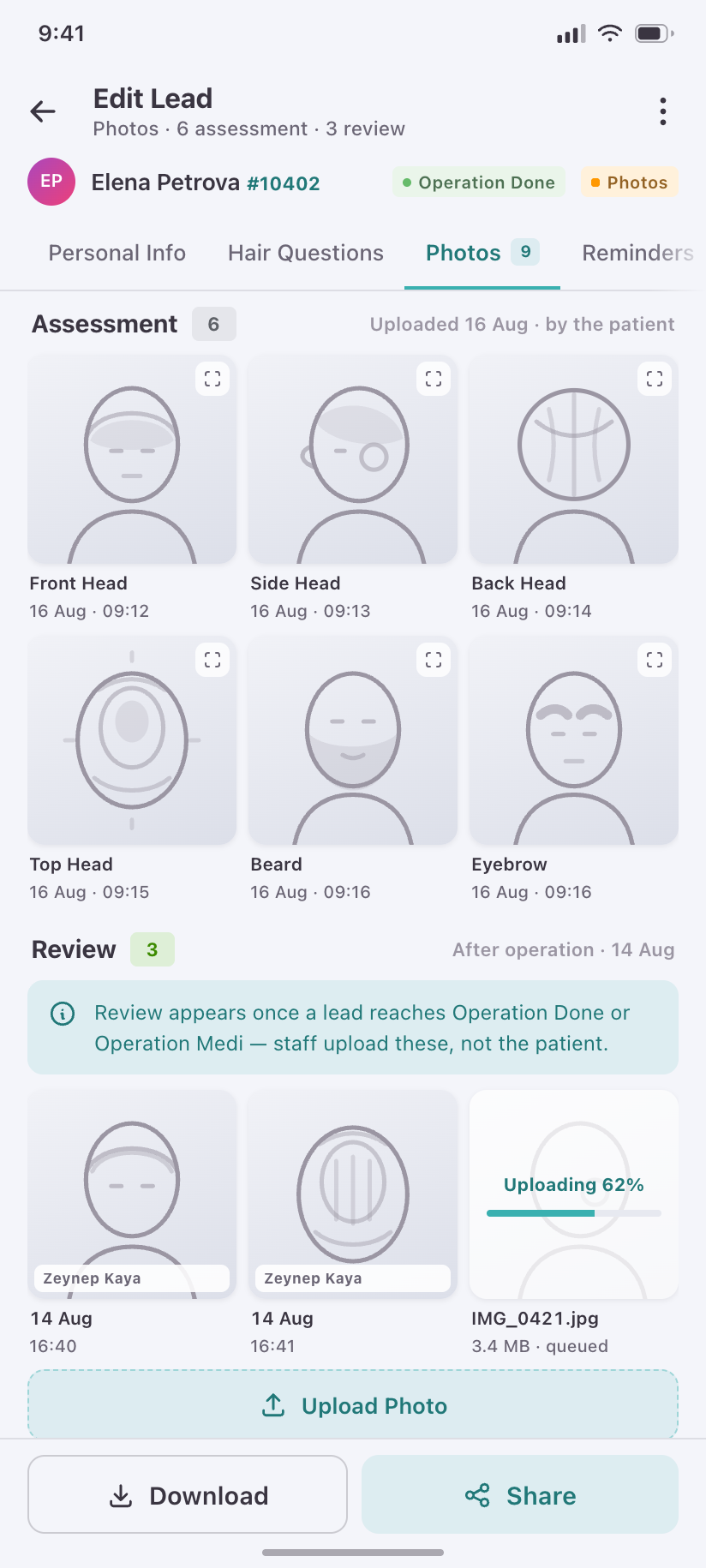
Photos
The assessment photos the patient uploaded, as the grid a doctor scans before estimating grafts.
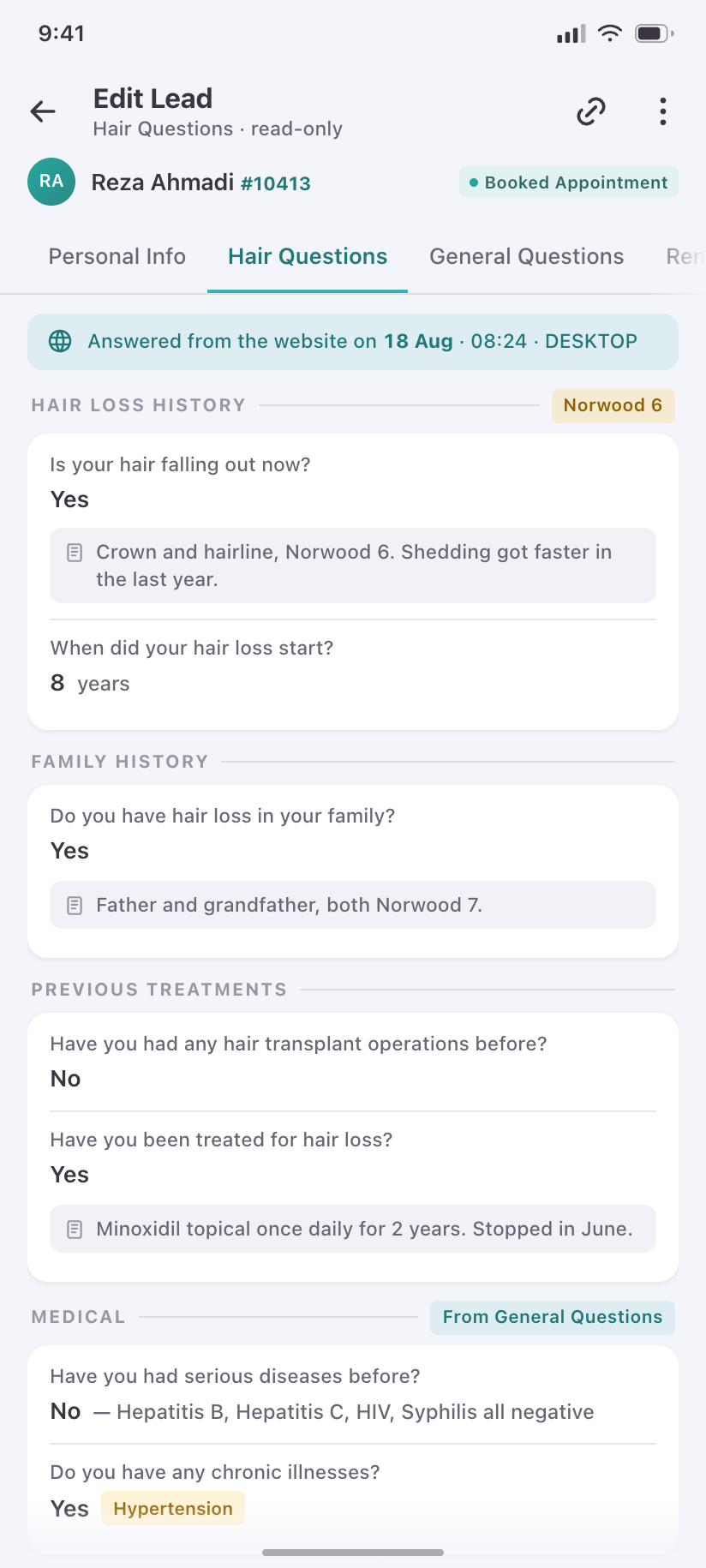
Hair Questions
Read-only playback of the questionnaire the patient filled in on the website — present only when they actually answered.
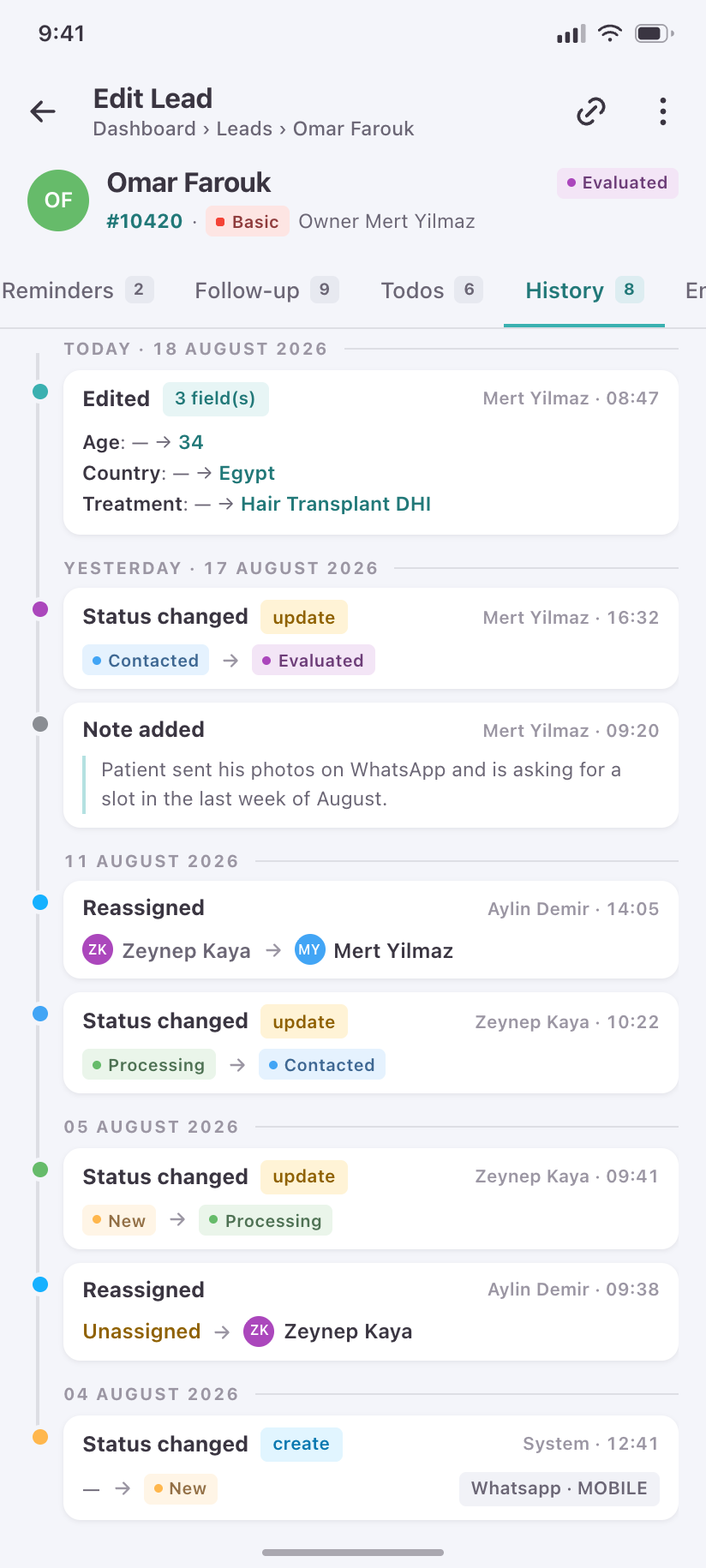
History
The audit trail: every status and owner change on this lead, who made it and when.
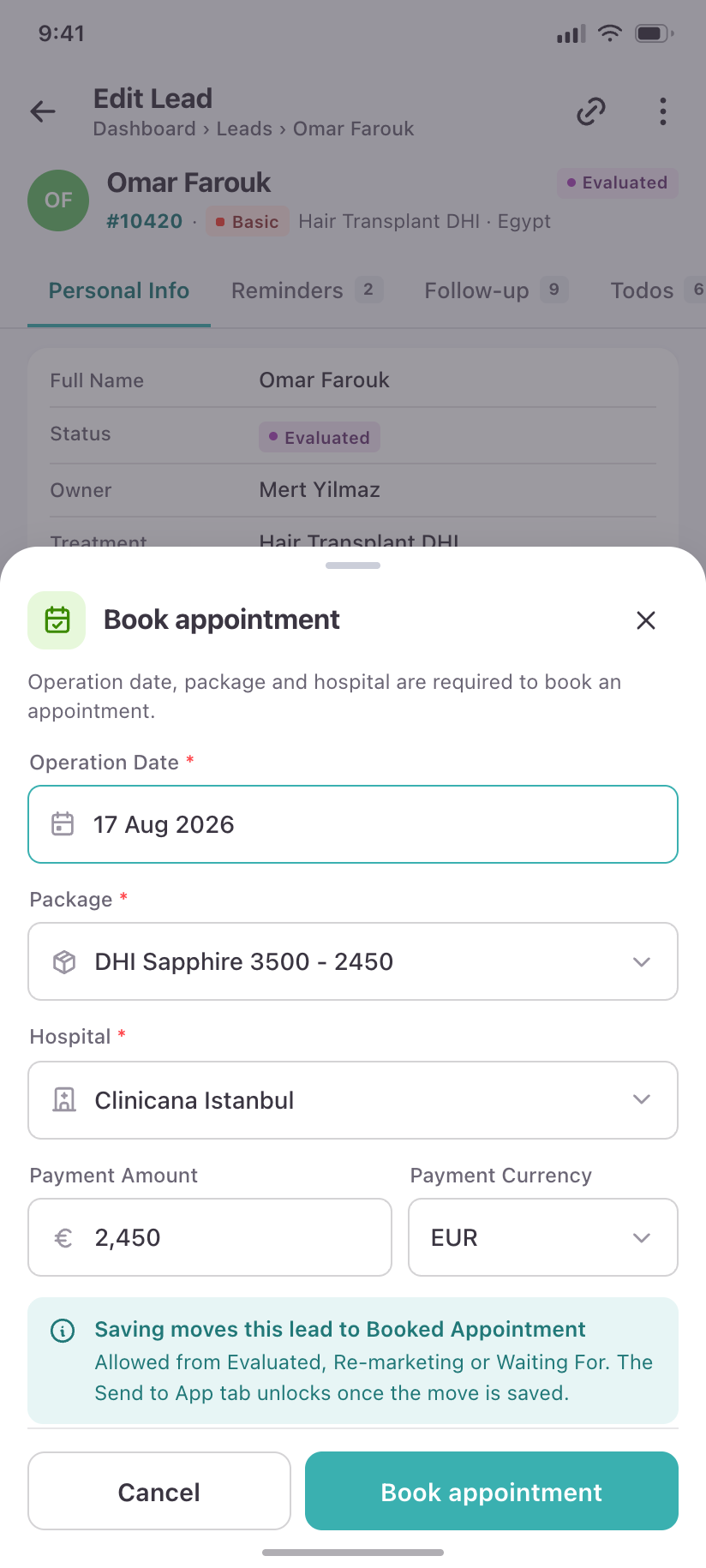
Book appointment
The three fields the backend demands before a lead may enter Booked Appointment — operation date, package, hospital.
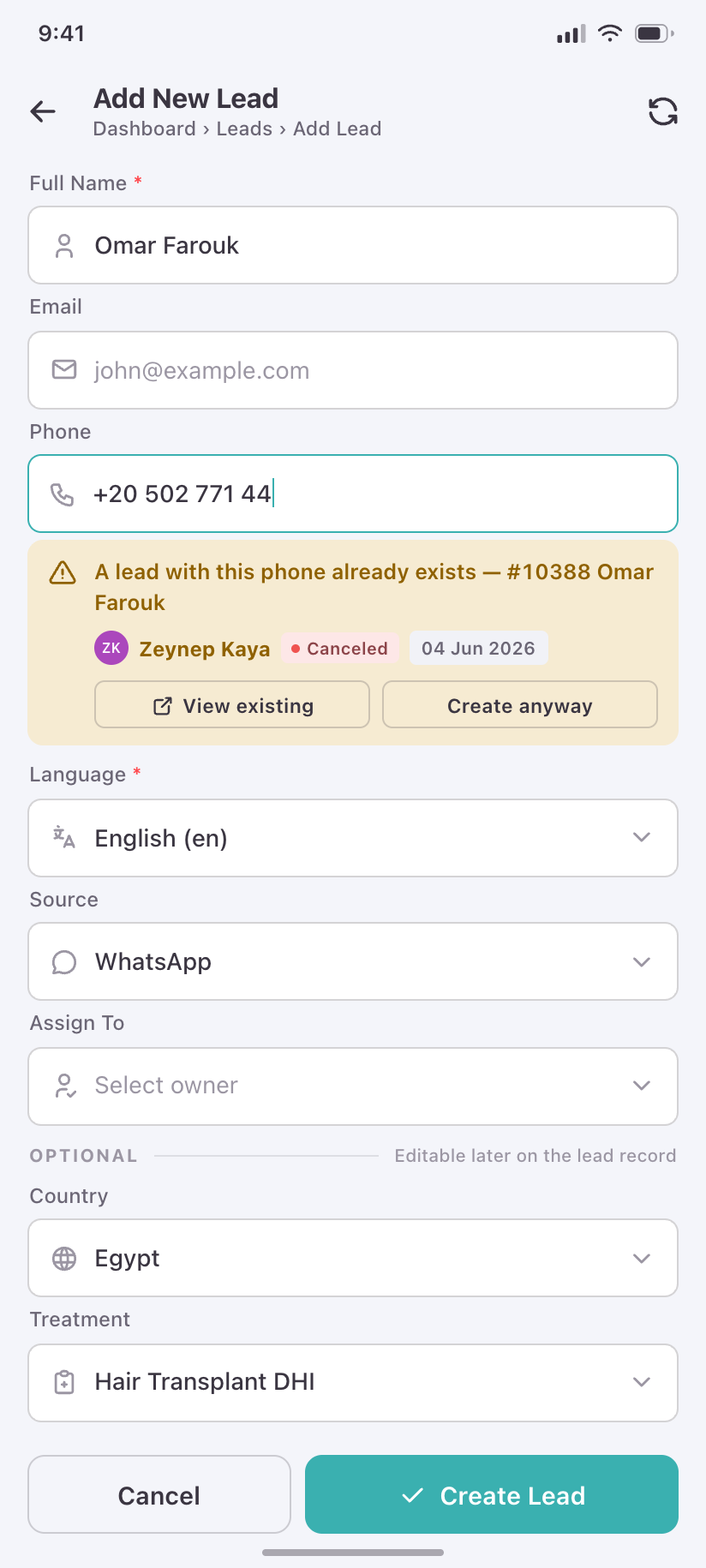
Add New Lead
Manual capture, six fields, built for one hand while the patient is still on the phone.
Todos
4A todo is work one person did and another confirms. The phone keeps that two-party structure, including the irreversible confirm step.
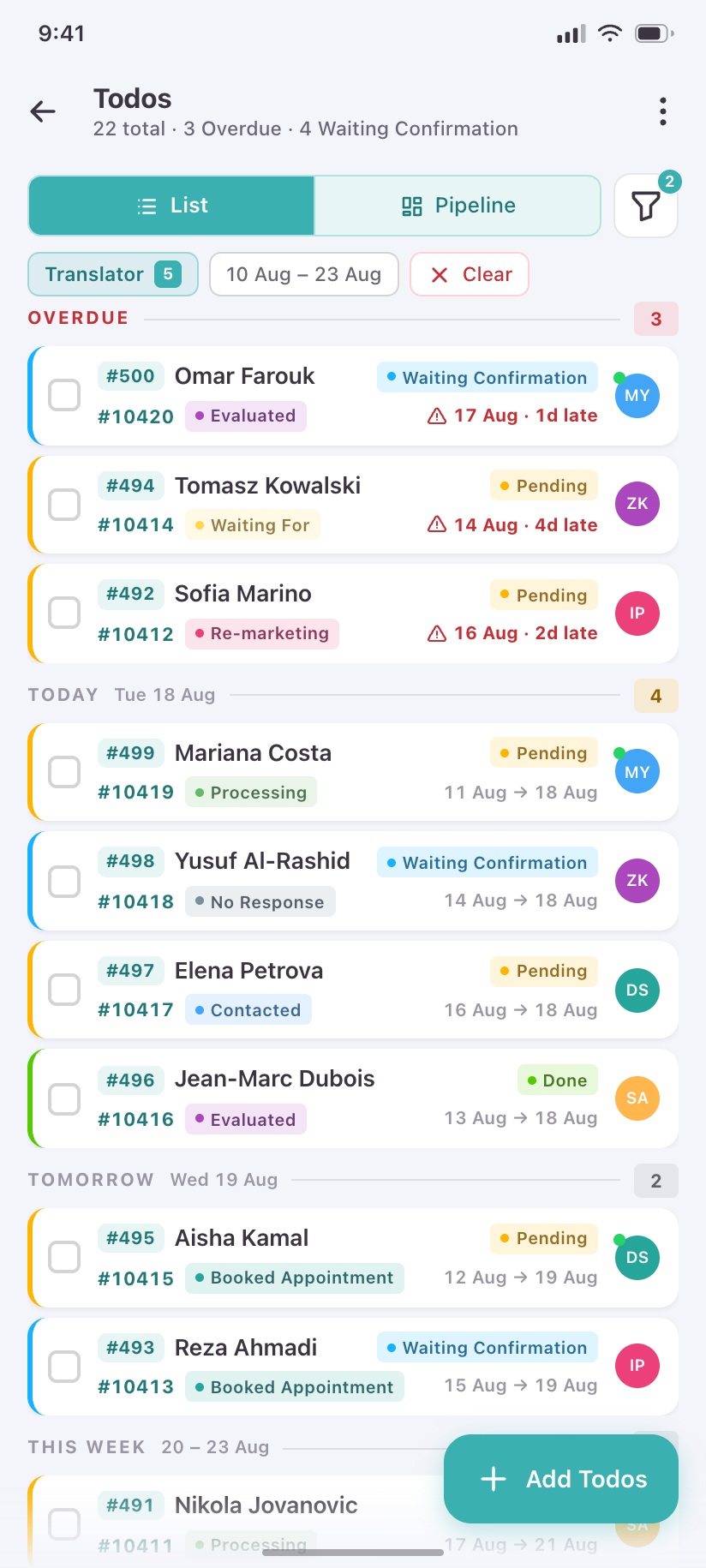
Todos
The queue, grouped by due date, overdue first, each row carrying the lead it belongs to.
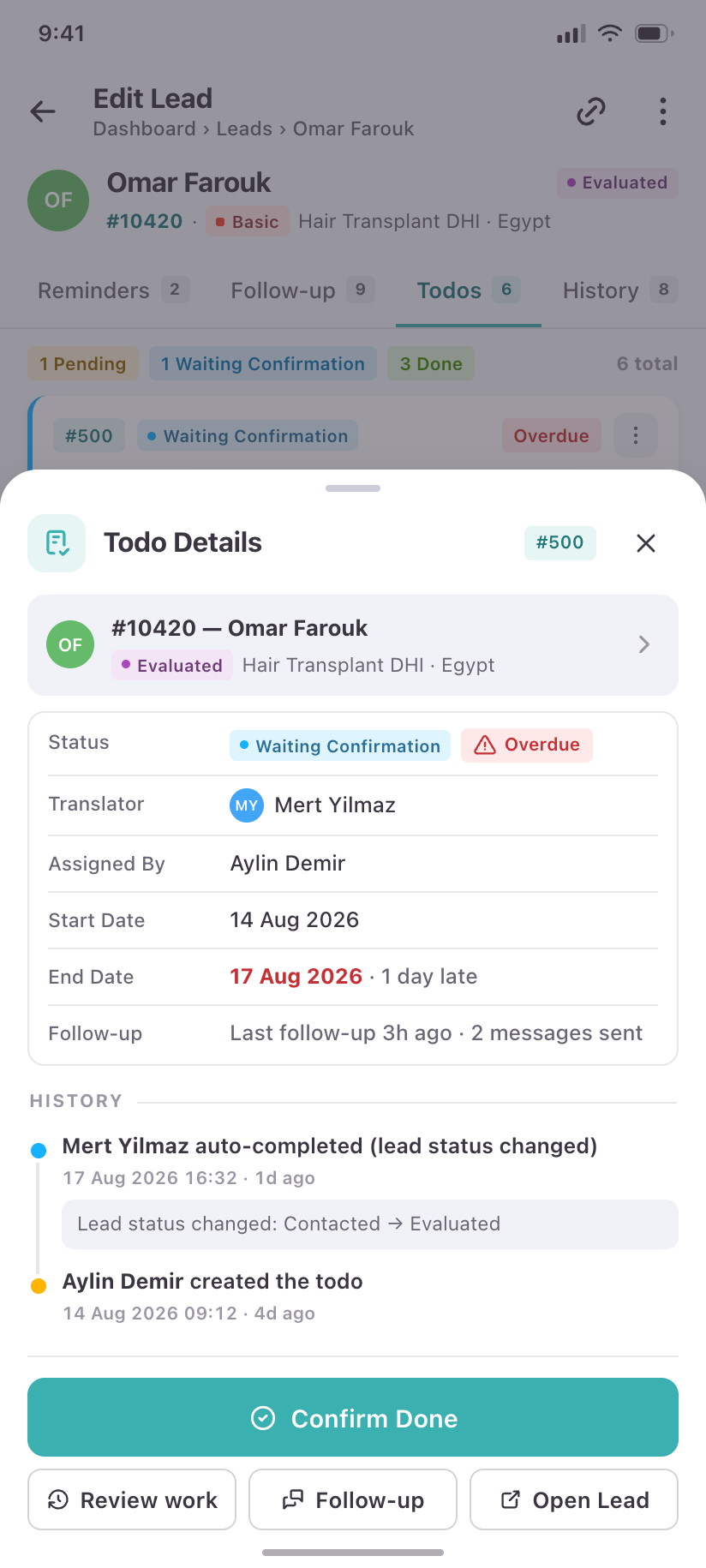
Todo Details
One todo, its status timeline, and only the actions legal for the viewer's role.
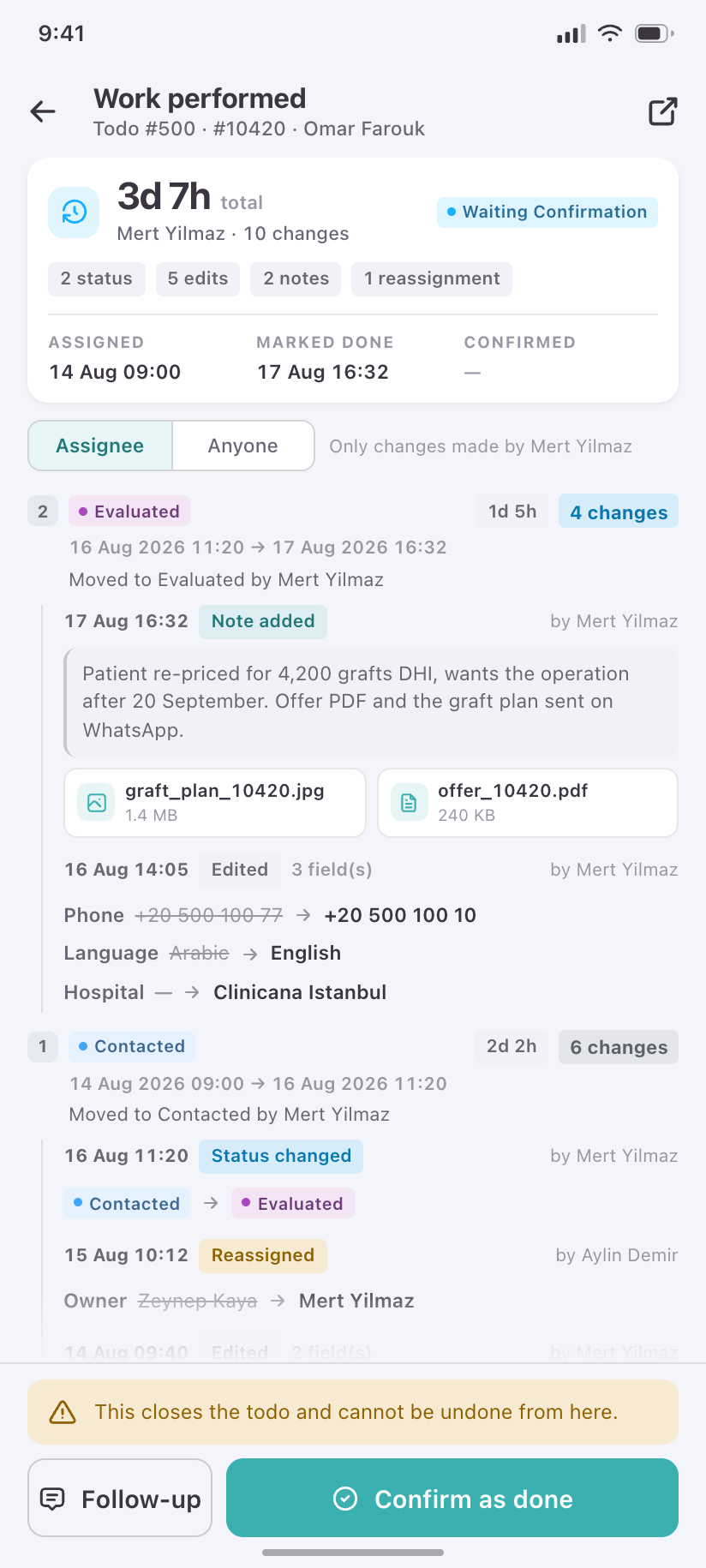
Work performed
What the assignee logged — the evidence an admin reads before pressing a button that cannot be undone.
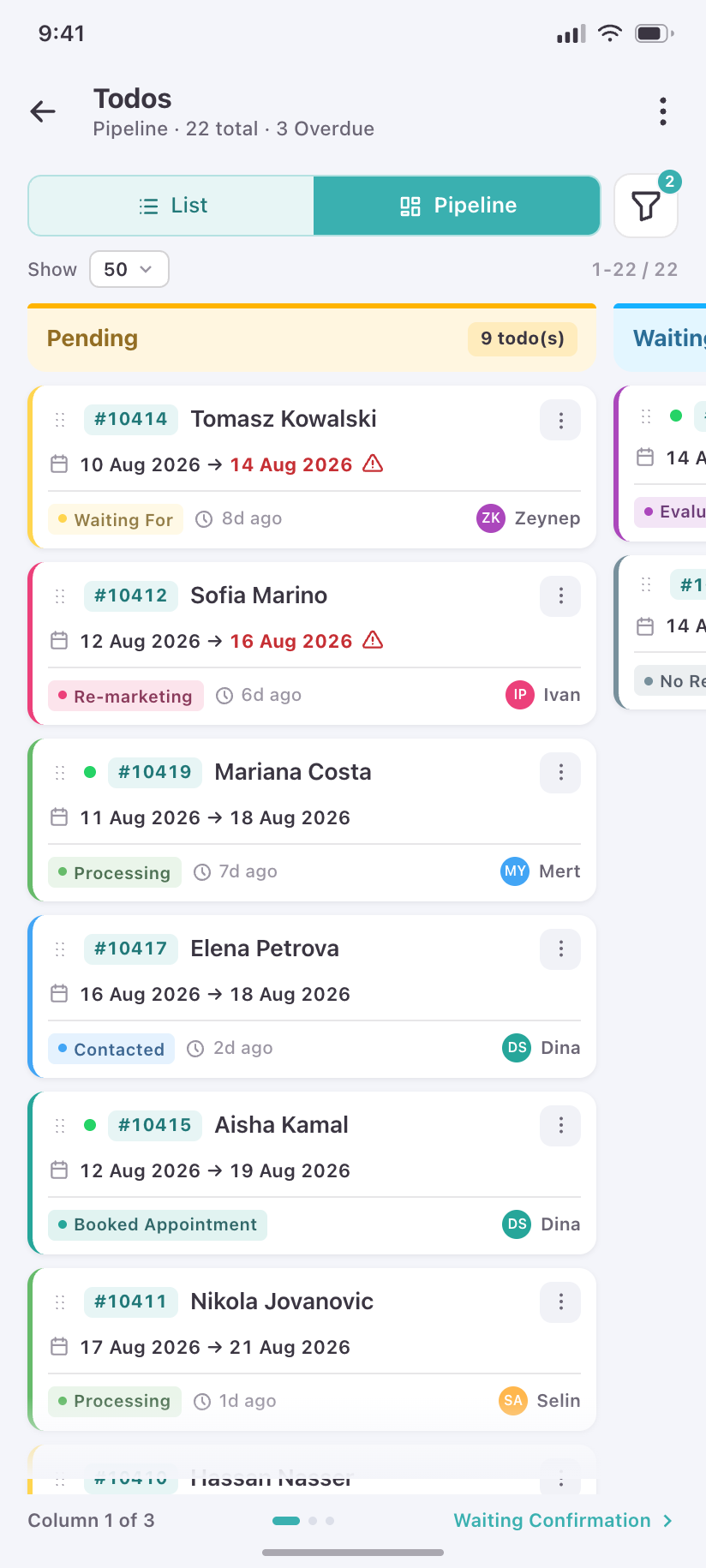
Pipeline
The same backlog as three status columns, for the admin who wants shape rather than order.
Calendar
3The web calendar plots leads by Creation Date or Status Date and keeps a Year View. The phone keeps both overlays and adds the agenda the desktop's Week/Day/List modes stand in for.
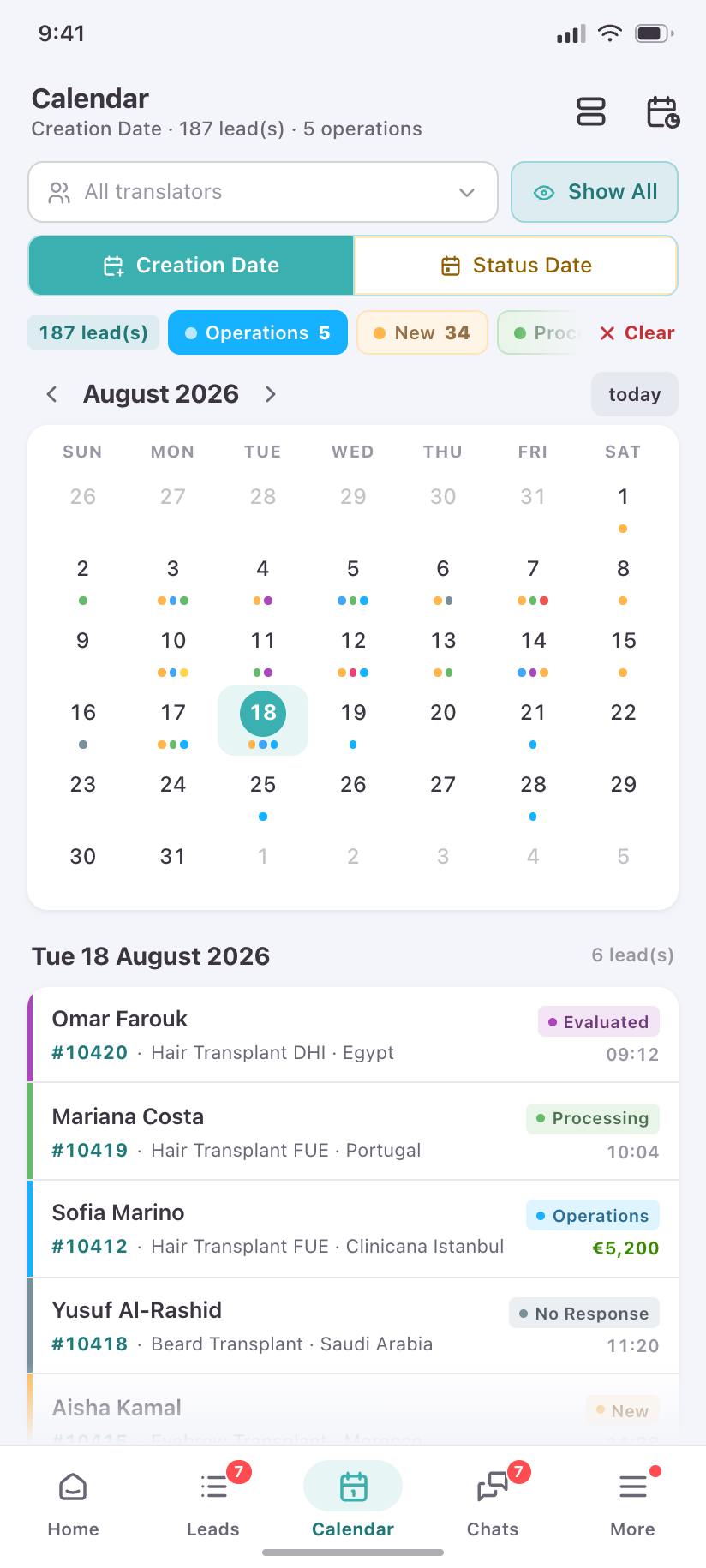
Calendar
Month grid with status-coloured dots, the Creation Date / Status Date toggle, and the translator filter.
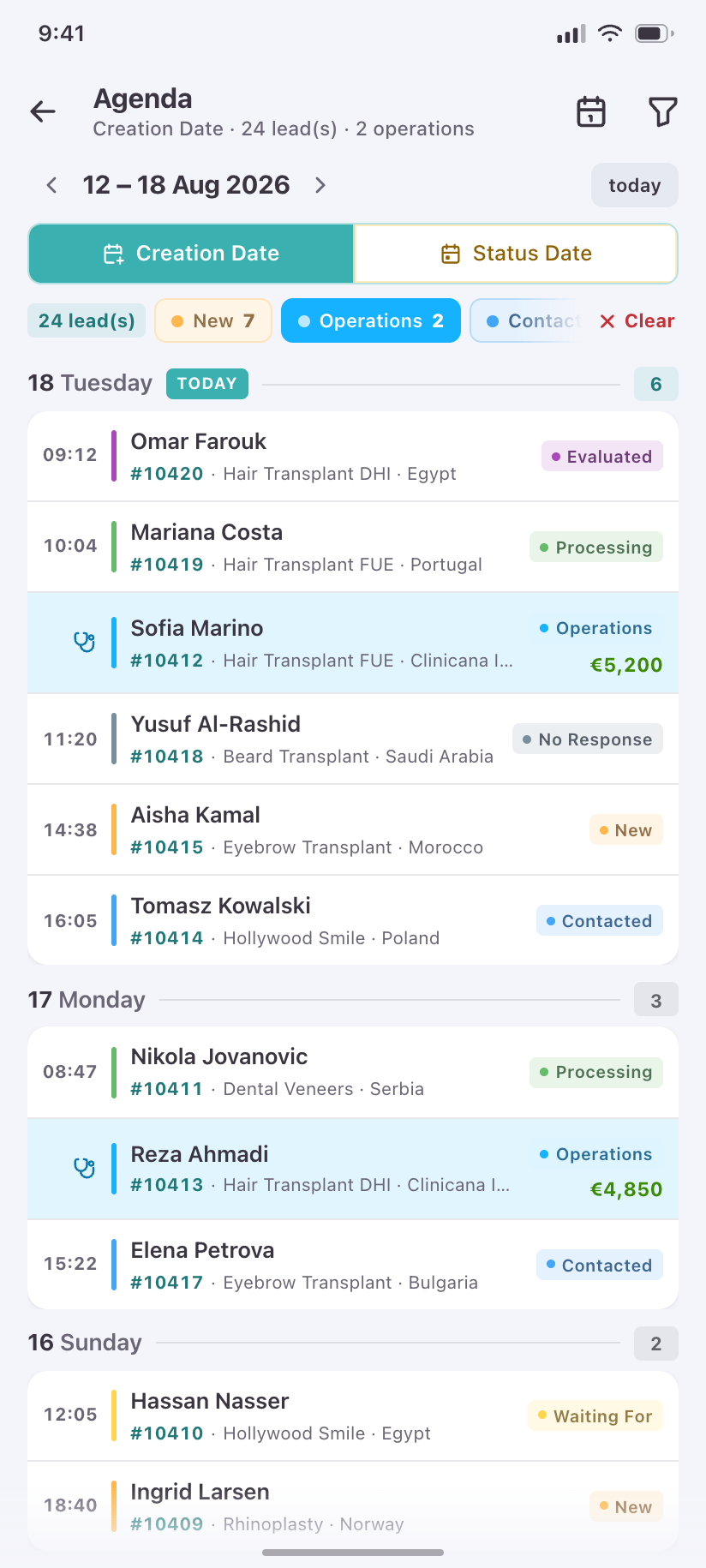
Agenda
The phone-native replacement for Week/Day/List — one scrollable day-by-day feed with operations called out.
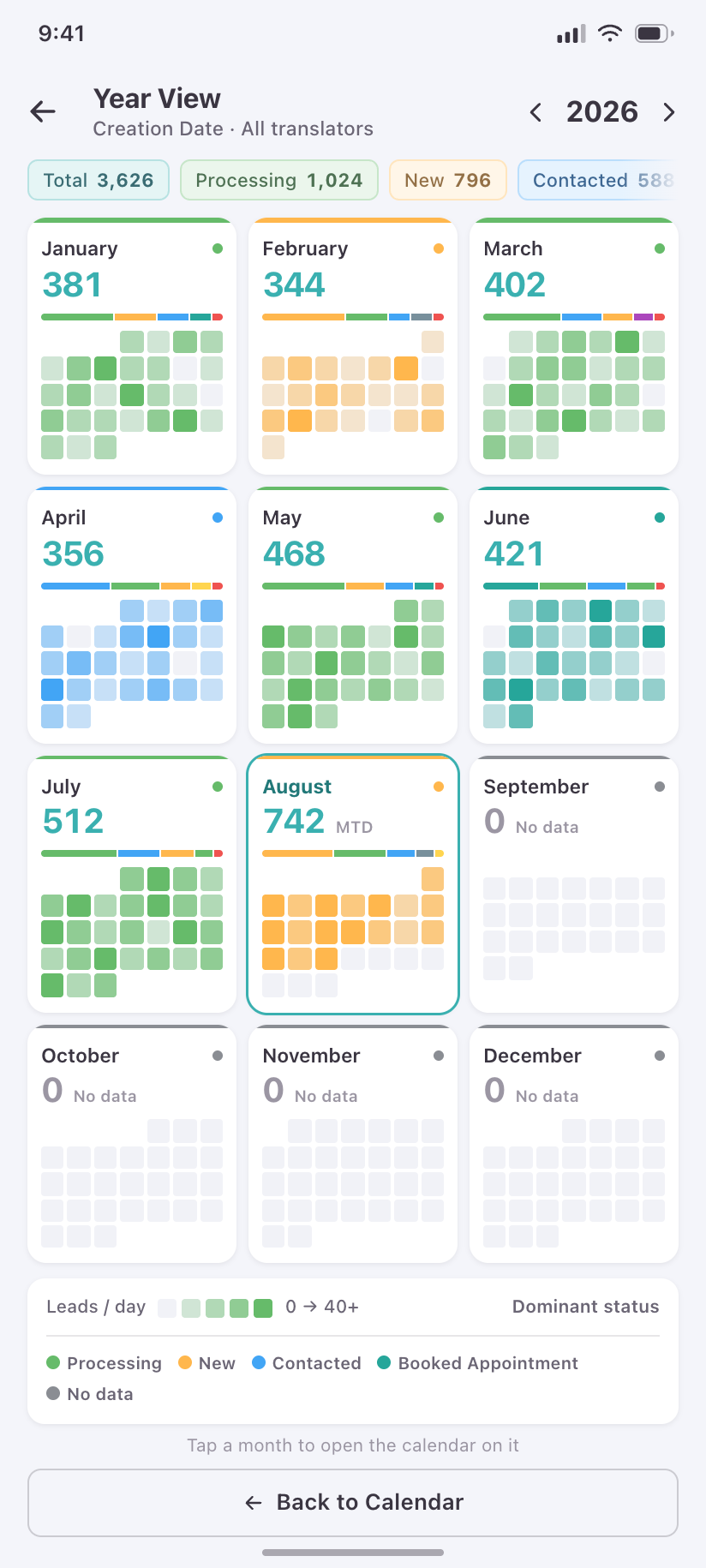
Year View
Twelve months of lead volume as a density grid, so a manager can compare a season at a glance.
Chats & notifications
4Chat here is staff talking about a lead, not staff talking to a patient — so the inbox is grouped by colleague, and each thread is anchored to a lead.
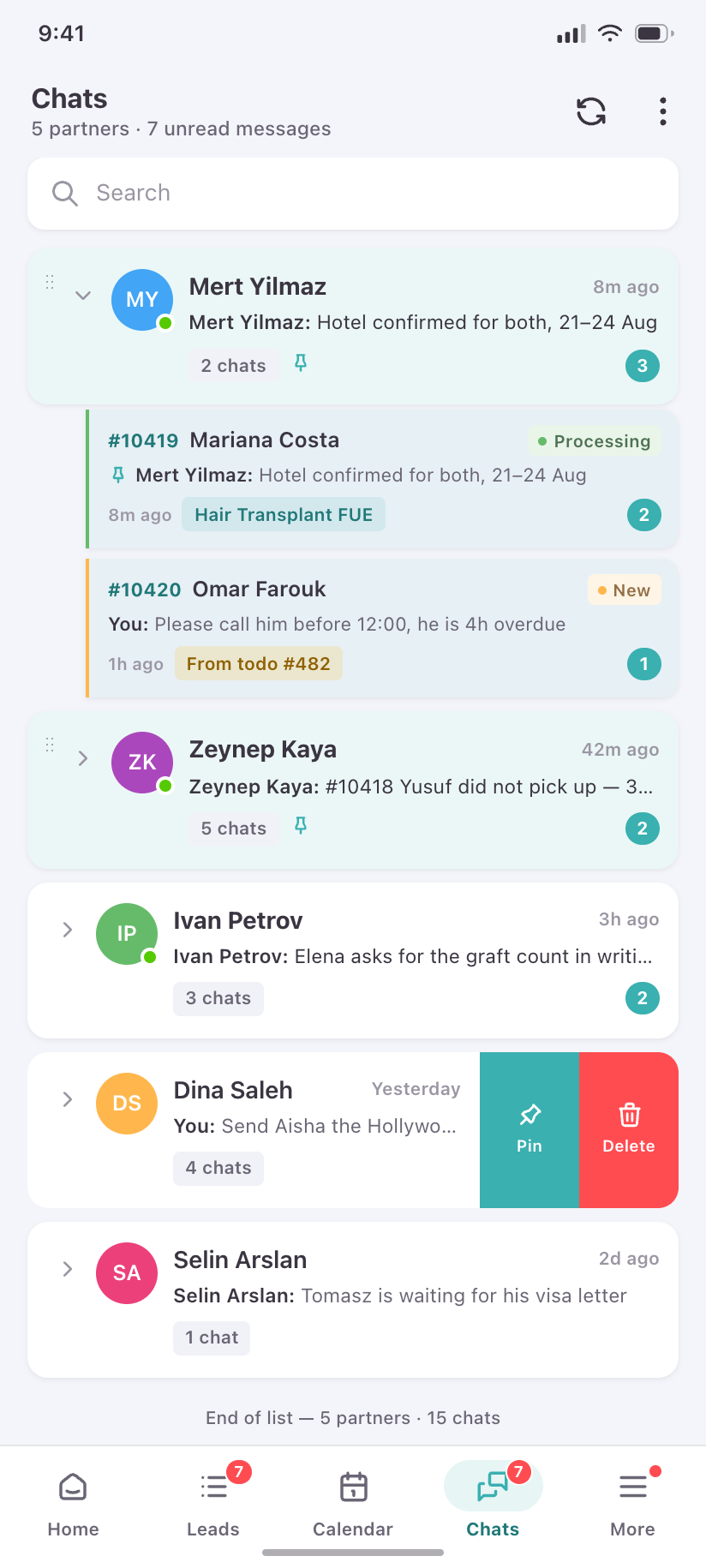
Chats
One row per colleague, expandable to the lead conversations you share, pinned partners first.
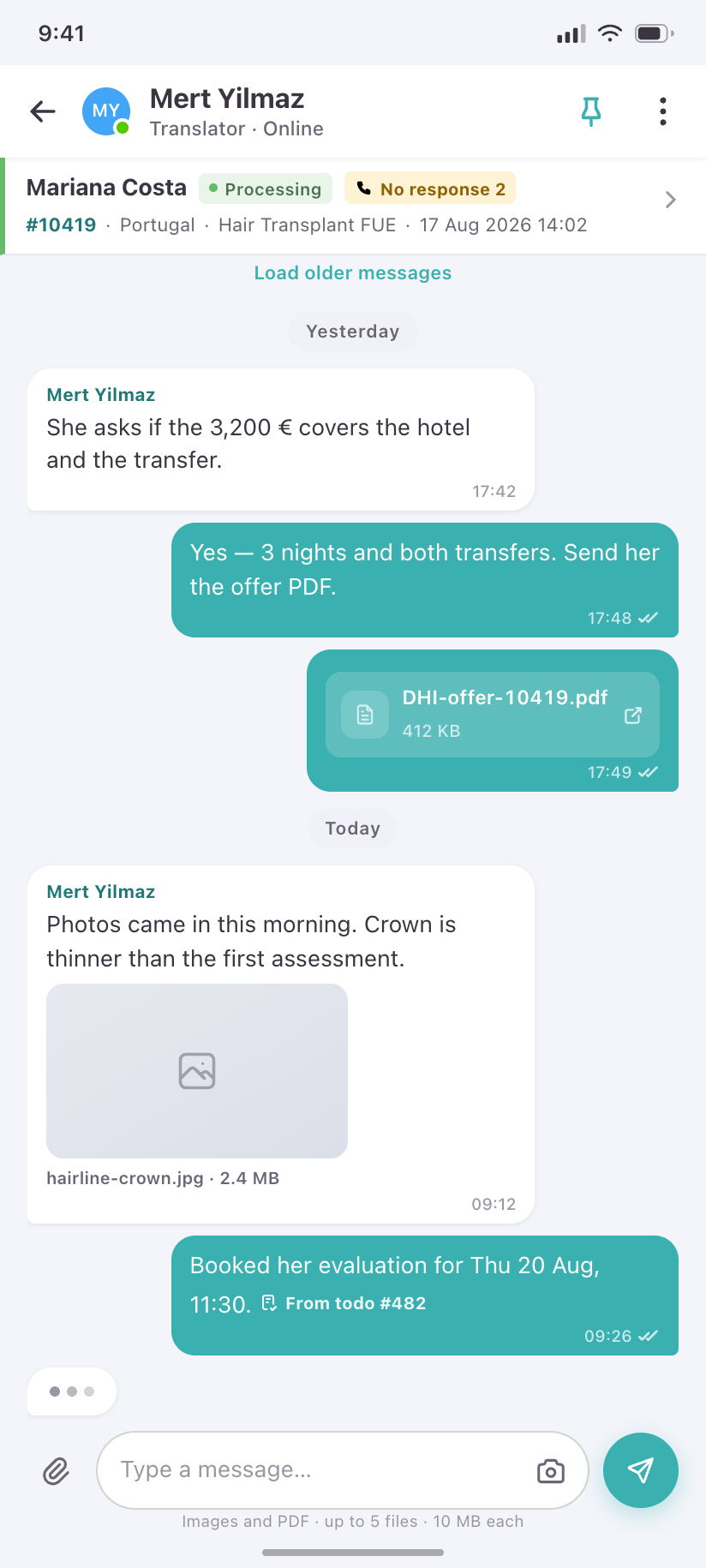
Chat thread
The conversation about one lead, with the lead pinned to the top so nobody loses the subject.
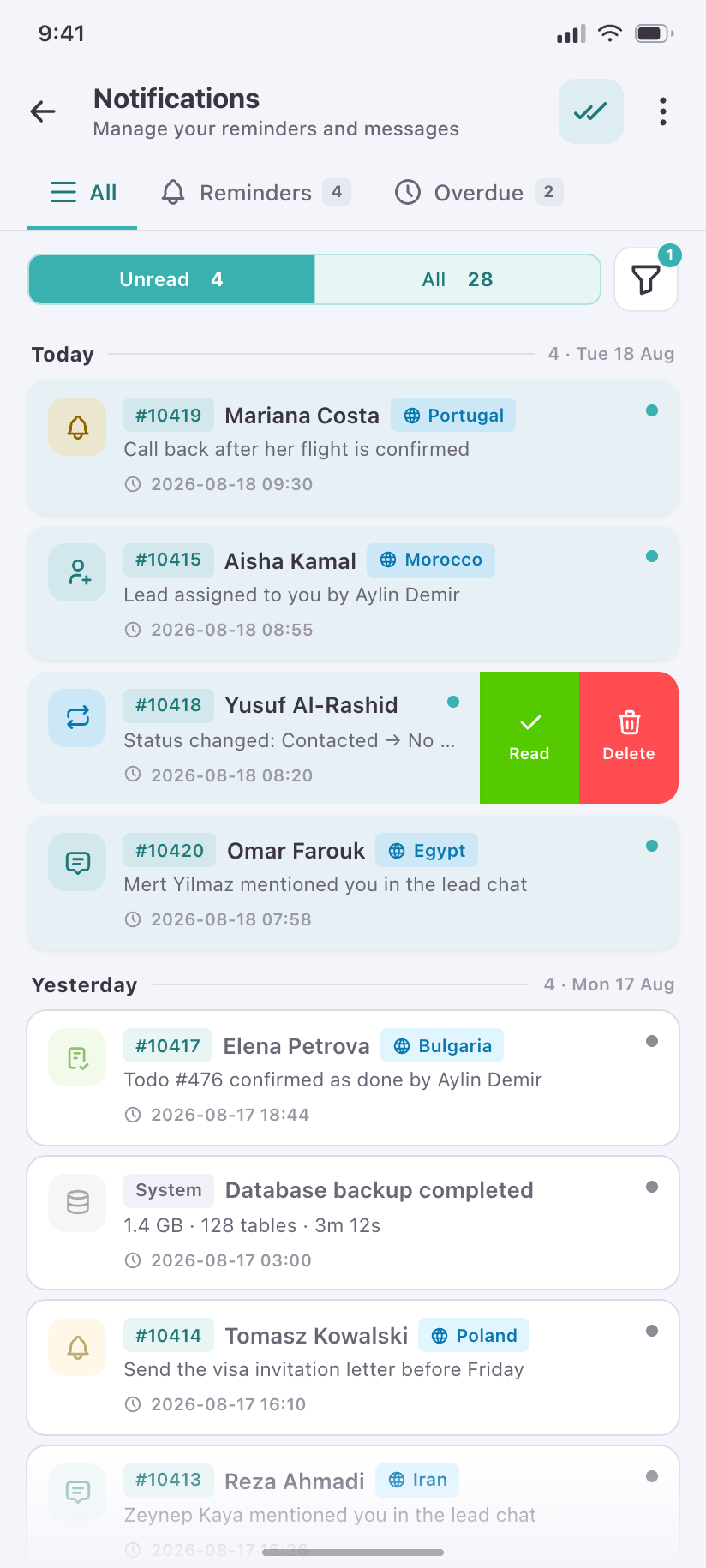
Notifications
The full reminder and system ledger, unread first, each type colour-coded to its source.
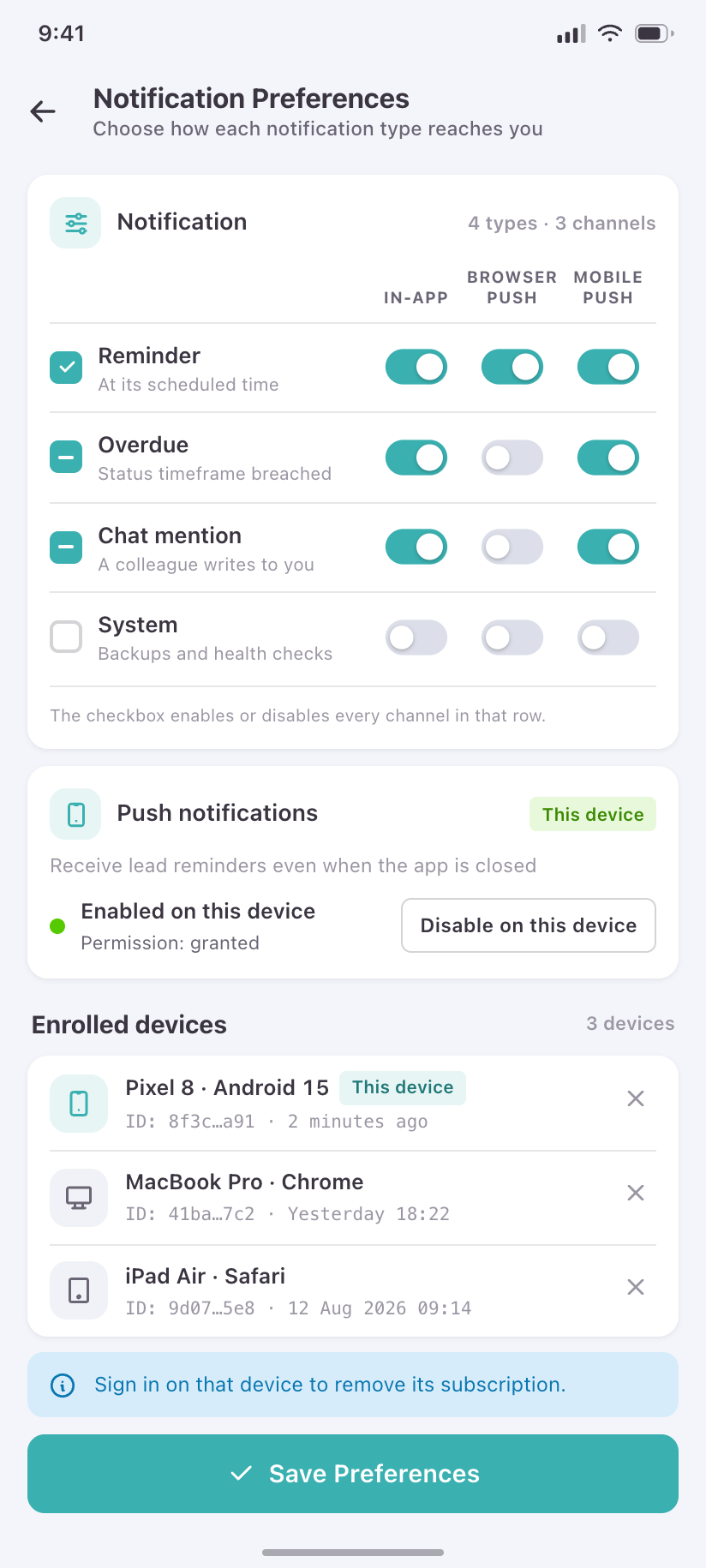
Notification Preferences
Per-type, per-channel control — in-app, browser push and mobile push — plus this device's push enrolment.
Reports
8Six wide analytical tables. None survive as tables on a phone; each is reshaped into the thing the number was actually being read for.
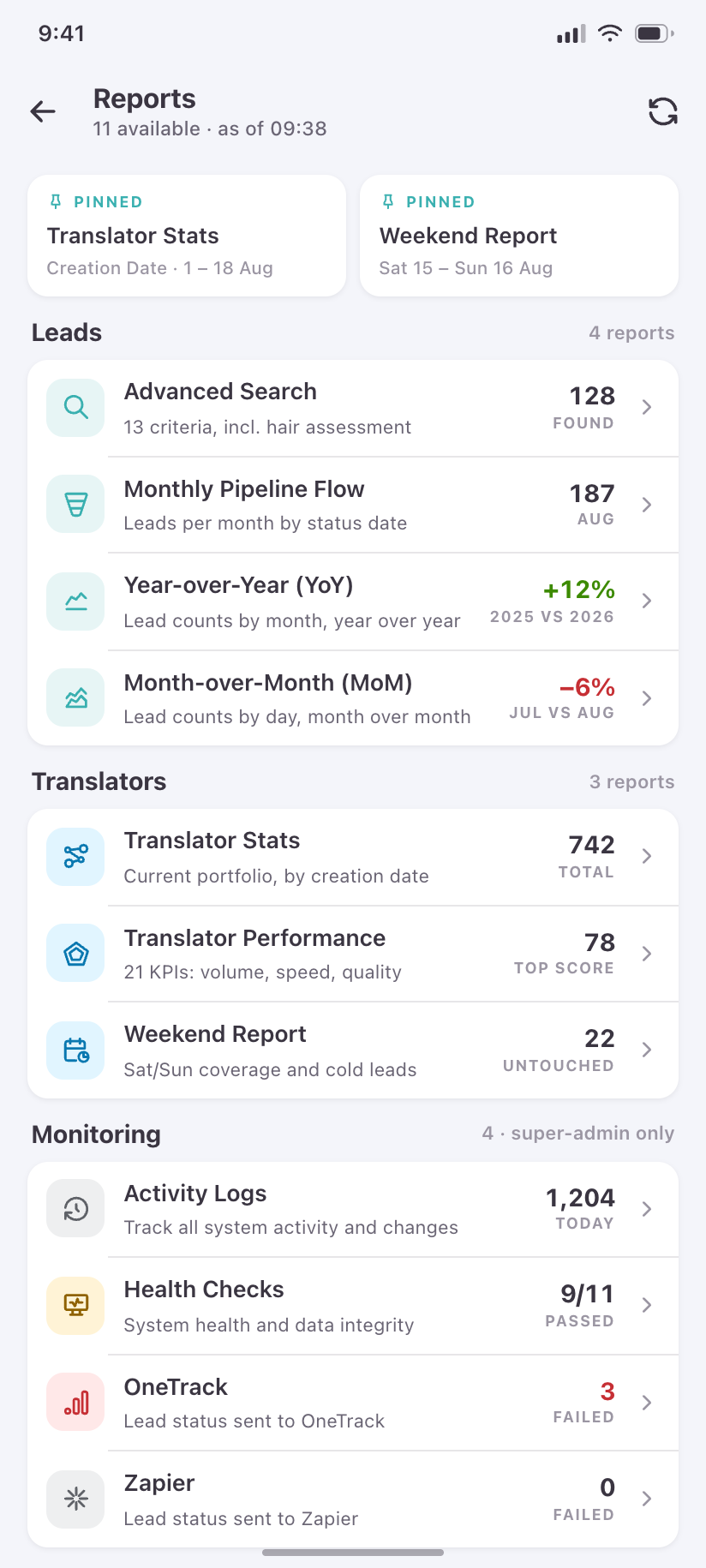
Reports
One entry point replacing the desktop's Reports and Monitoring submenus, permission-filtered per role.
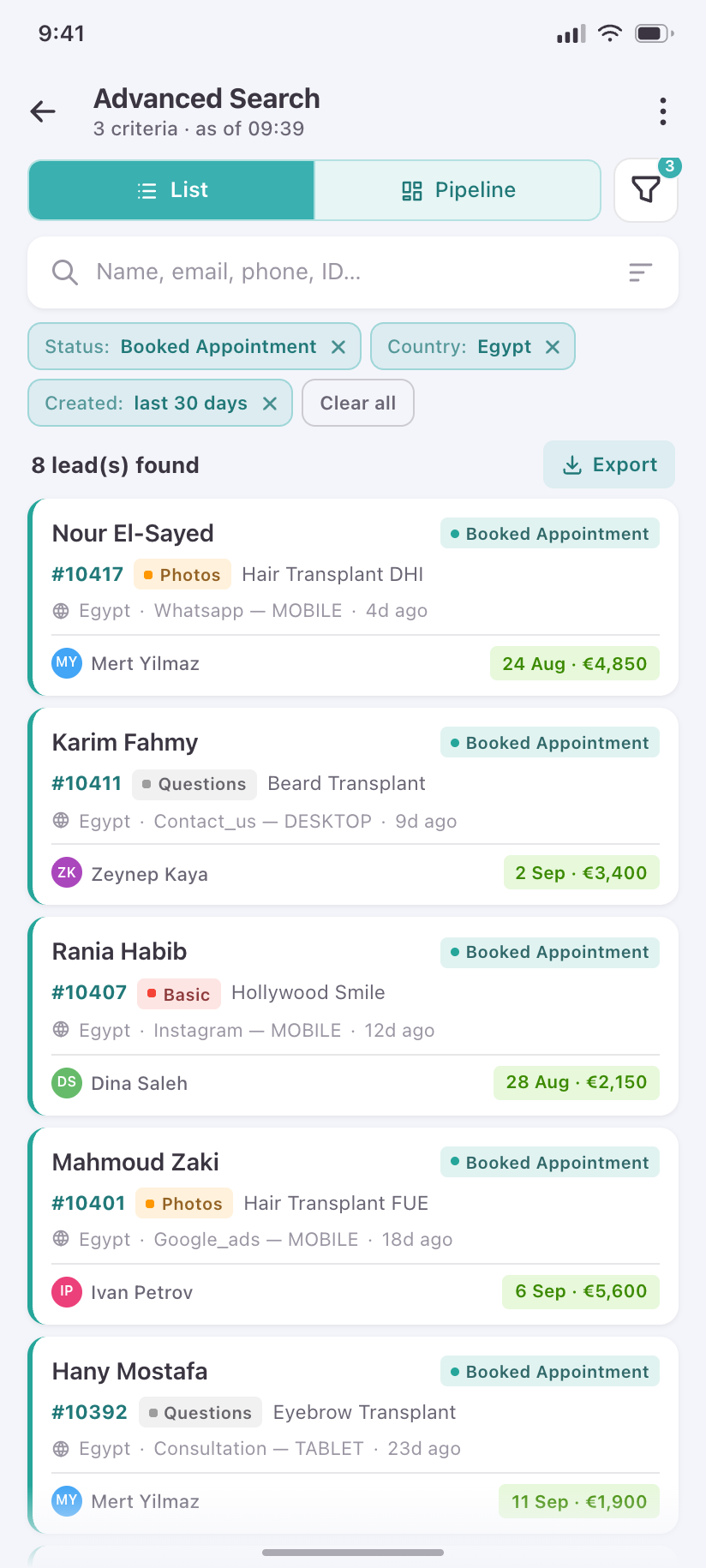
Advanced Search
The query builder and its results, with the active criteria shown as removable chips.
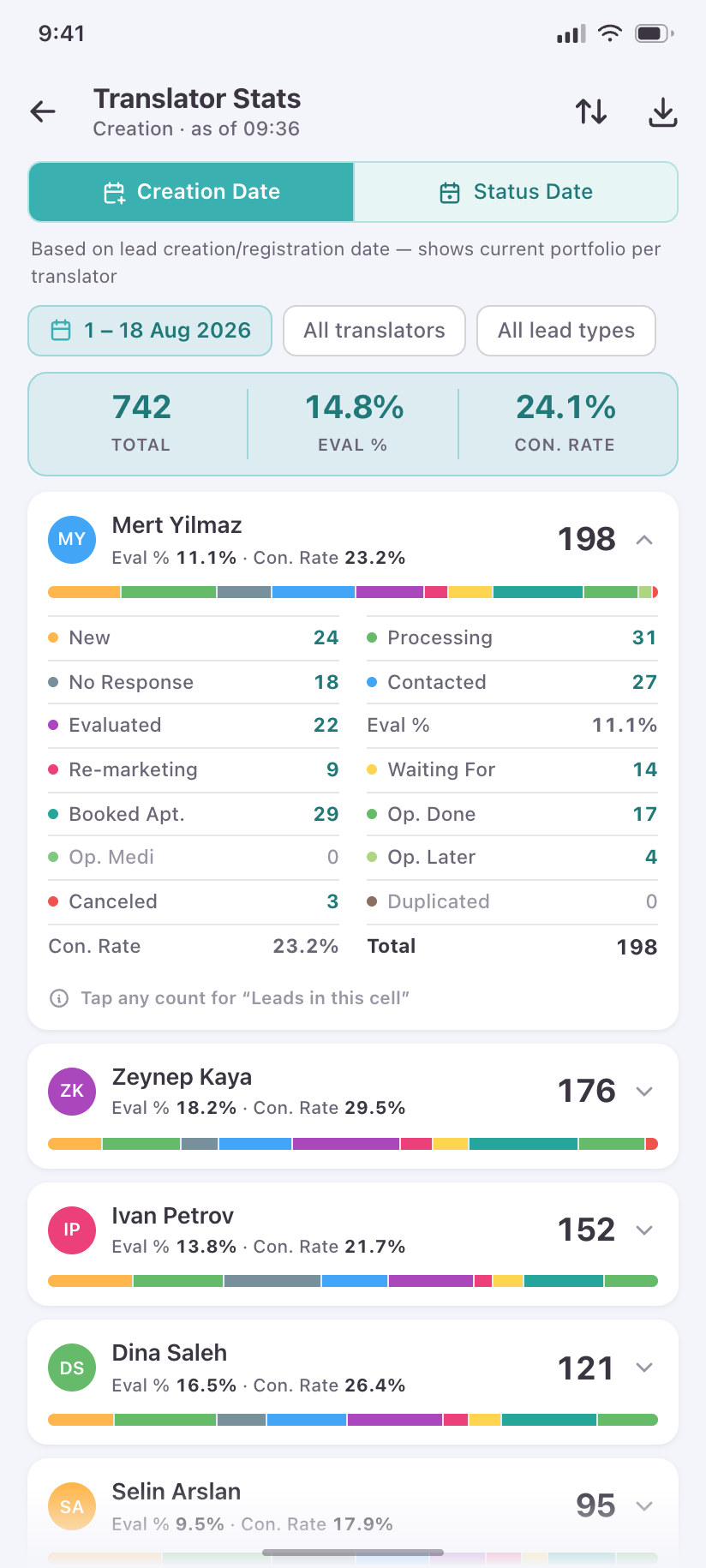
Translator Stats
The 16-column translator × status matrix becomes one expandable card per translator, every number still a drill-down.
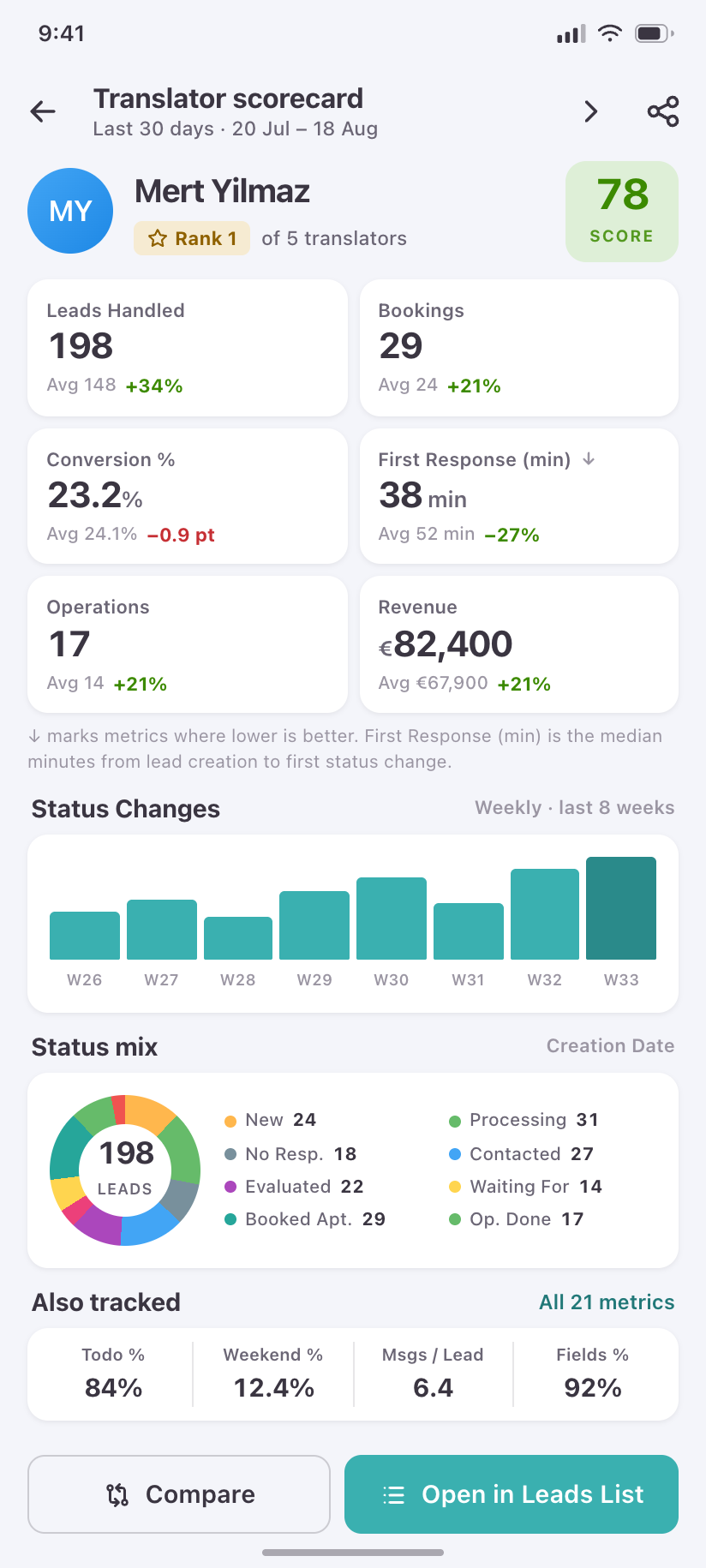
Translator scorecard
One translator's full profile — conversion, response time, load — instead of scrolling a 21-metric row sideways.
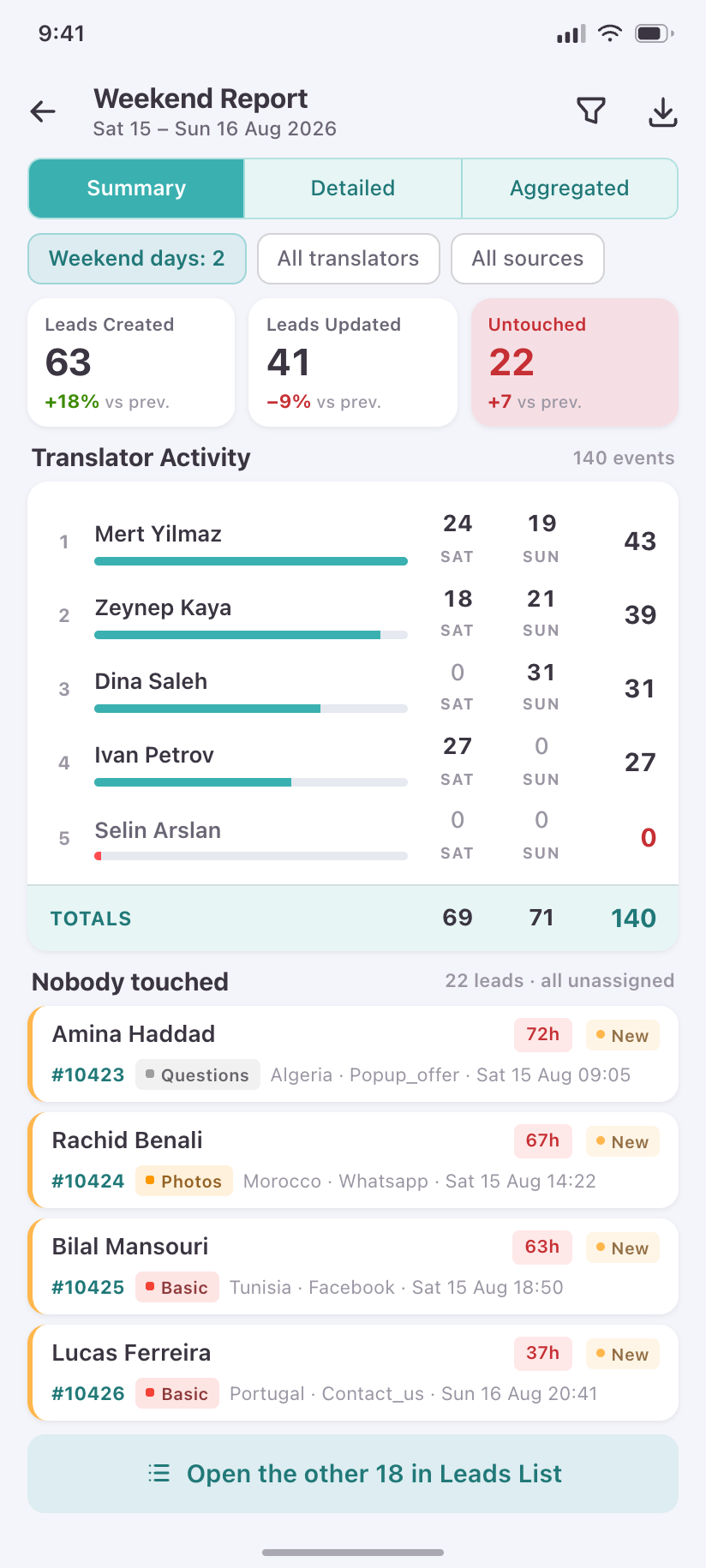
Weekend Report
Weekend coverage at a glance: who worked, what moved, and what nobody touched.
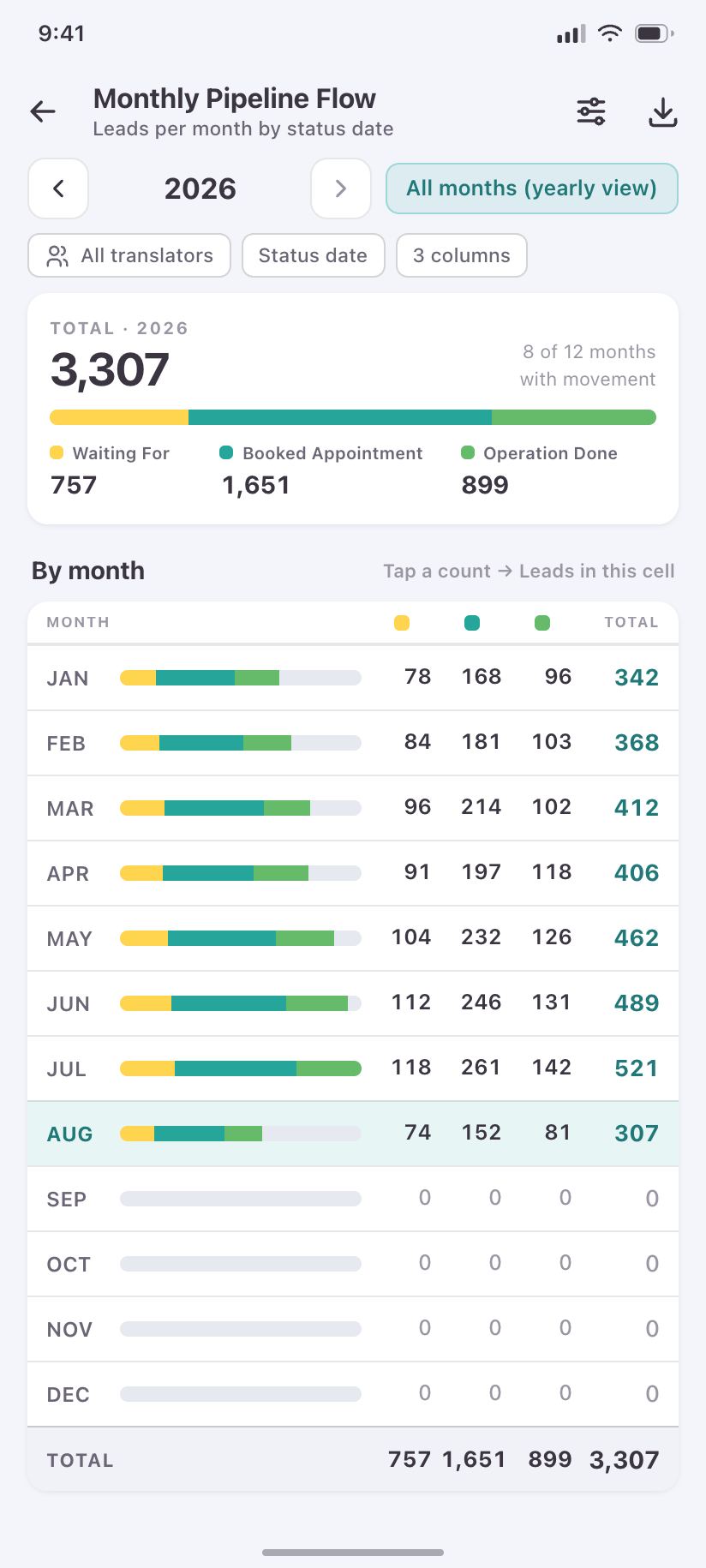
Monthly Pipeline Flow
The three money statuses per month, as a flow rather than a grid.
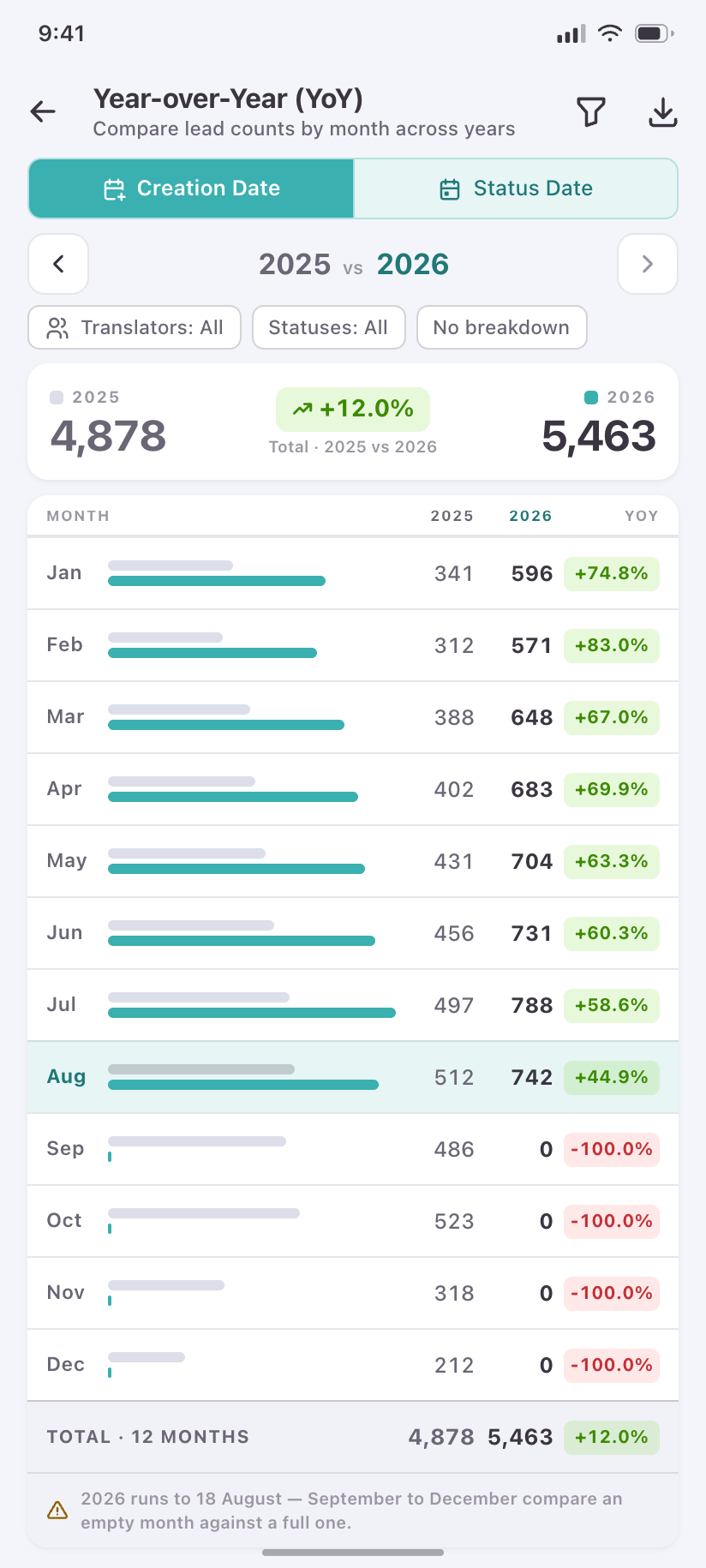
Year-over-Year
Month rows compared across two years with signed deltas — the desktop’s month×year grid, unrolled.
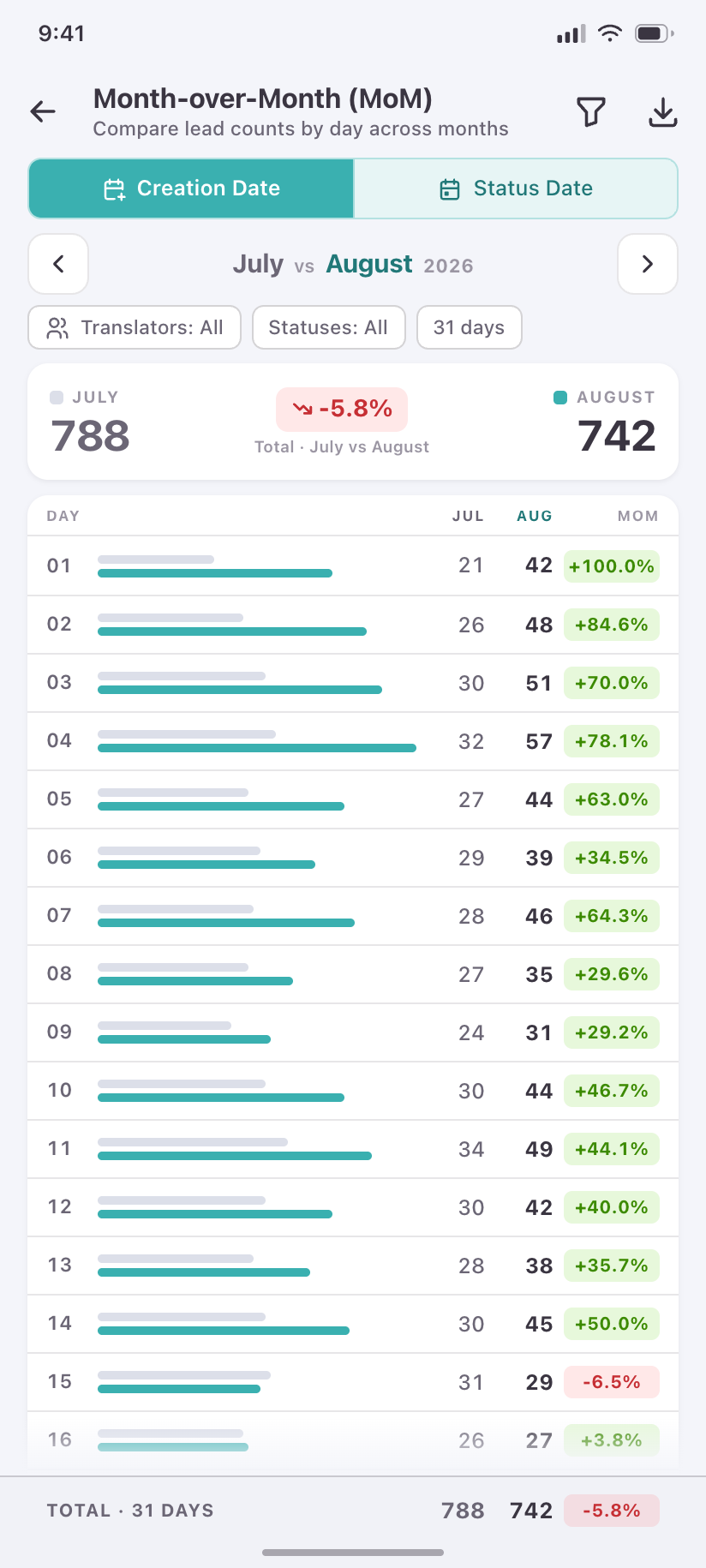
Month-over-Month
The same treatment across two months of one year, by day.
Administration
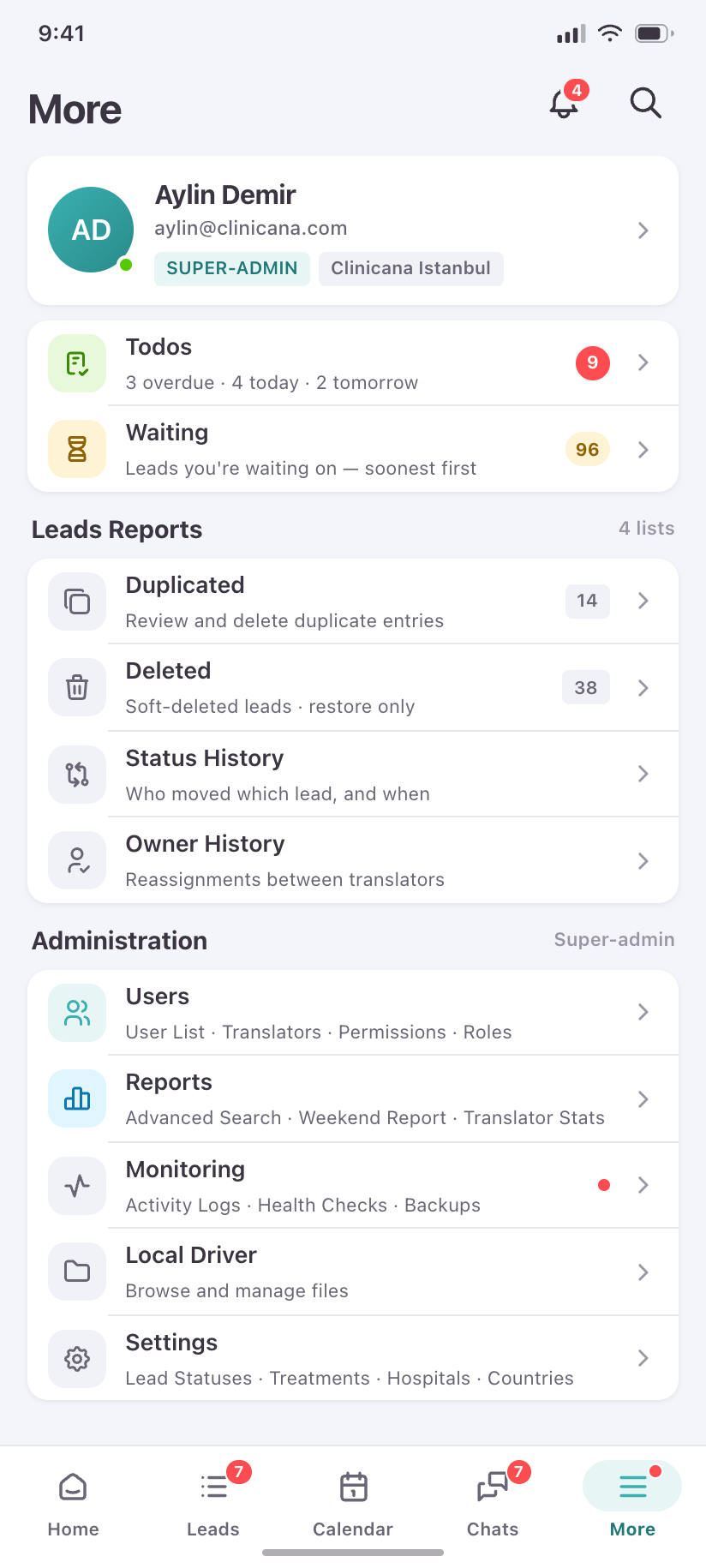
10Everything the desktop sidebar hides behind Users, Settings and Monitoring, gathered into one hub and cut down to what is genuinely usable on a phone.
More
The fifth destination: every non-primary surface, grouped, badged and permission-filtered for the signed-in role.
Users
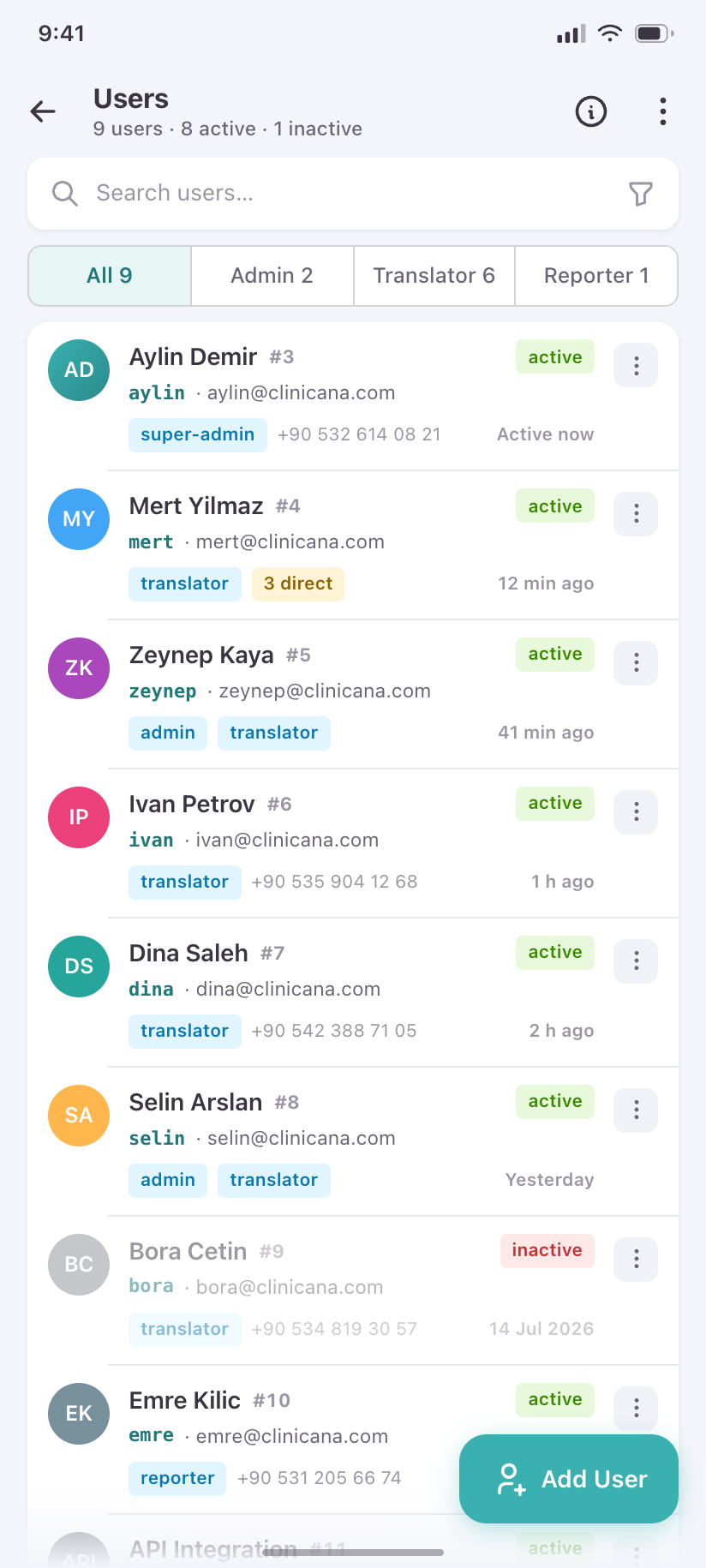
The staff roster with role, status and last activity, and the lifecycle actions behind a long press.
Direct Permissions
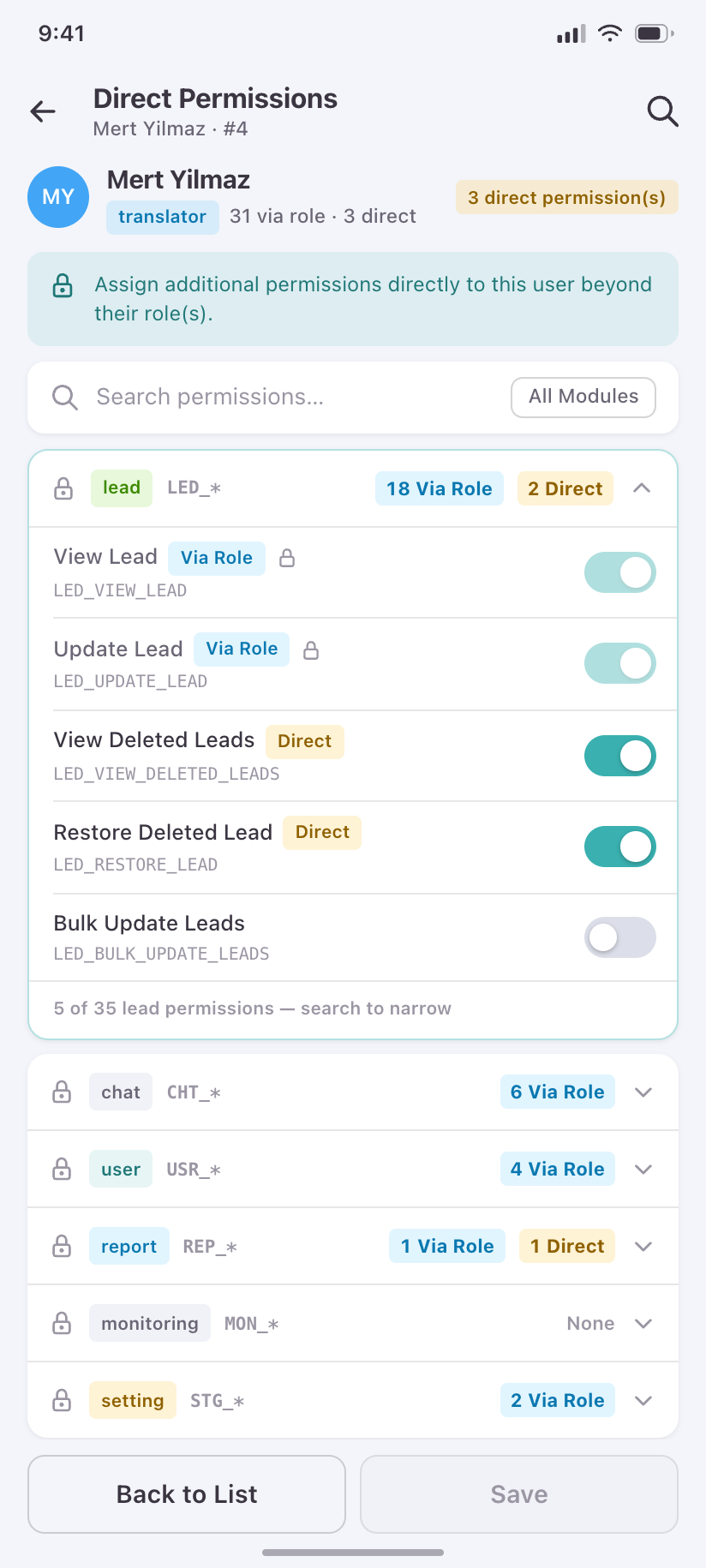
The permission matrix as expandable module groups, separating what a role grants from what was granted directly.
Roles
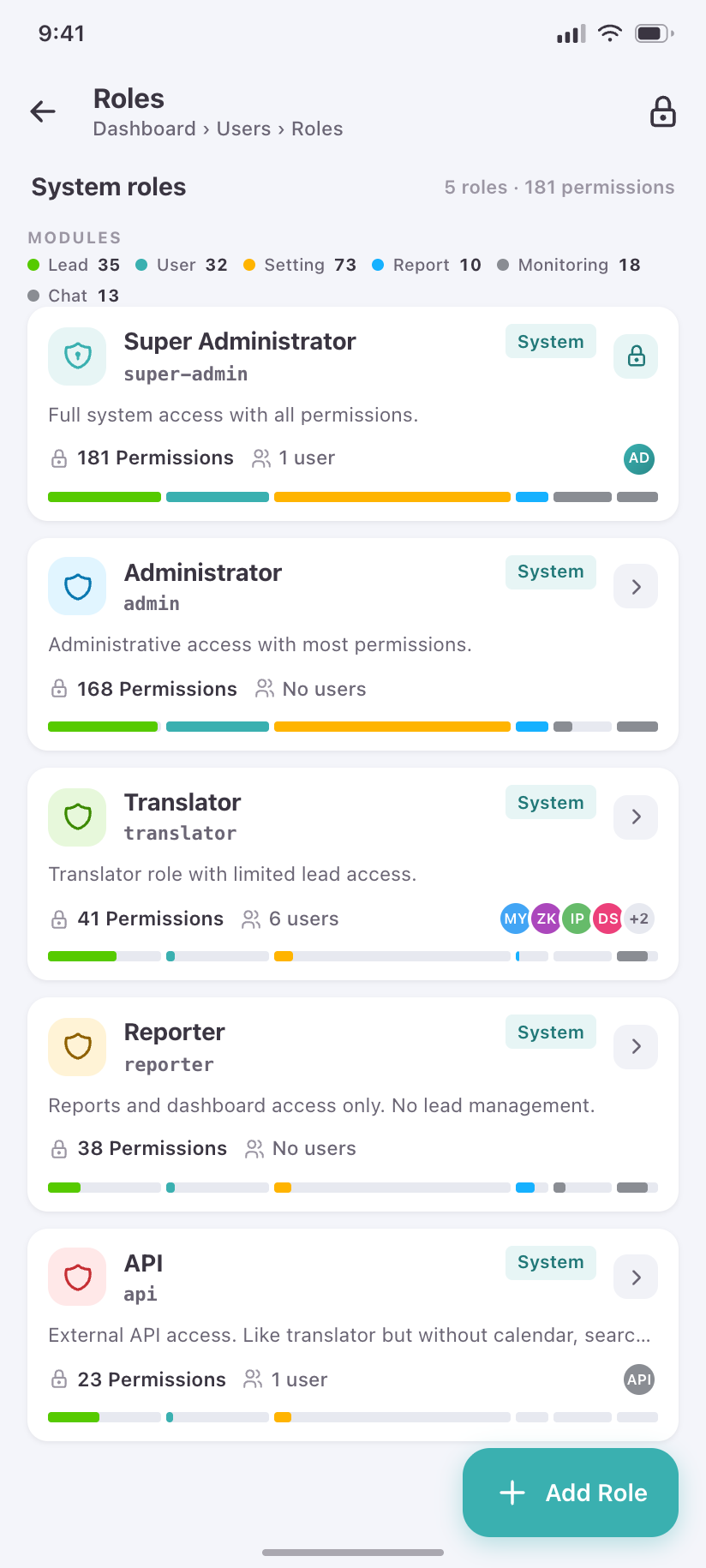
The five roles, how many permissions each carries and how many people hold it.
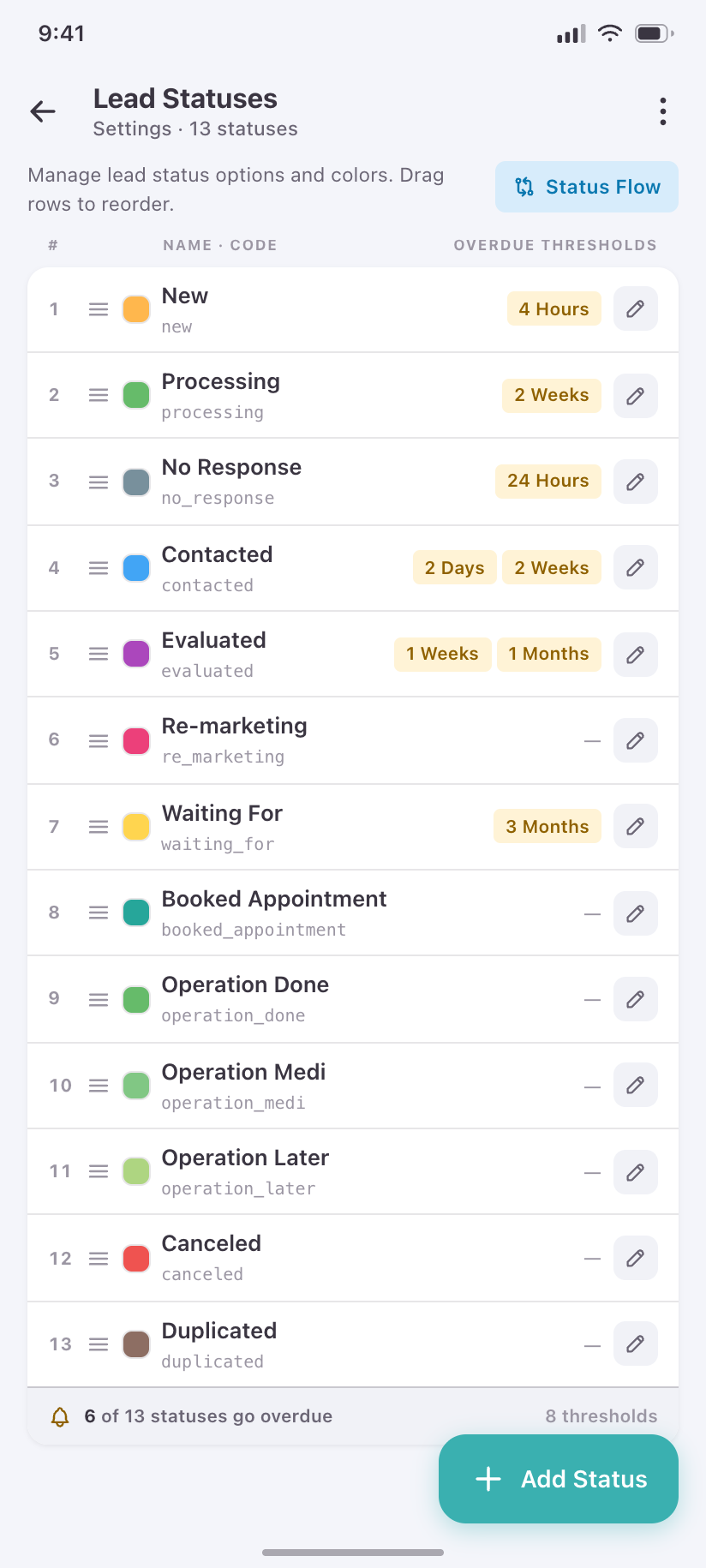
Lead Statuses
The reference-data editor that matters most: 13 statuses with their colours, order and overdue thresholds.
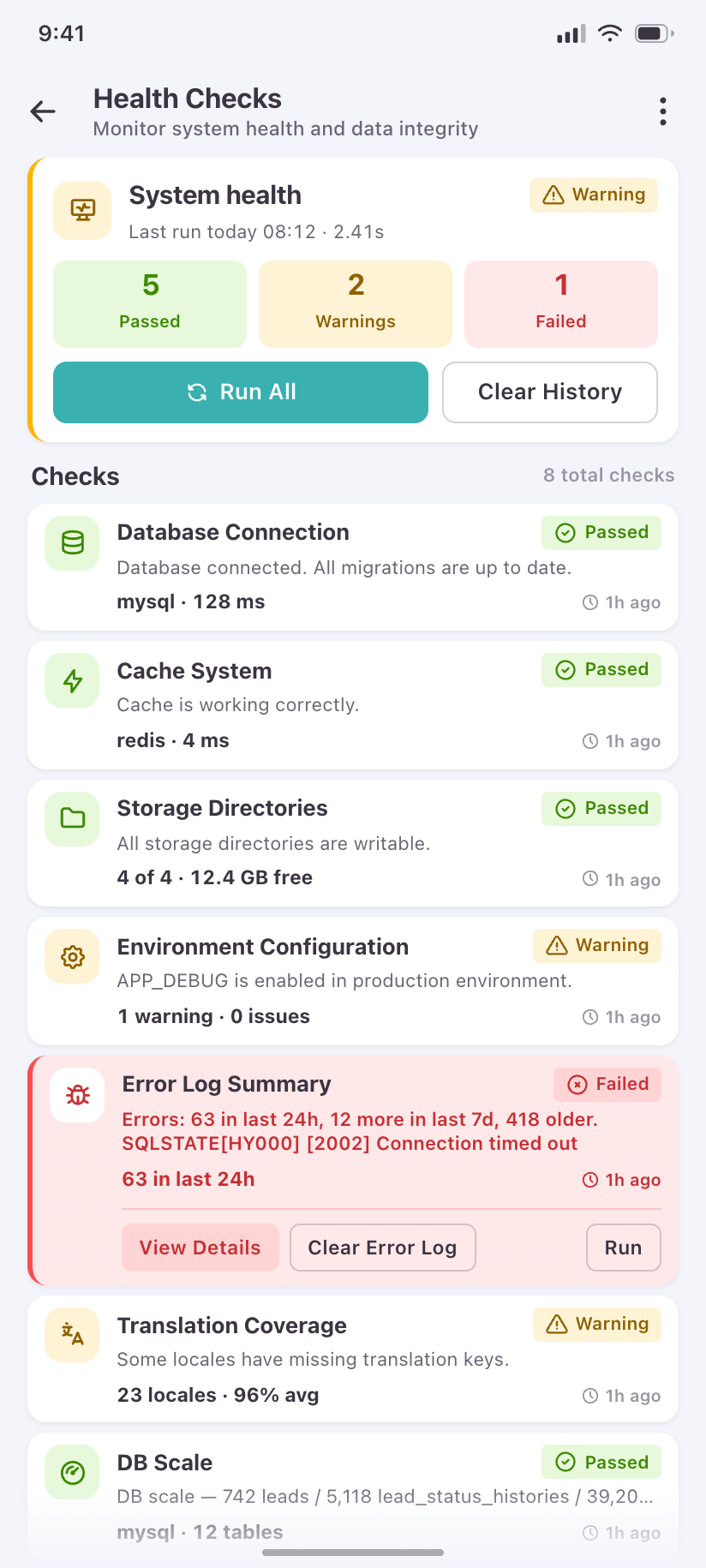
Health Checks
The ops surface worth carrying in a pocket — what is failing right now, and when it last ran.
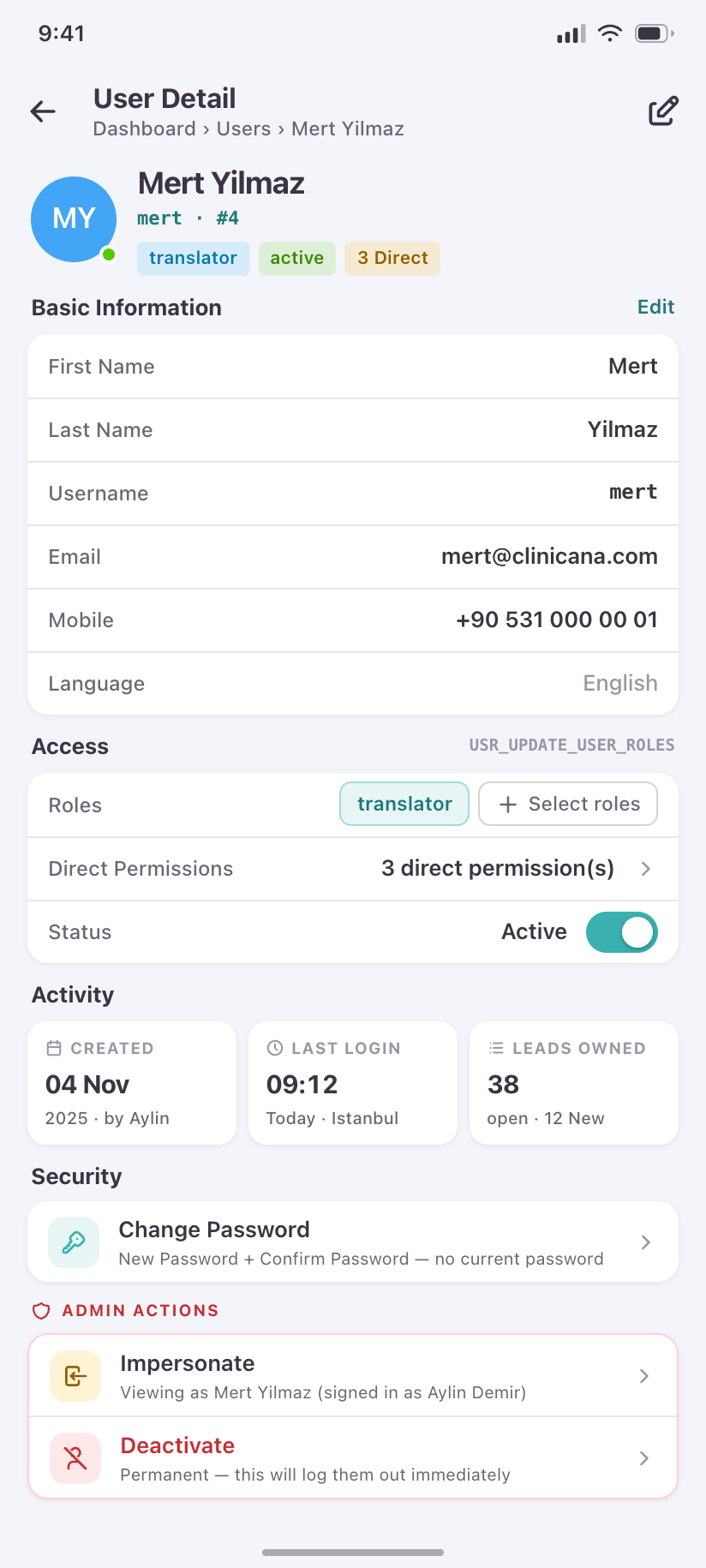
User Detail
One staff member: identity, roles, direct permissions, activity — and the admin actions that change their access.
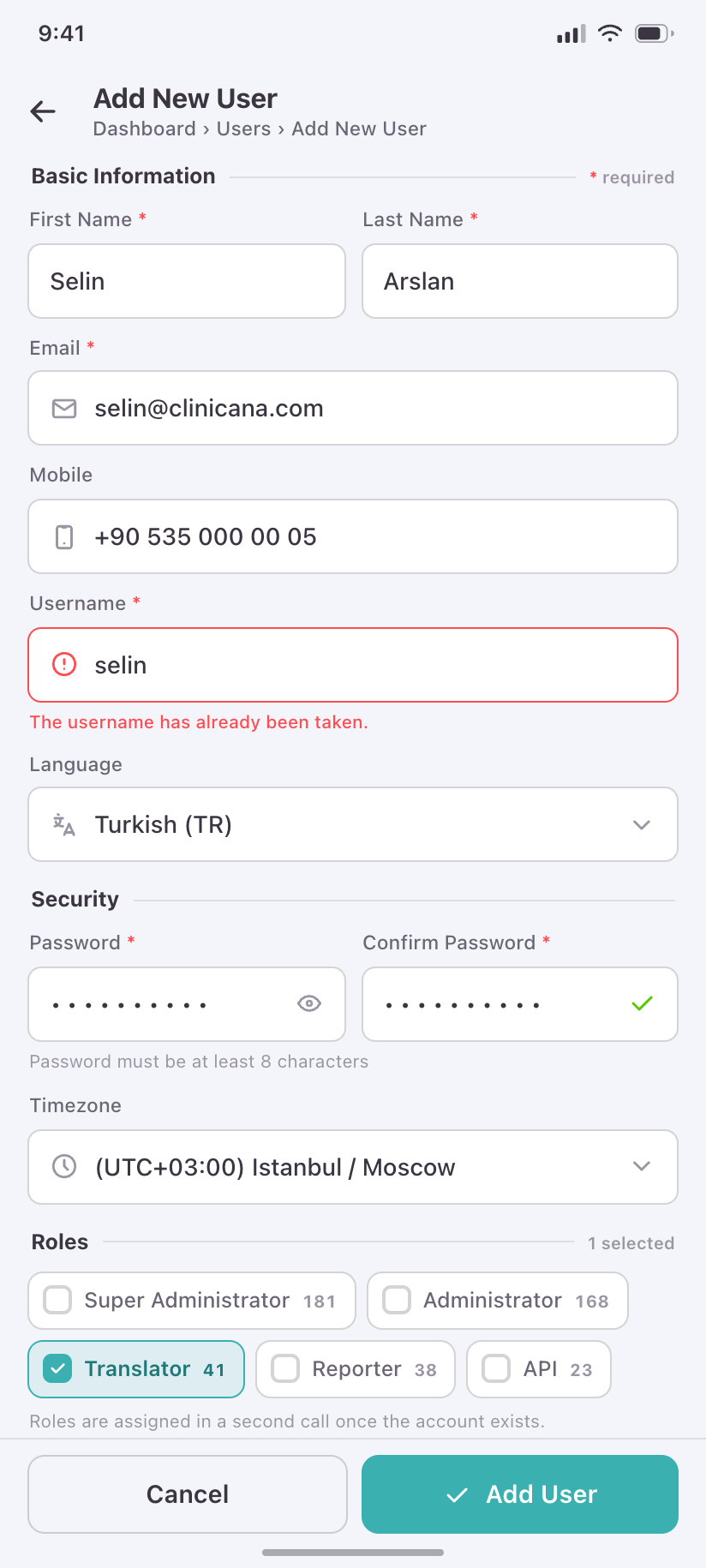
Add New User
Account creation with role assignment, showing the taken-username error the product actually returns.
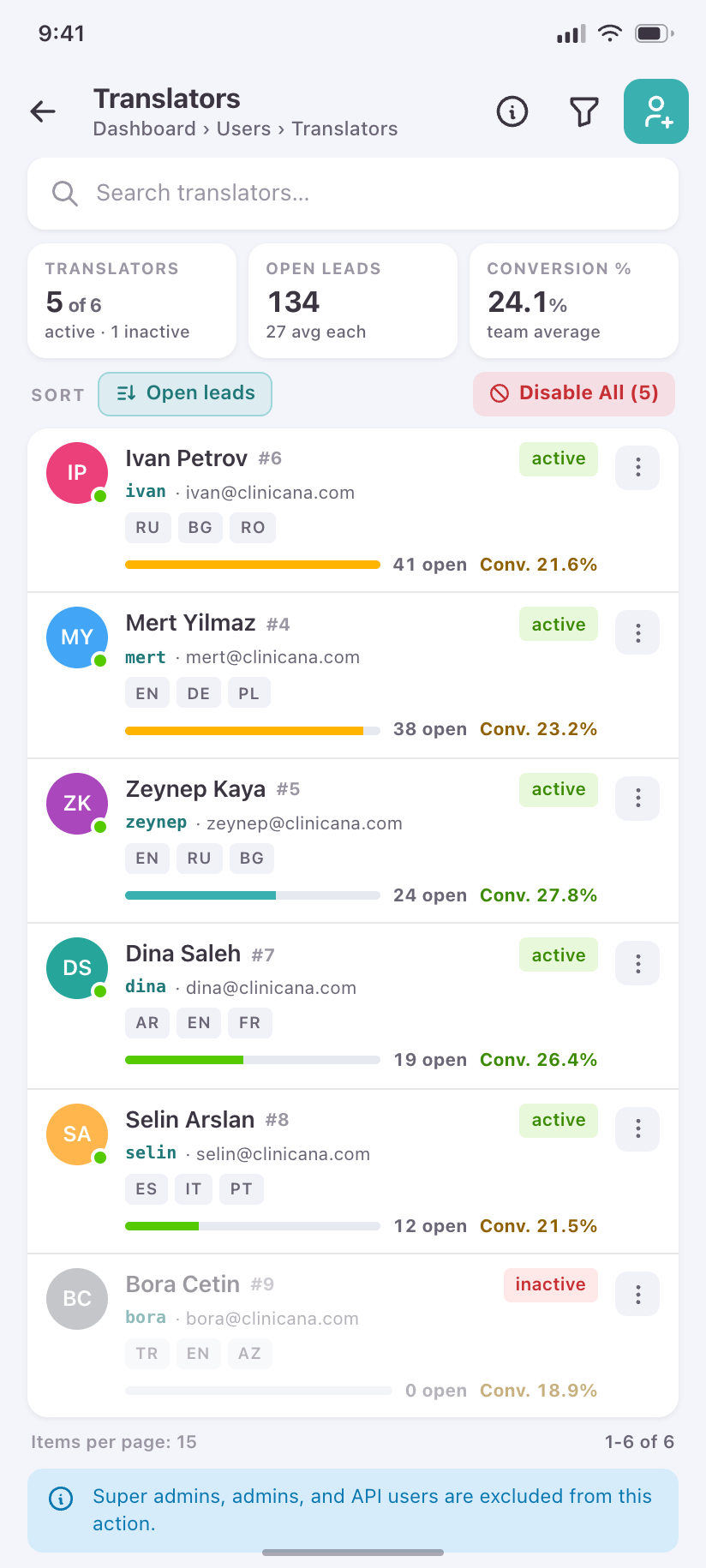
Translators
The staffing view: languages covered, current load and conversion rate per translator, not just a roster.
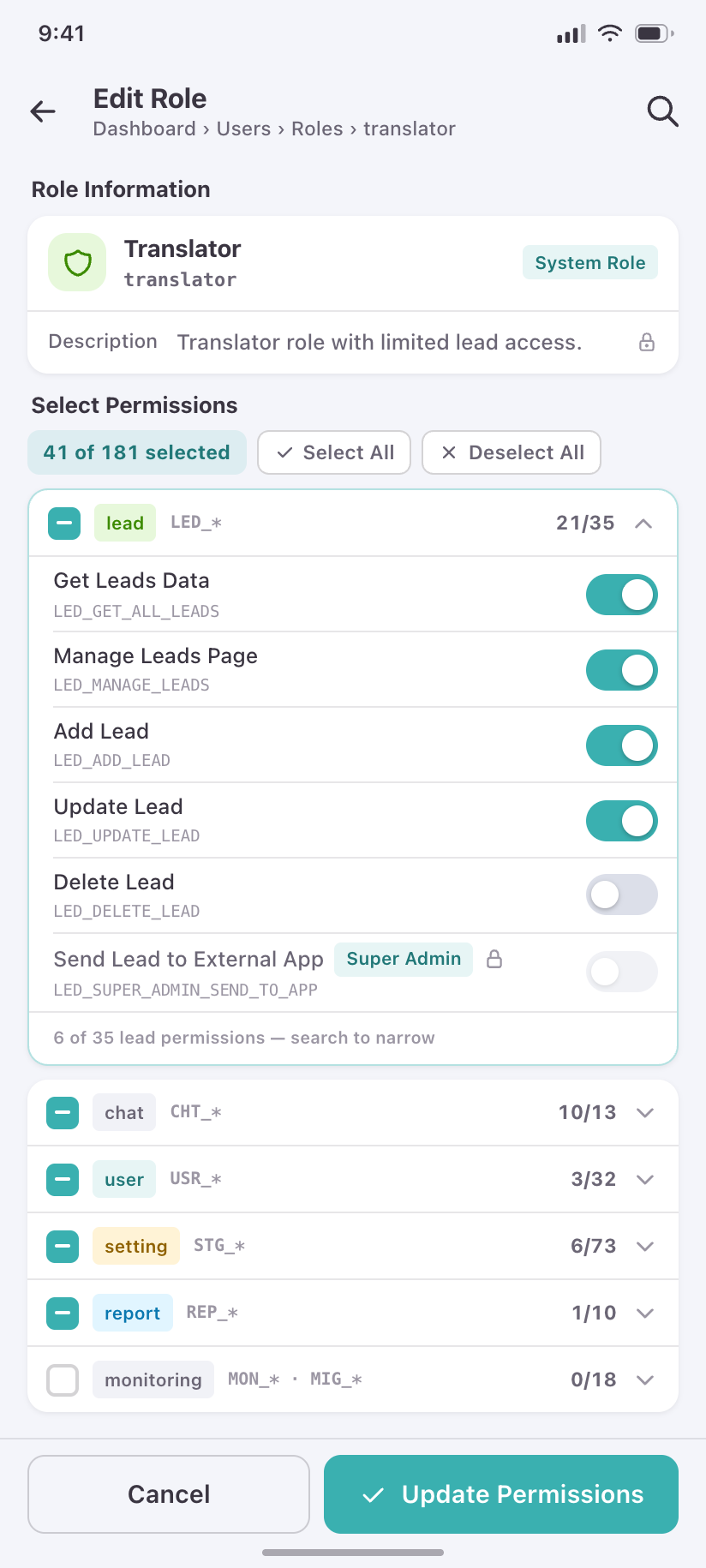
Role Editor
A role’s permission set as expandable module groups with per-group counts and select-all.
Settings
13Twelve reference-data areas feed every lead form, filter and report in the product. Eight share one paginated shape; four drop pagination for drag-to-reorder because their order is the order users see in dropdowns. Each is gated behind its own STG_MANAGE_* permission, so most admins see only a subset.
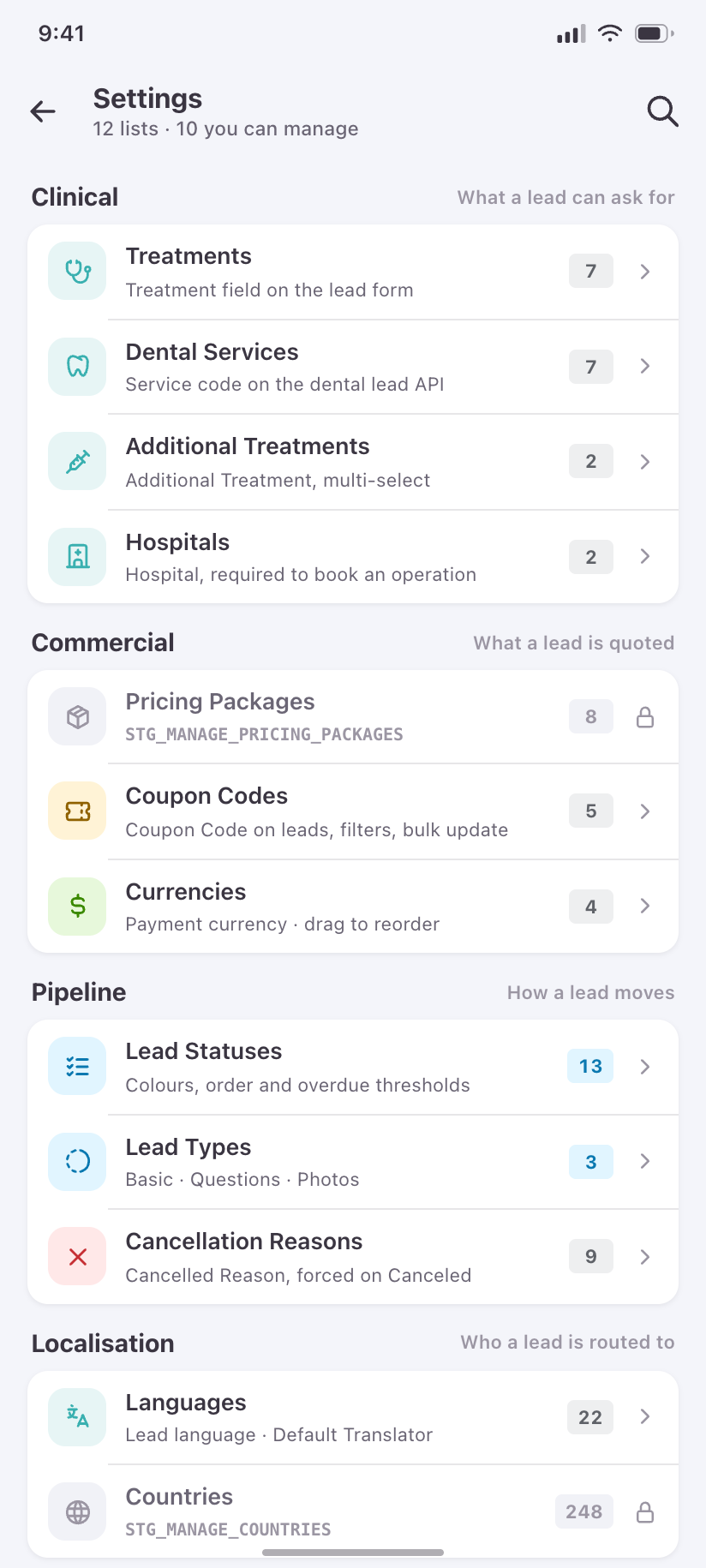
Settings
All twelve areas grouped by what they feed — clinical, commercial, pipeline, localisation — with the ones your role cannot manage shown locked.
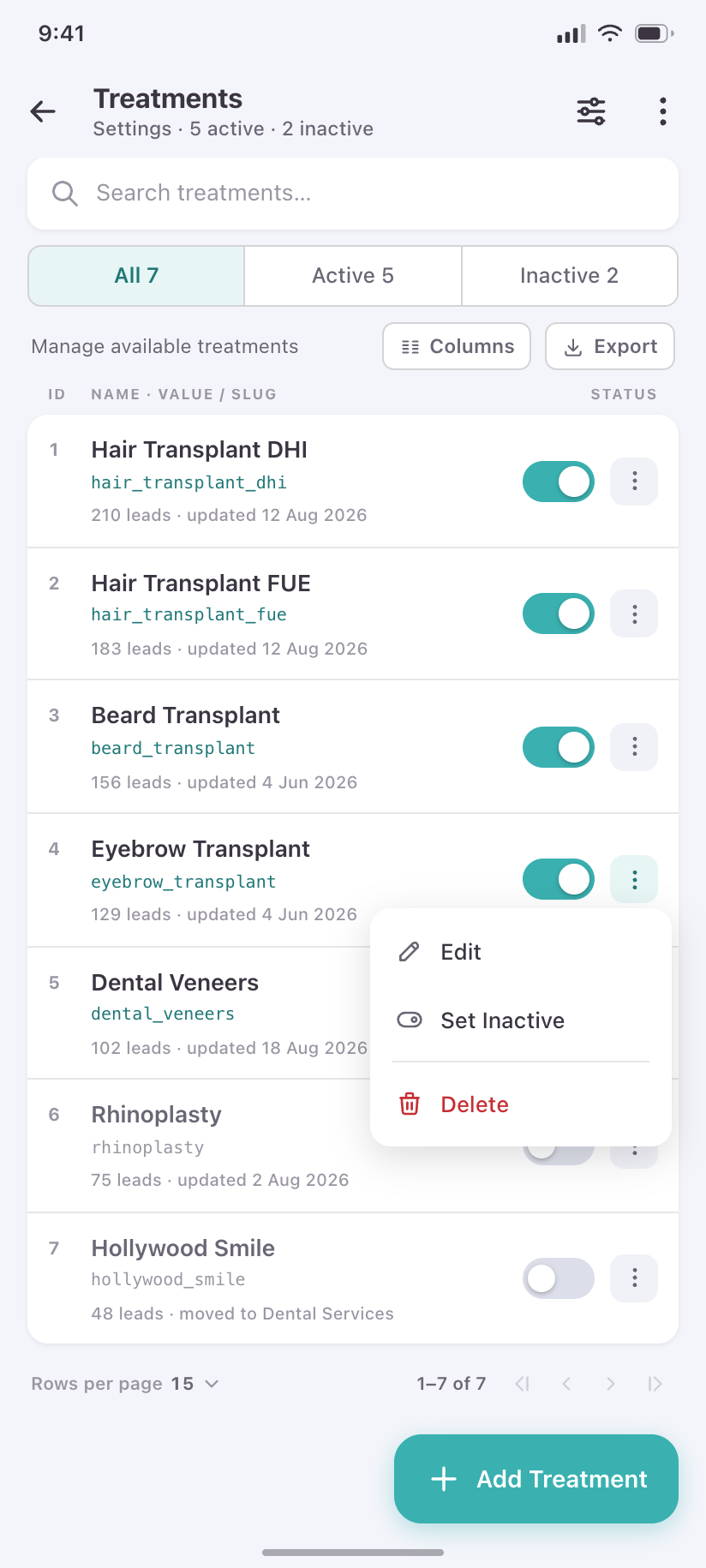
Treatments
The canonical reference-data list: search, status filter, active switches, pagination. Seven other CRUDs share this exact shape.
Edit Treatment
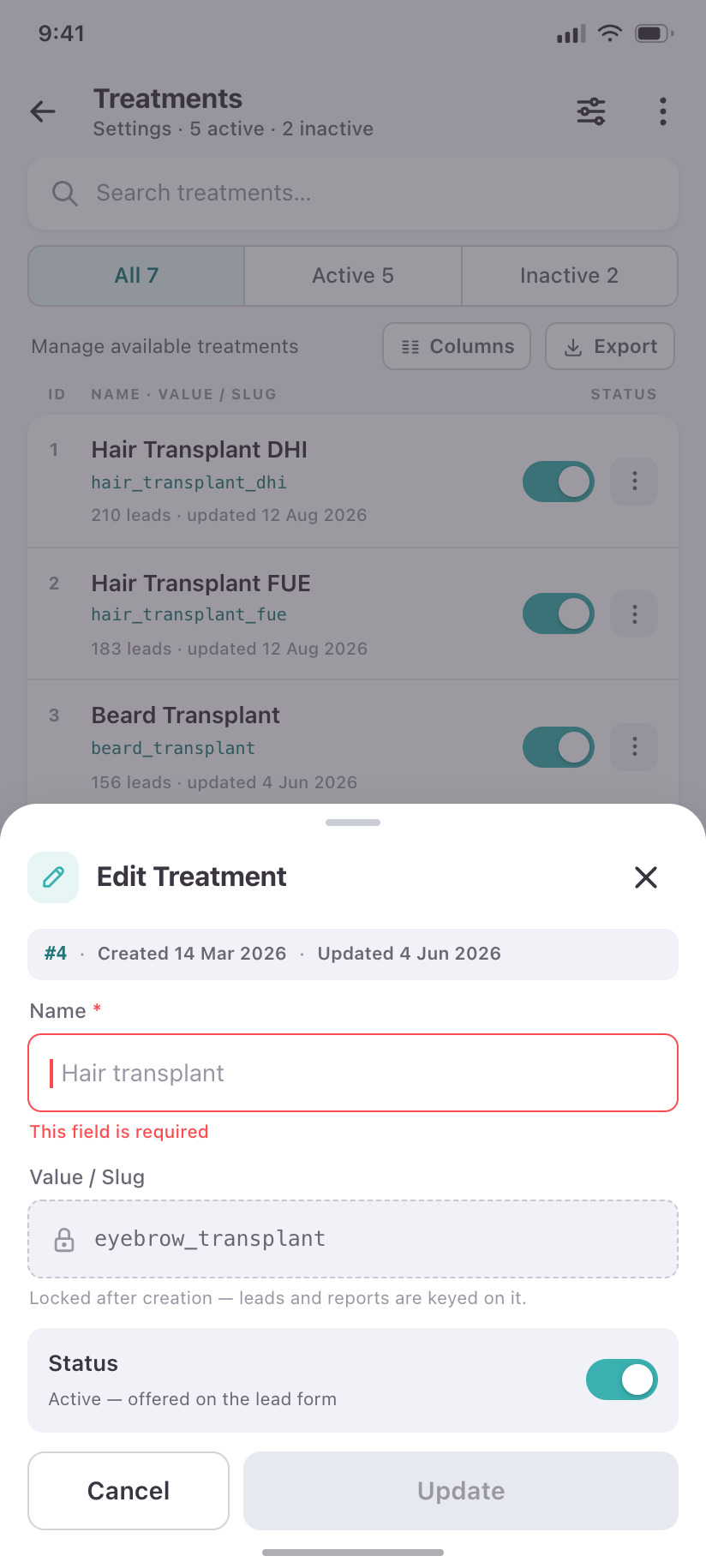
The shared add/edit sheet behind every reference-data row, with its validation state.
Lead Types
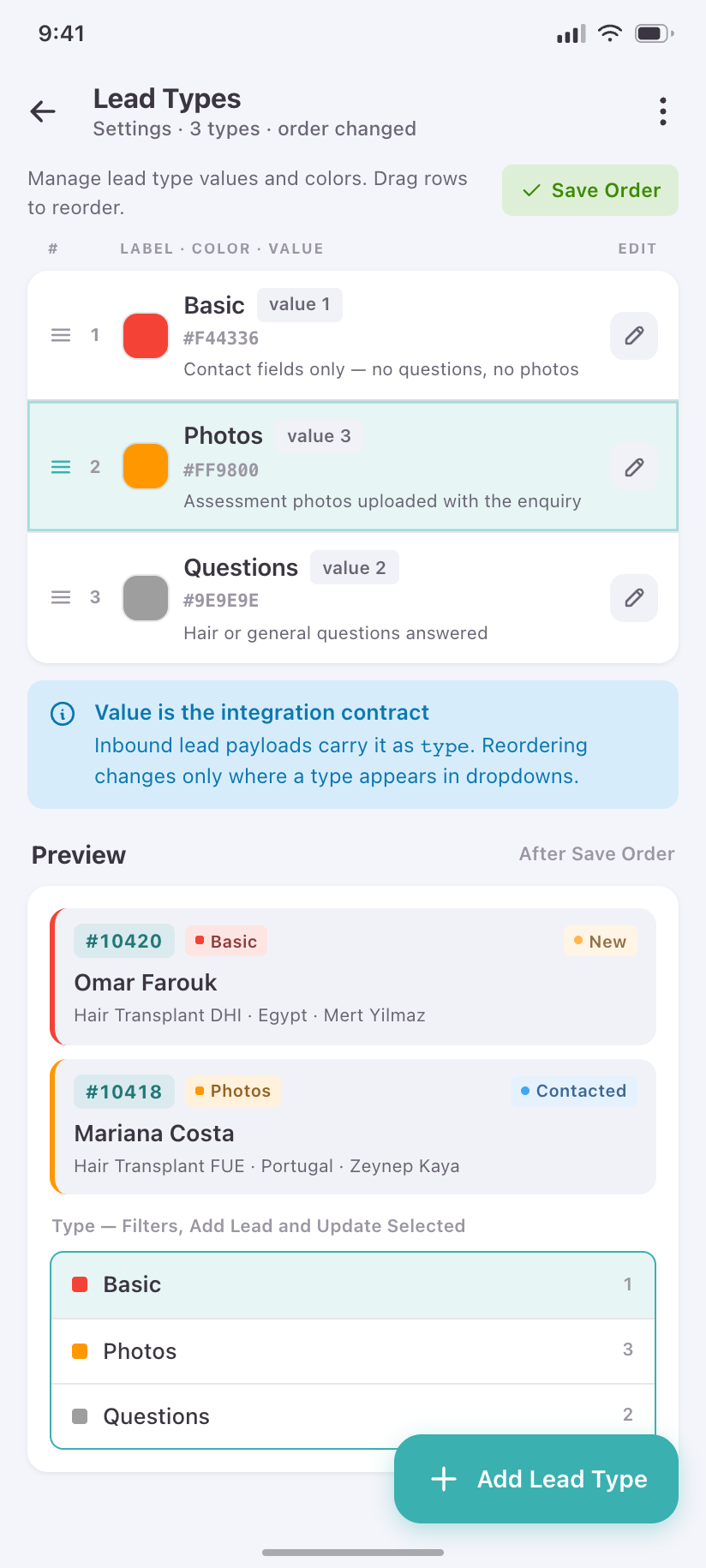
Basic, Questions and Photos with their real colours, reorderable — because this order drives every type dropdown in the product.
Currencies
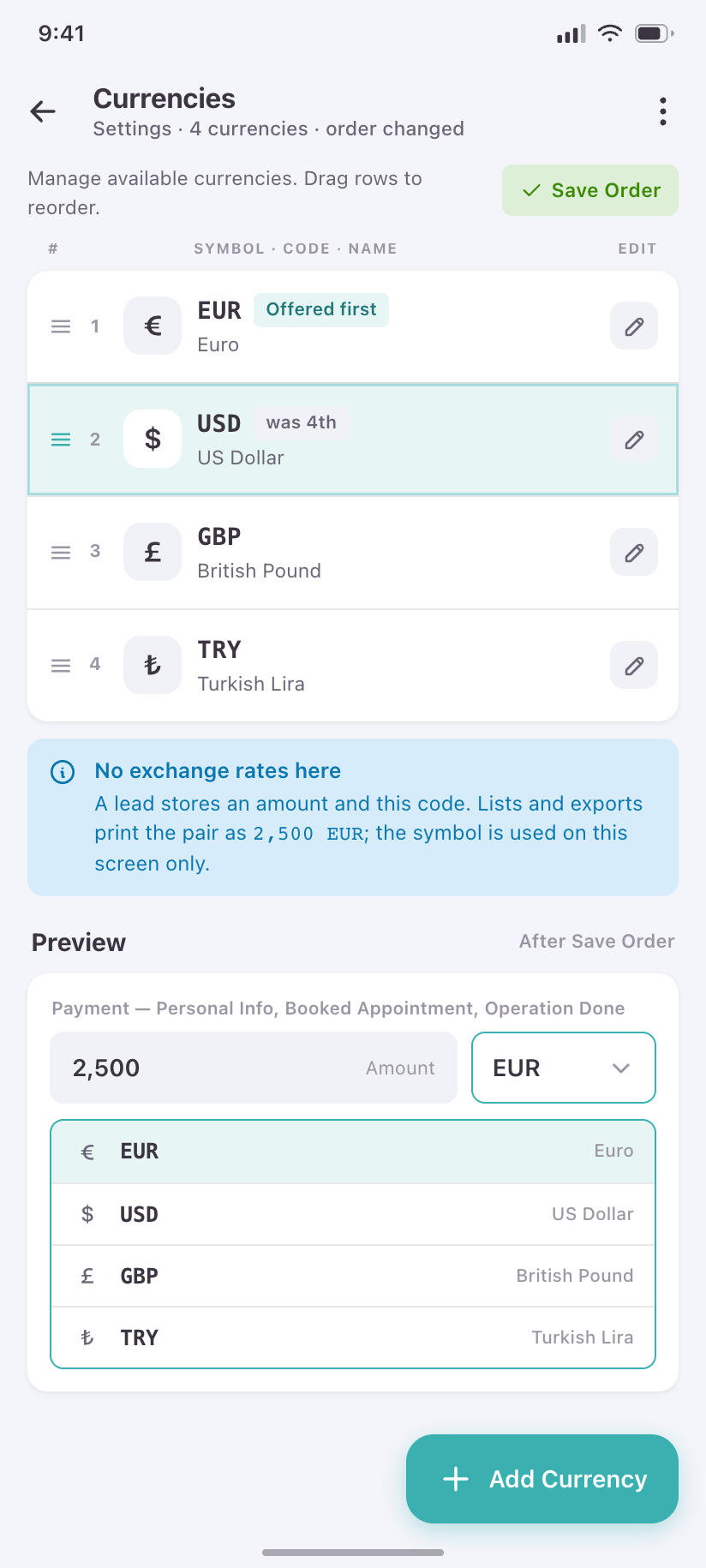
The currencies leads are quoted in, reorderable, with one marked default.
Countries
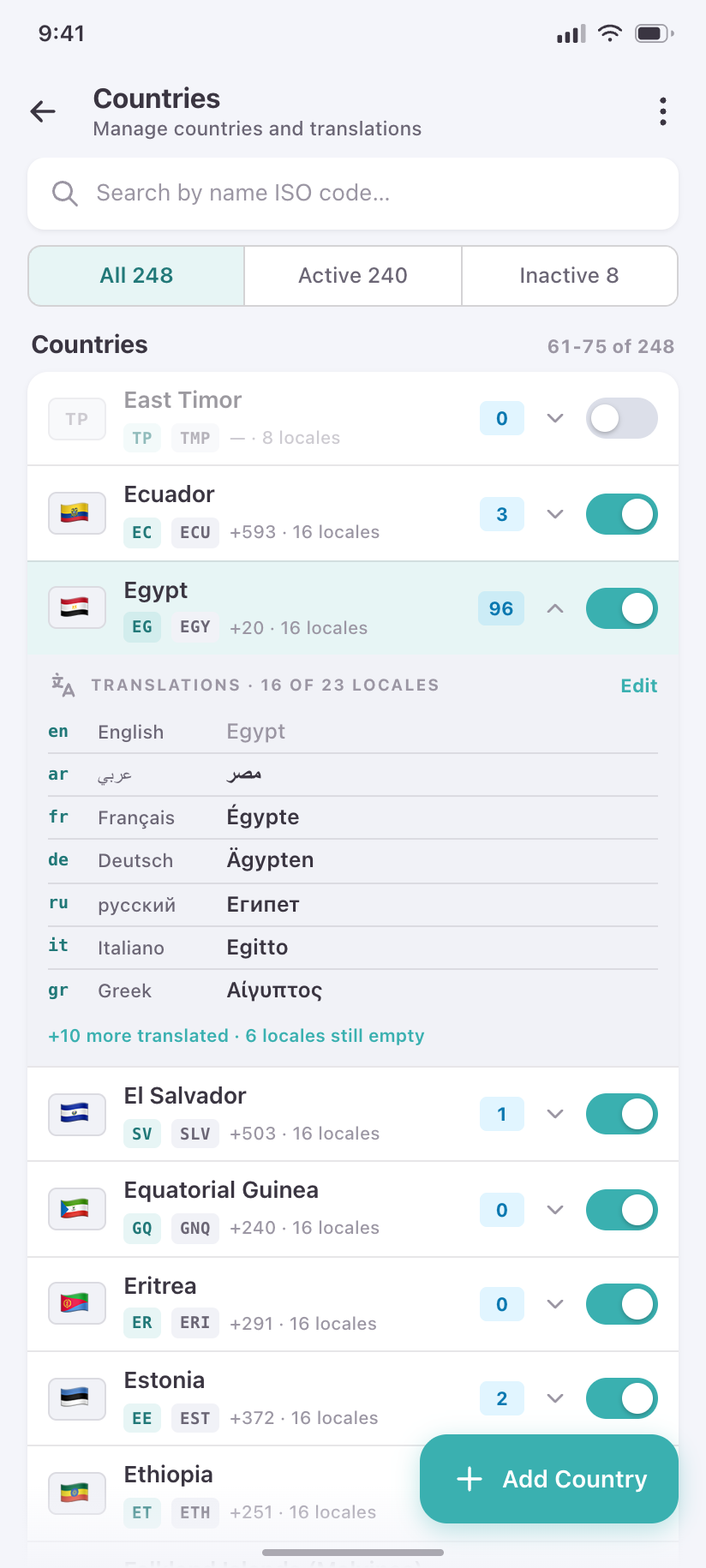
Where the per-locale translations repeater lives — one row expanded to show it, driven by the active Languages.
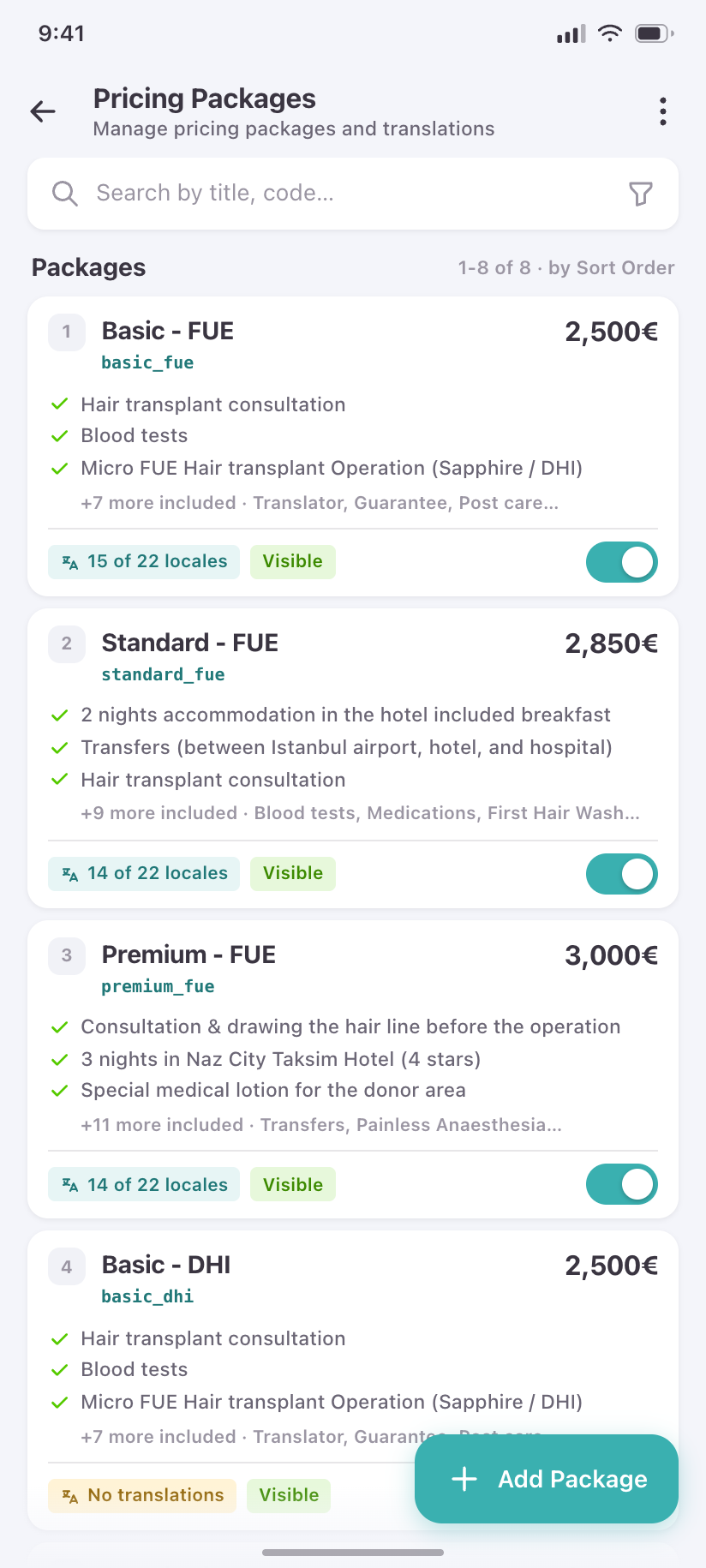
Pricing Packages
Packages as cards: price, inclusions, the treatments they apply to, and their own translations.
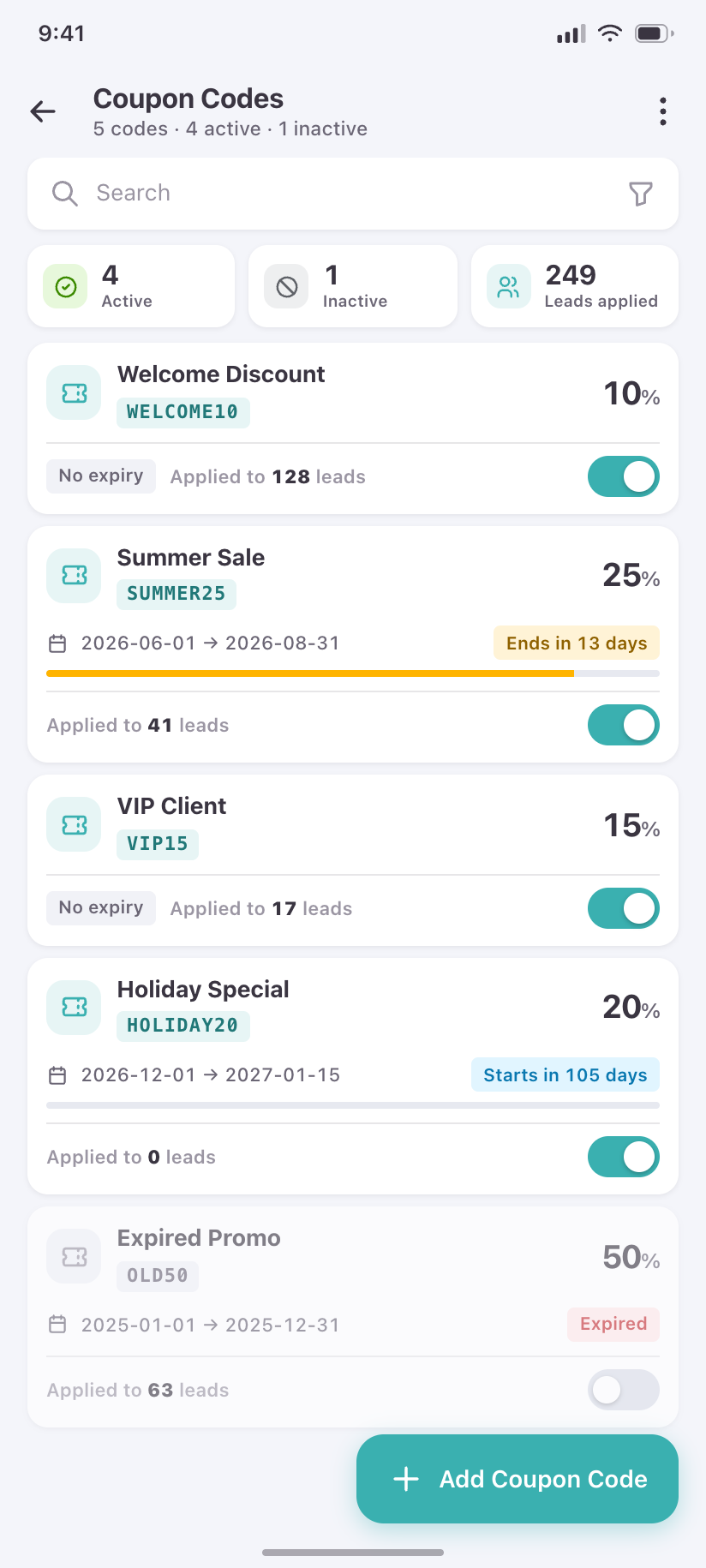
Coupon Codes
Discount codes with validity windows and usage against limit, including an expired and an exhausted one.
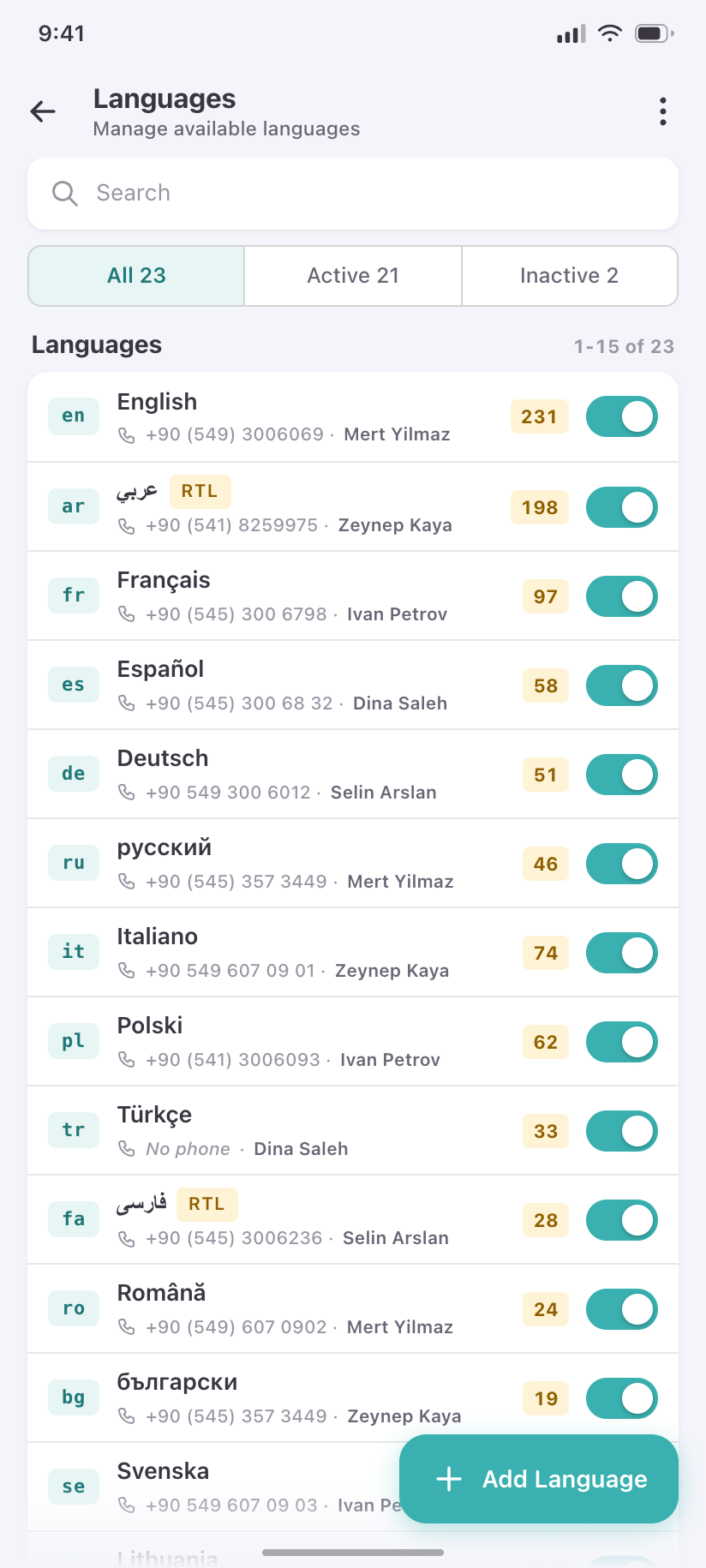
Languages
The 23 locales with RTL flagged on Arabic and Persian, and the lead volume behind each.
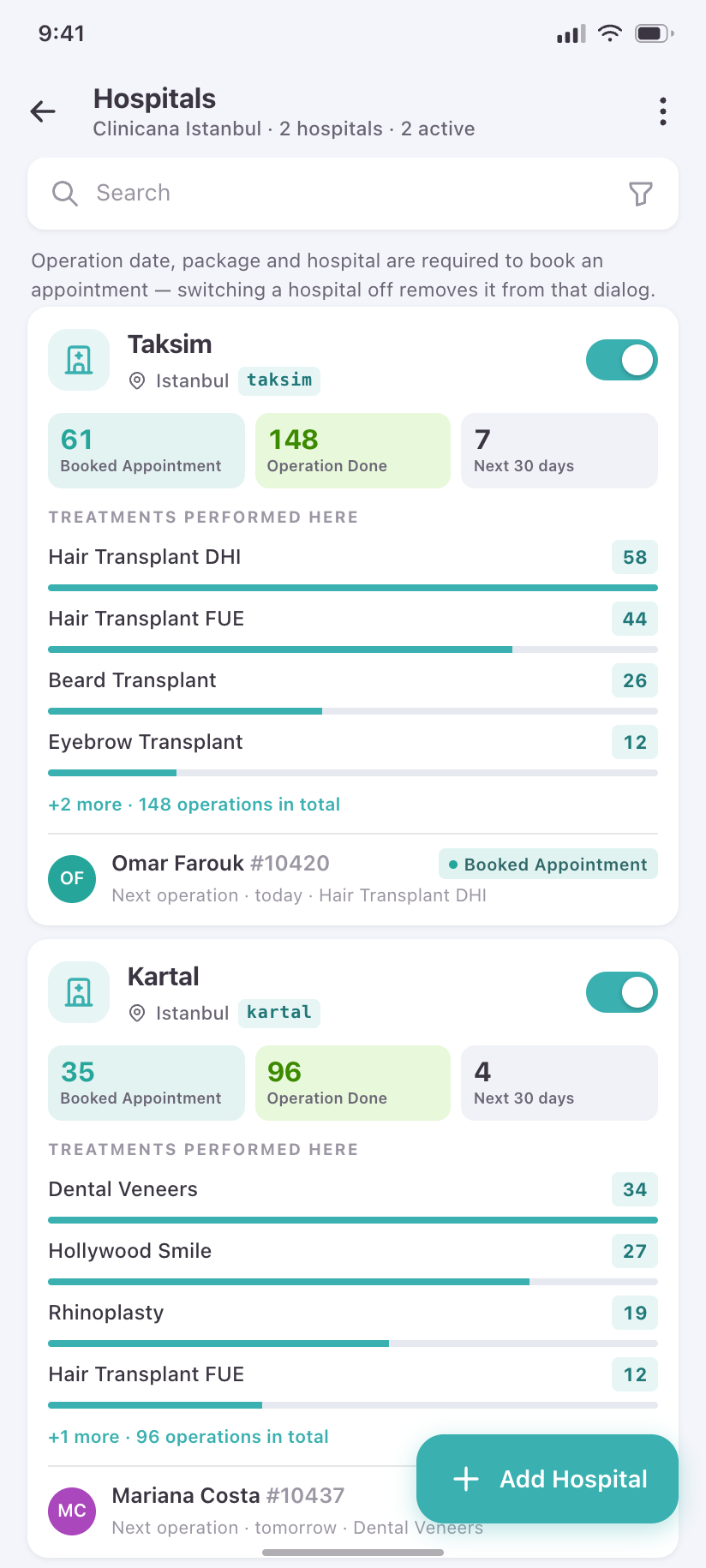
Hospitals
The clinics an operation can be booked into, with the treatments each performs.
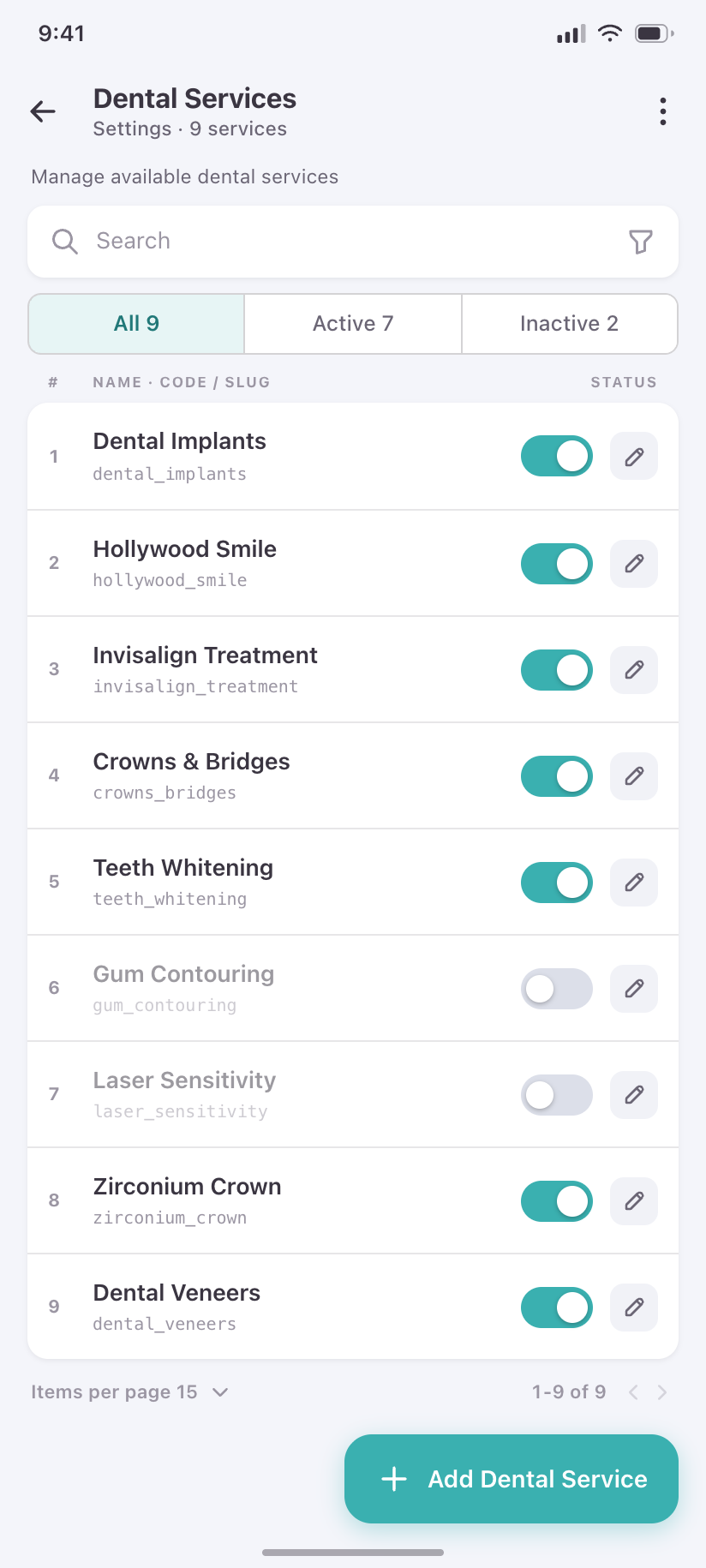
Dental Services
The dental catalogue — same list shape as Treatments, different domain.
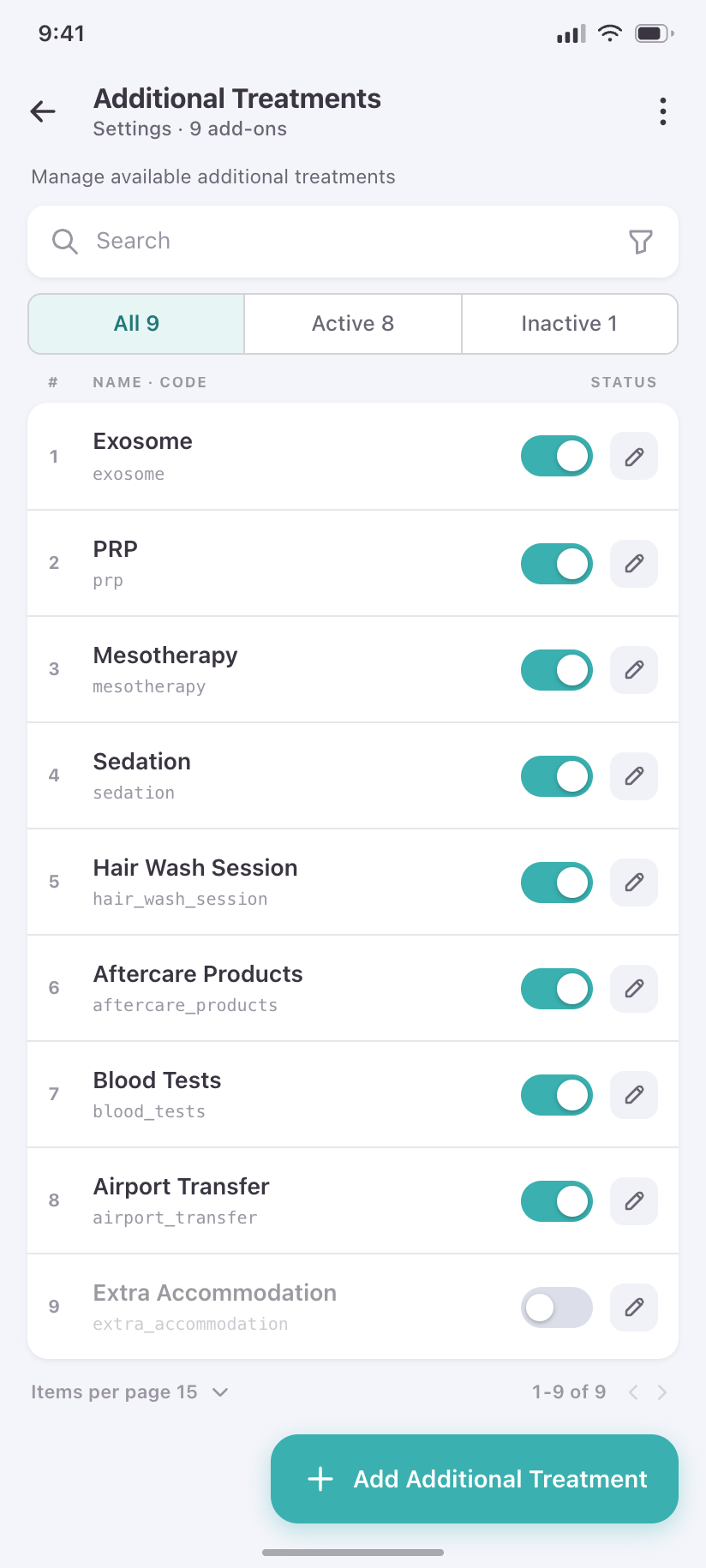
Additional Treatments
The add-ons sold alongside a main treatment.
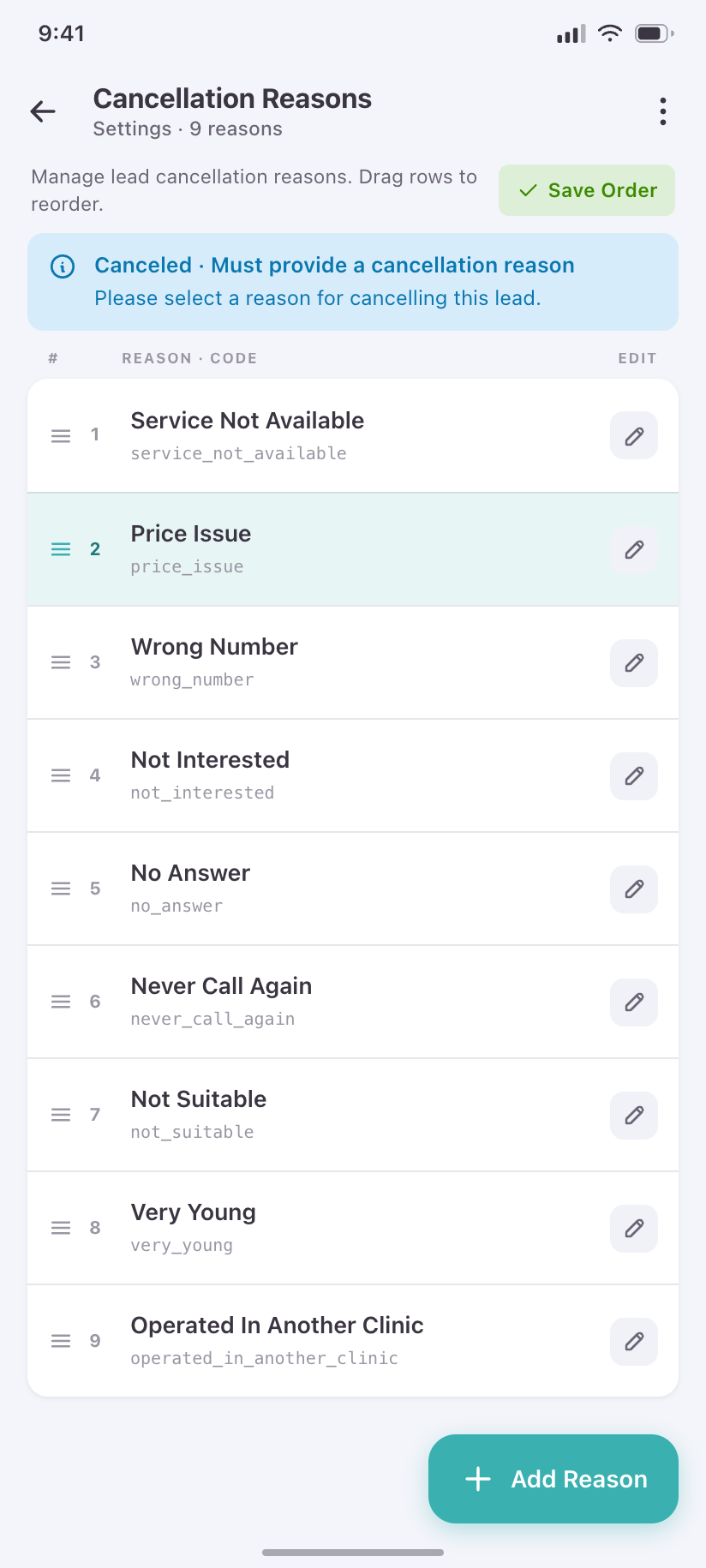
Cancellation Reasons
The reasons that populate the mandatory dropdown when a lead is cancelled, ordered by how often they are picked.
Monitoring & operations
11Super-admin surfaces. Most of these are wide diagnostic tables on the desktop; on a phone they become status-first cards, because the question you ask from a phone is "is it broken right now", not "let me read 400 rows".
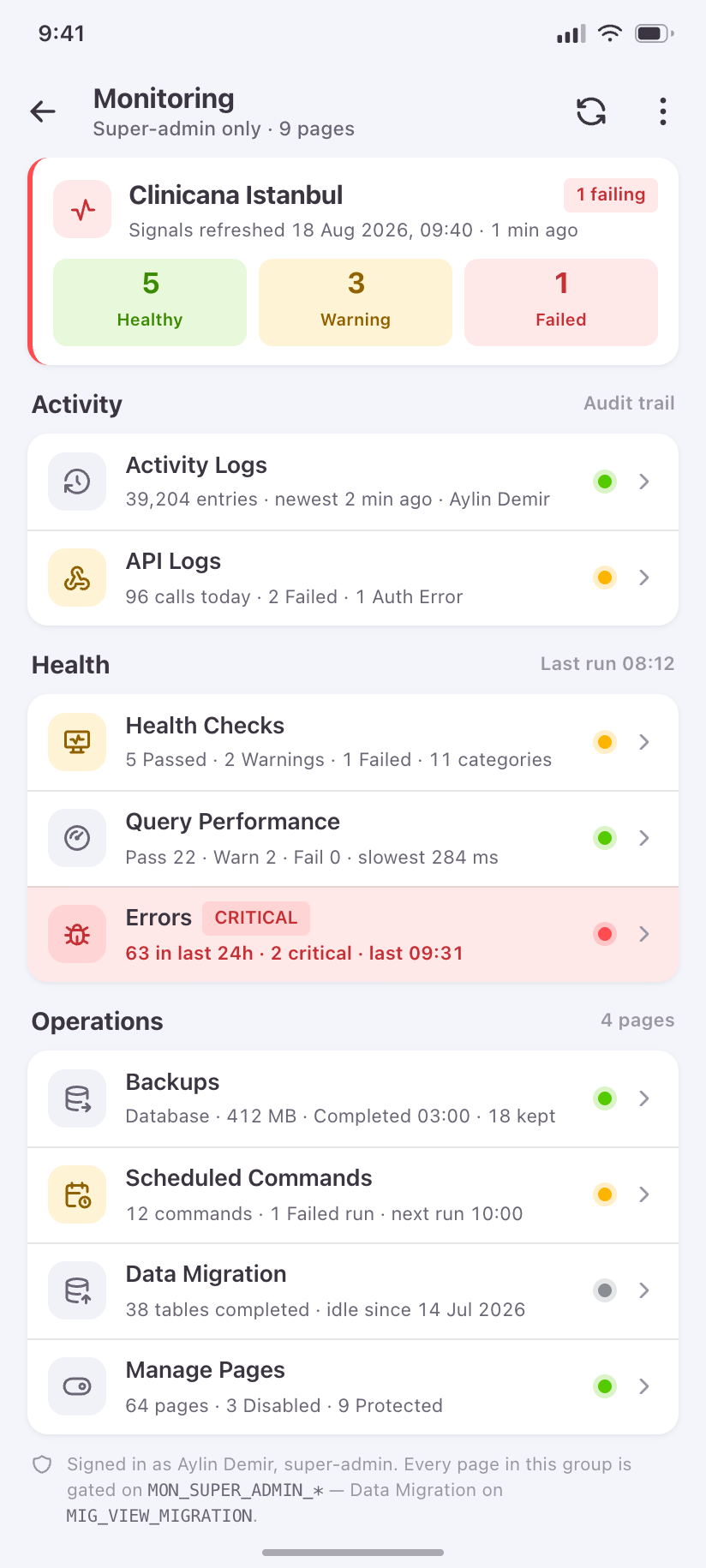
Monitoring
The nine ops pages behind one index, each row carrying a live status signal rather than just a name.
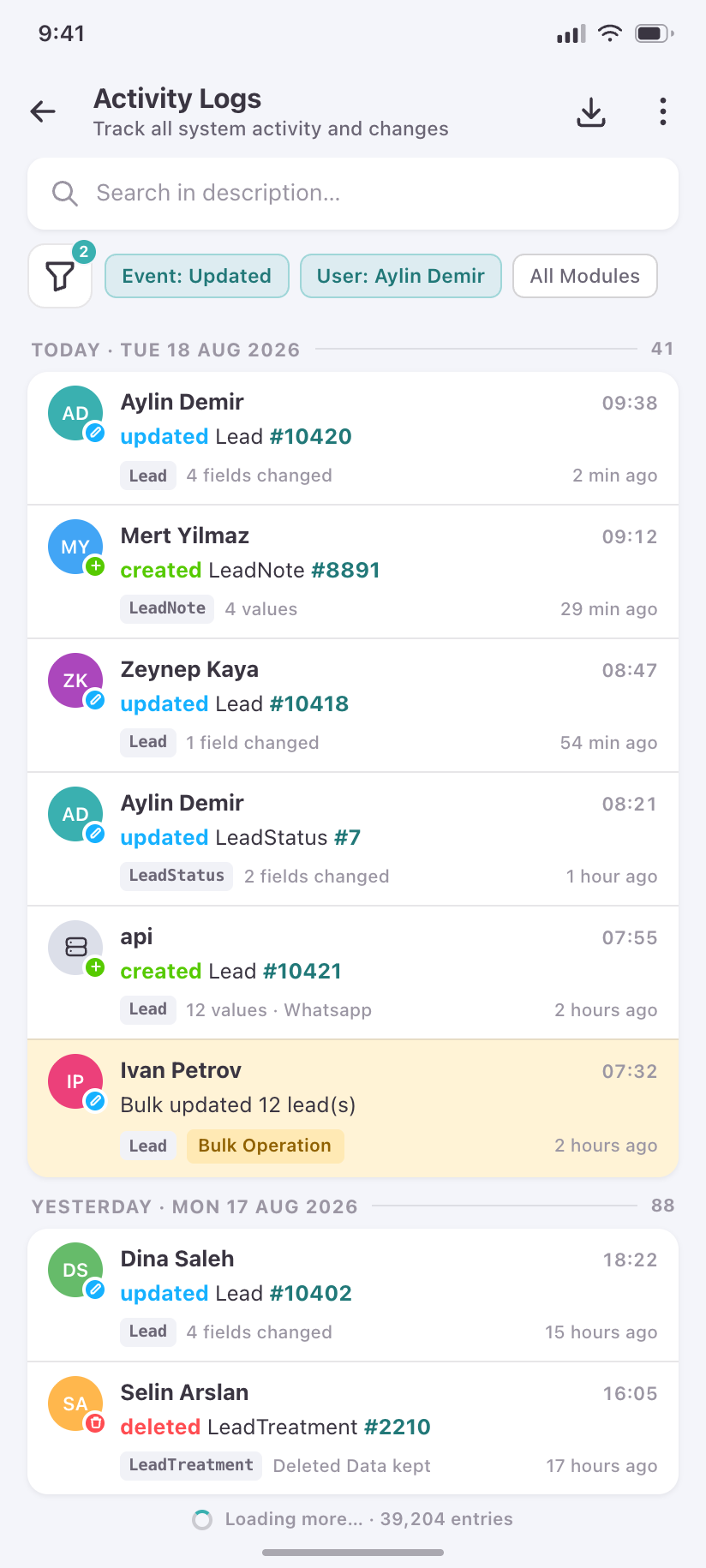
Activity Logs
The audit feed grouped by day — who did what to which record.
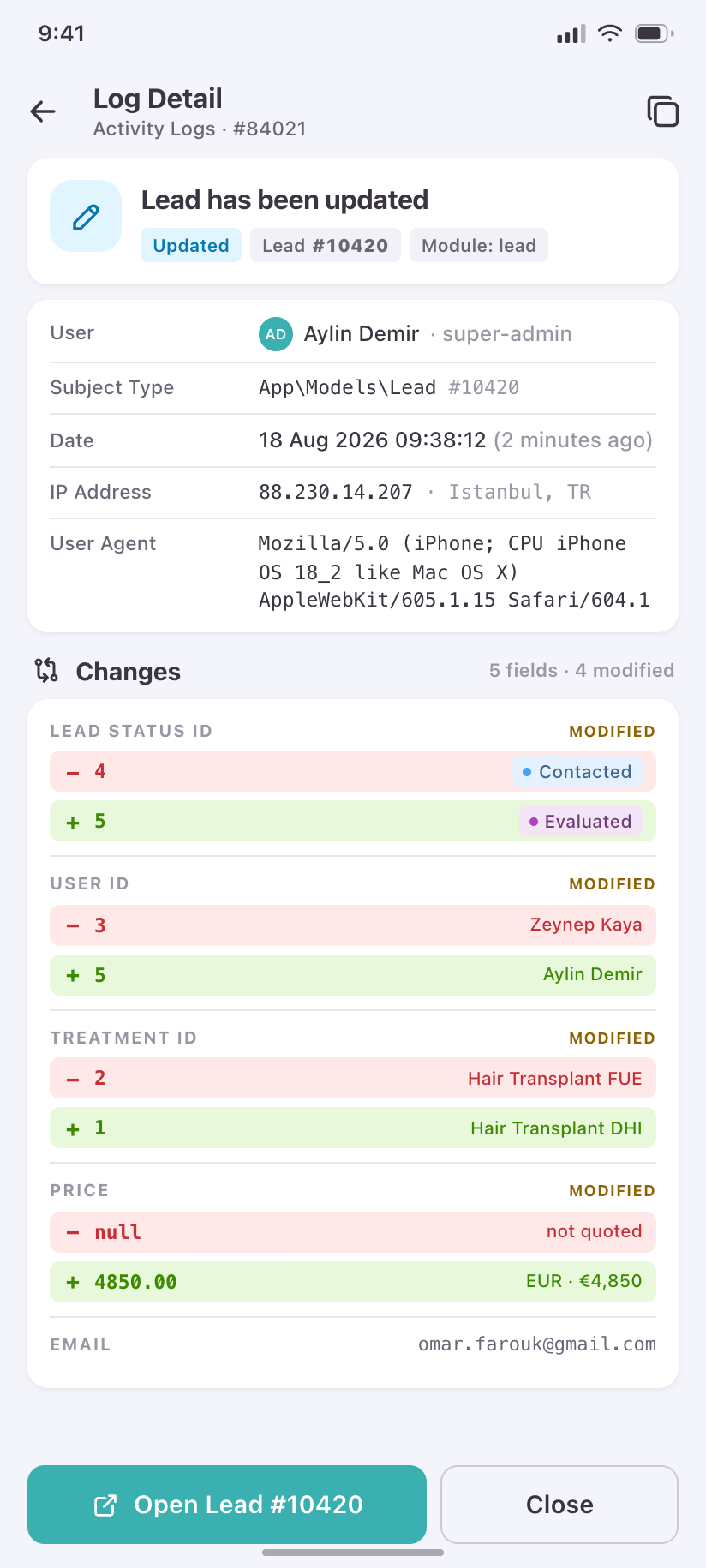
Log Detail
The field-by-field diff behind one audit entry, with the actor and origin.
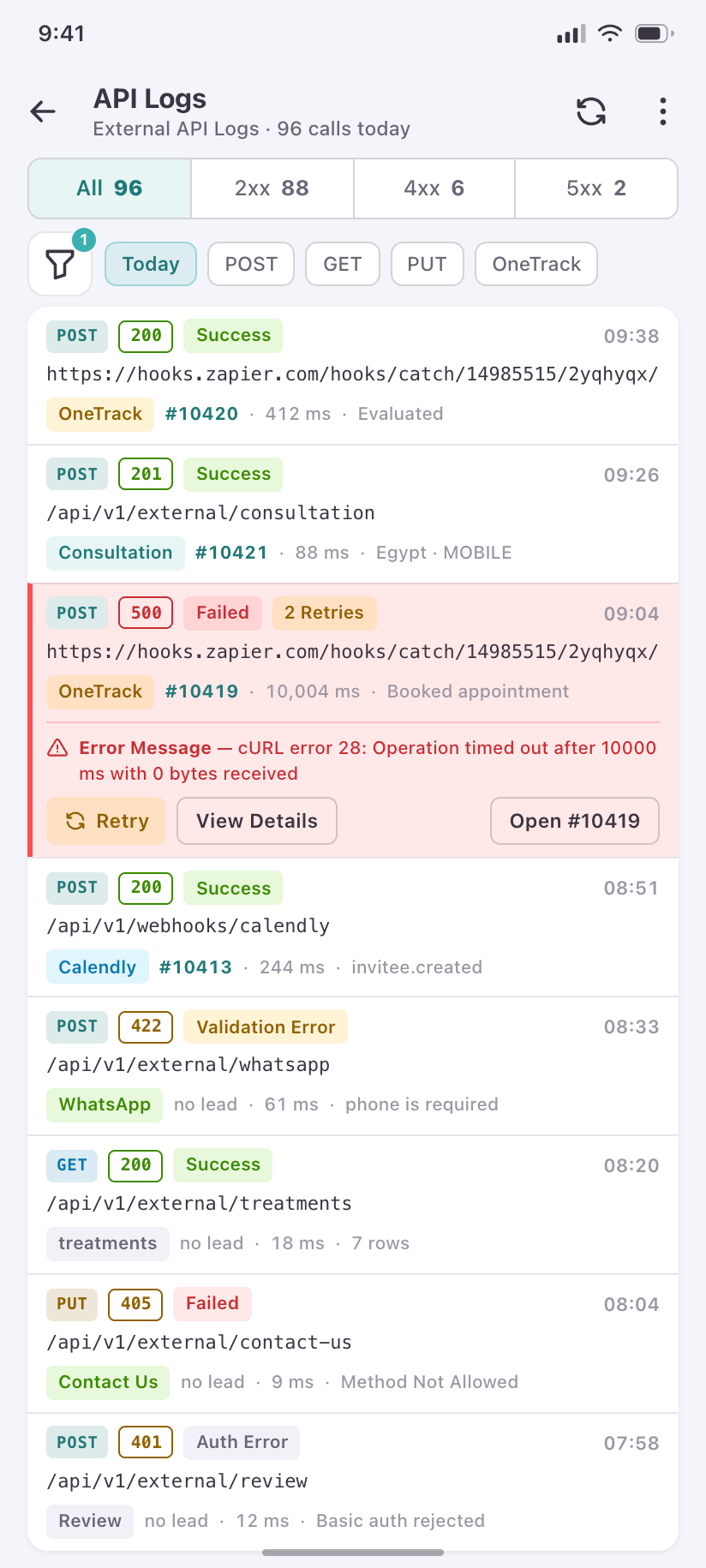
API Logs
Requests as rows: method, endpoint, status class, duration — with a 500 called out.
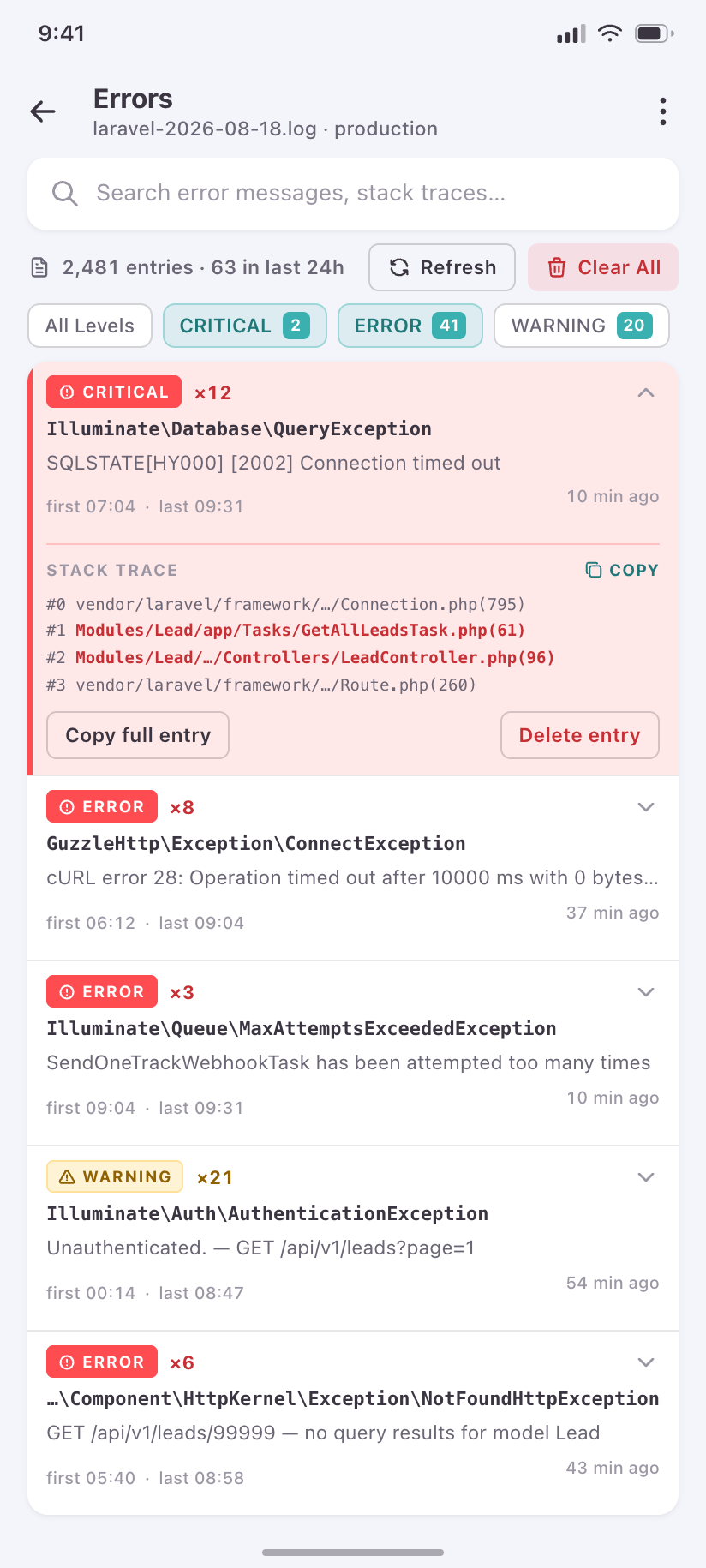
Log Errors
Application errors grouped by exception, with occurrence counts and a stack expanded.
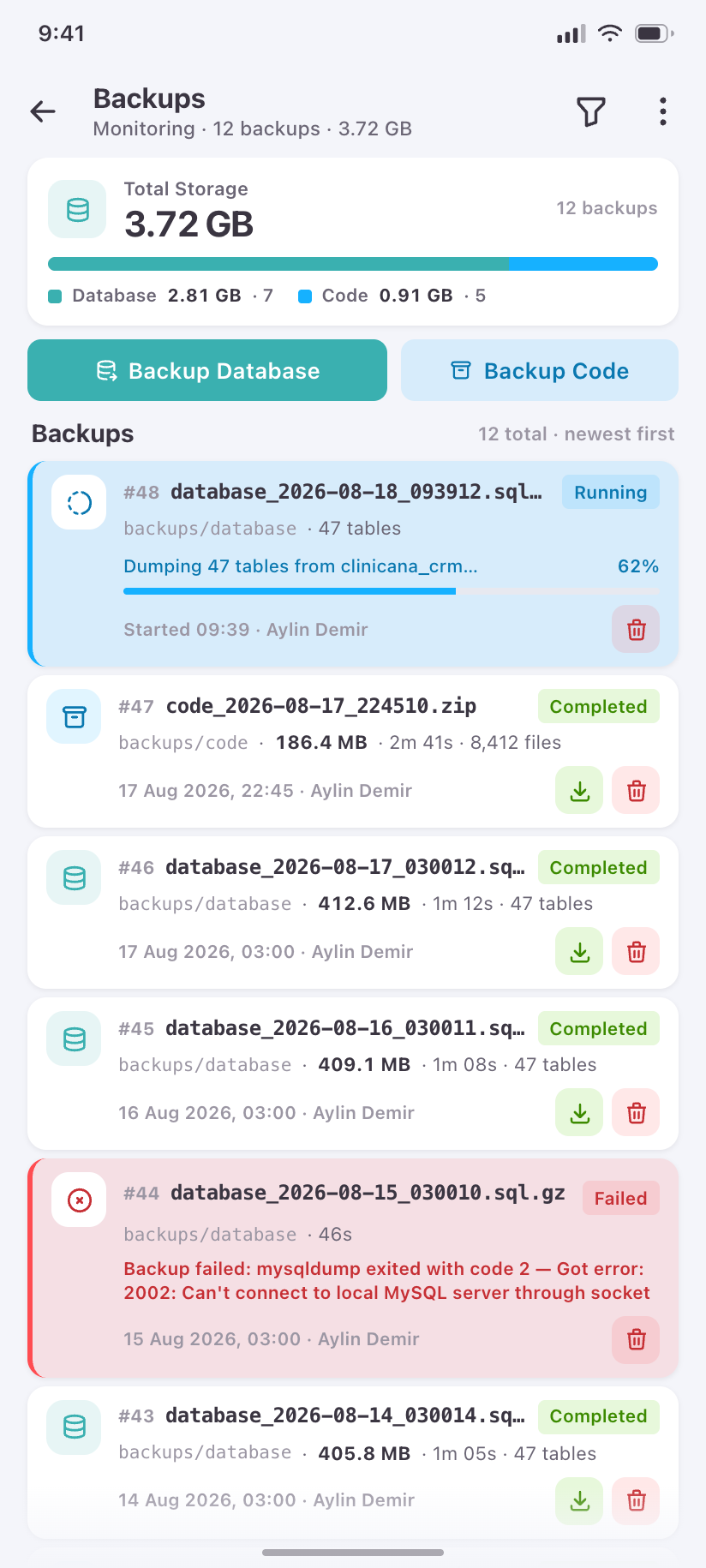
Backups
Backup history with storage usage, and one run shown mid-progress.
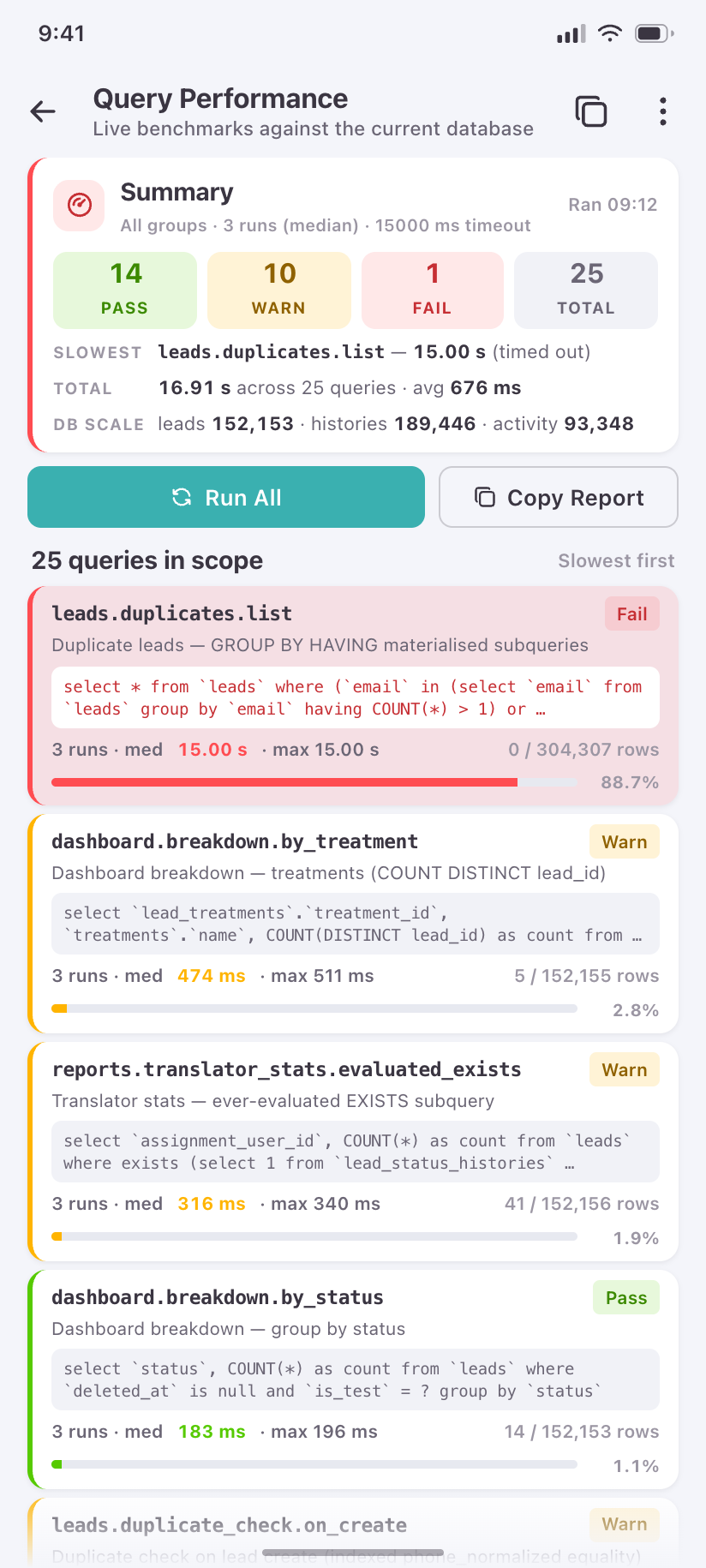
Query Performance
The slow-query report: which statements own the time budget.
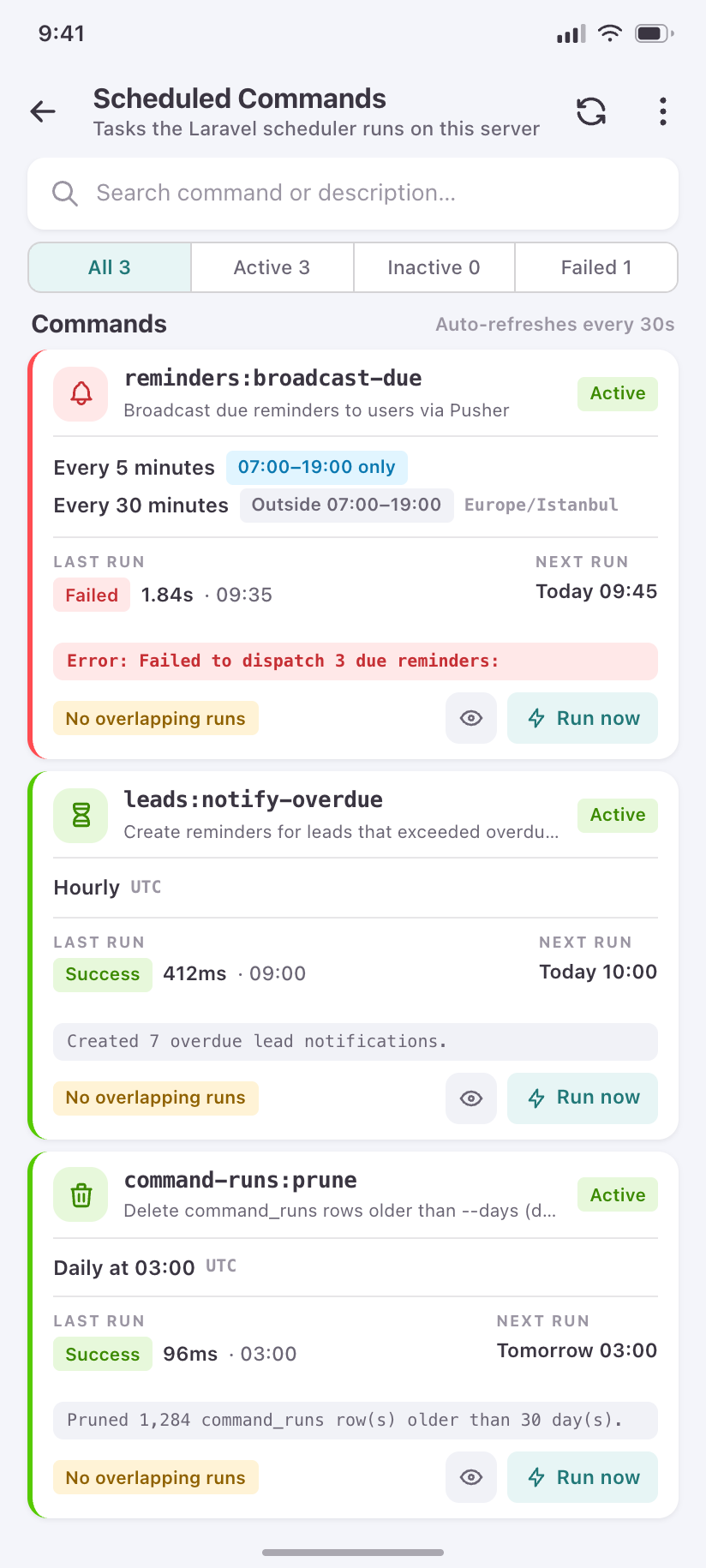
Scheduled Commands
Each artisan command with its schedule in words, last outcome and next run.
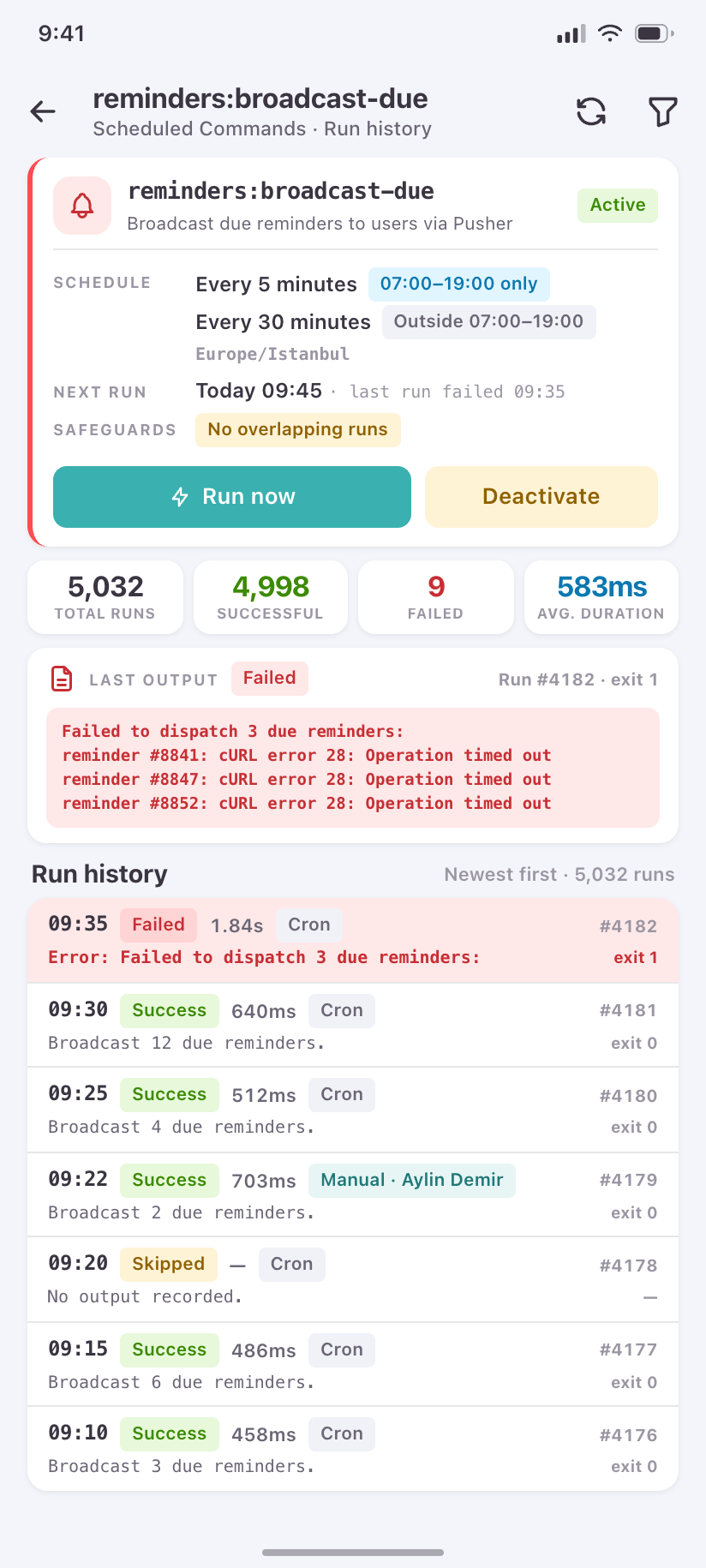
Command Detail
One command’s run history and its last output.
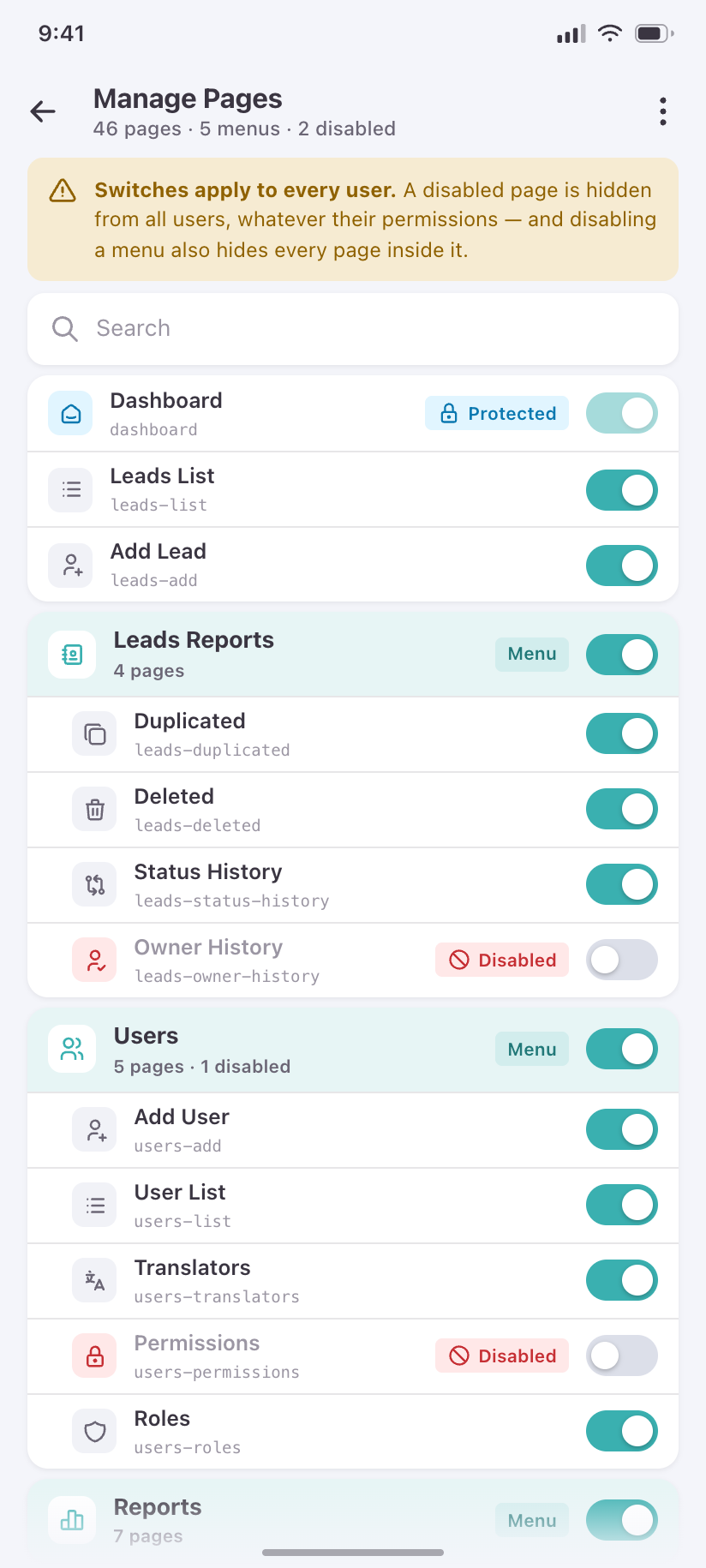
Manage Pages
The registry that can switch a page off for everyone, grouped exactly as the sidebar is.
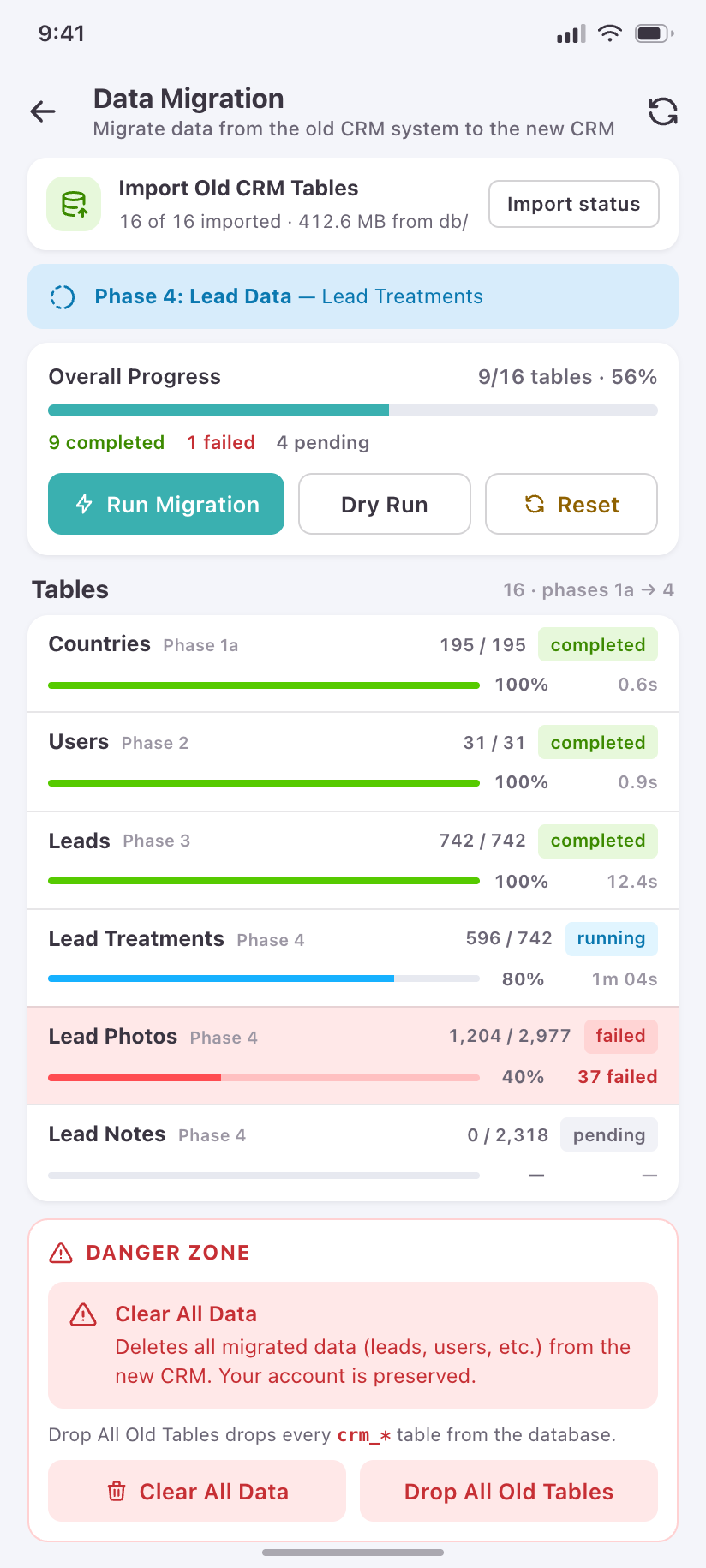
Data Migration
The legacy import, per table, with the destructive actions fenced into their own danger zone.
Integrations & storage
4The outbound edges of the product — two webhook integrations and the file store — which on the desktop live as three unrelated pages.
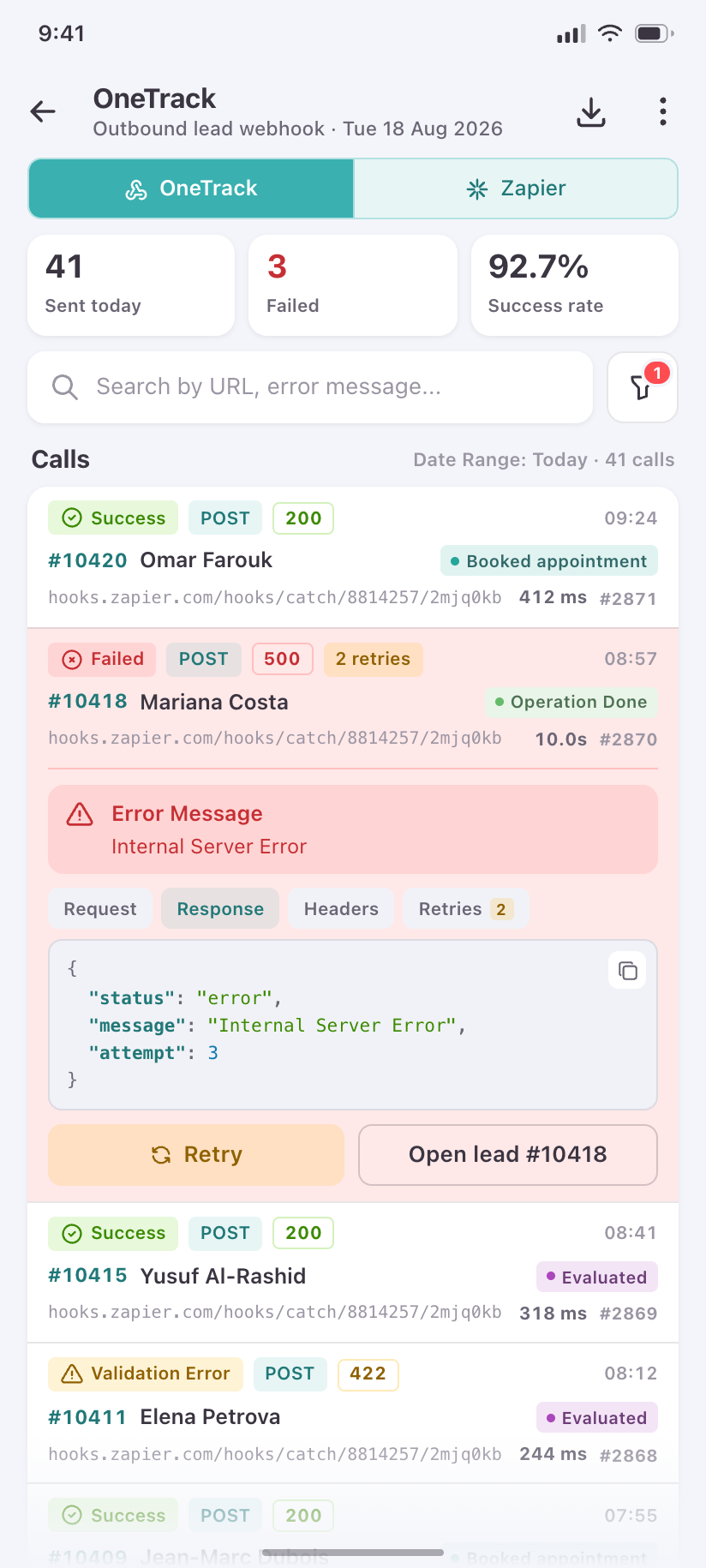
OneTrack
The outbound webhook log: what was sent for which lead, and what came back.
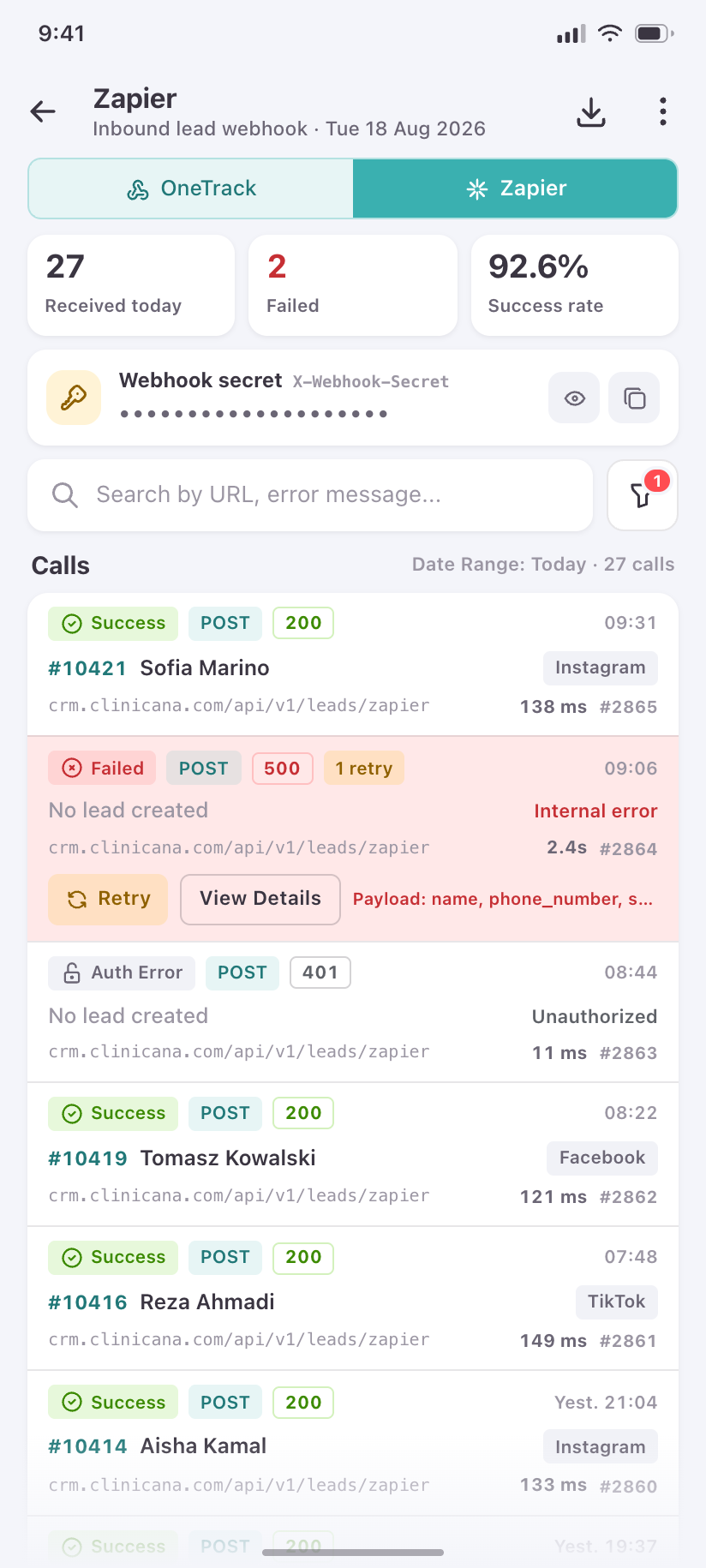
Zapier
The same log for the second integration, switched by a segmented control so the two read as one screen.
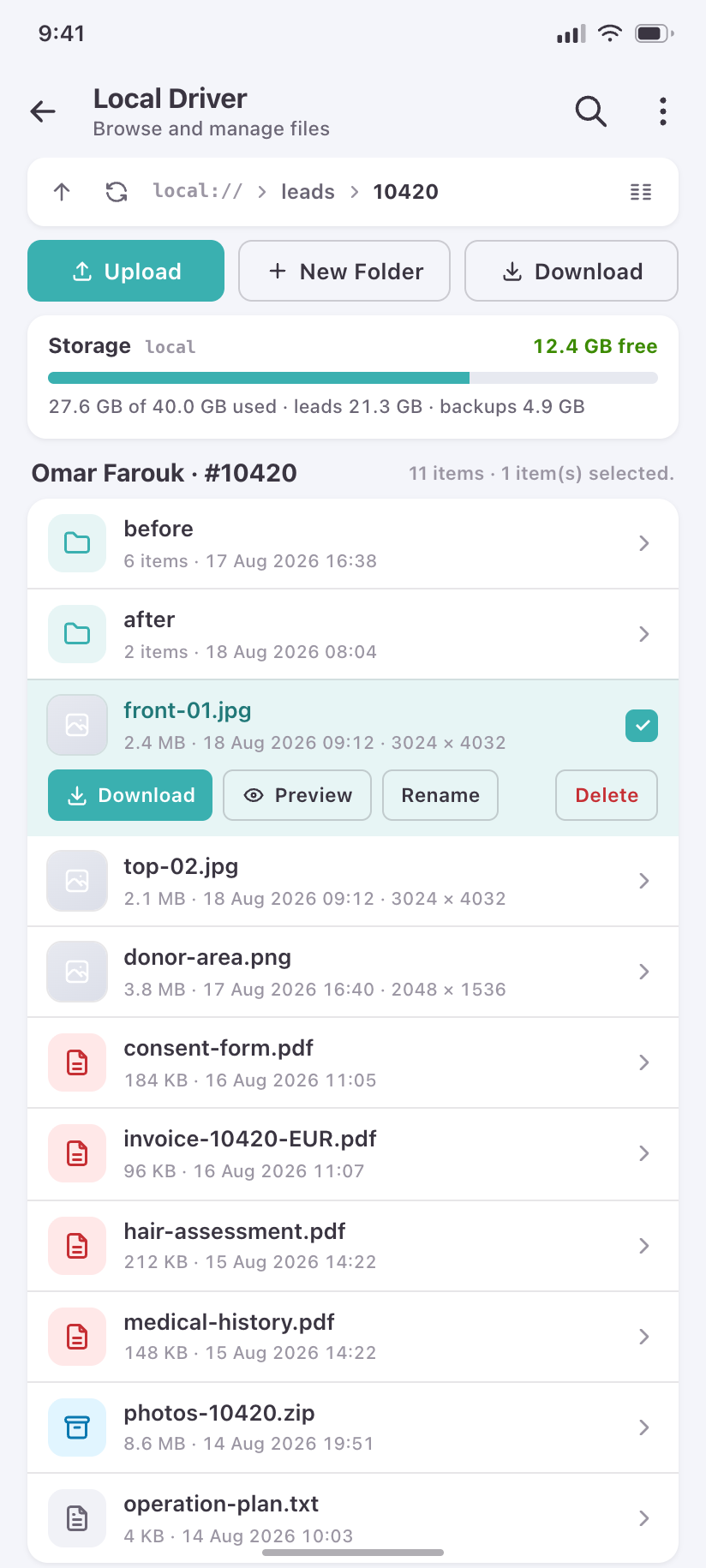
Local Driver
The file browser: breadcrumb path, folders and files, storage usage, upload.
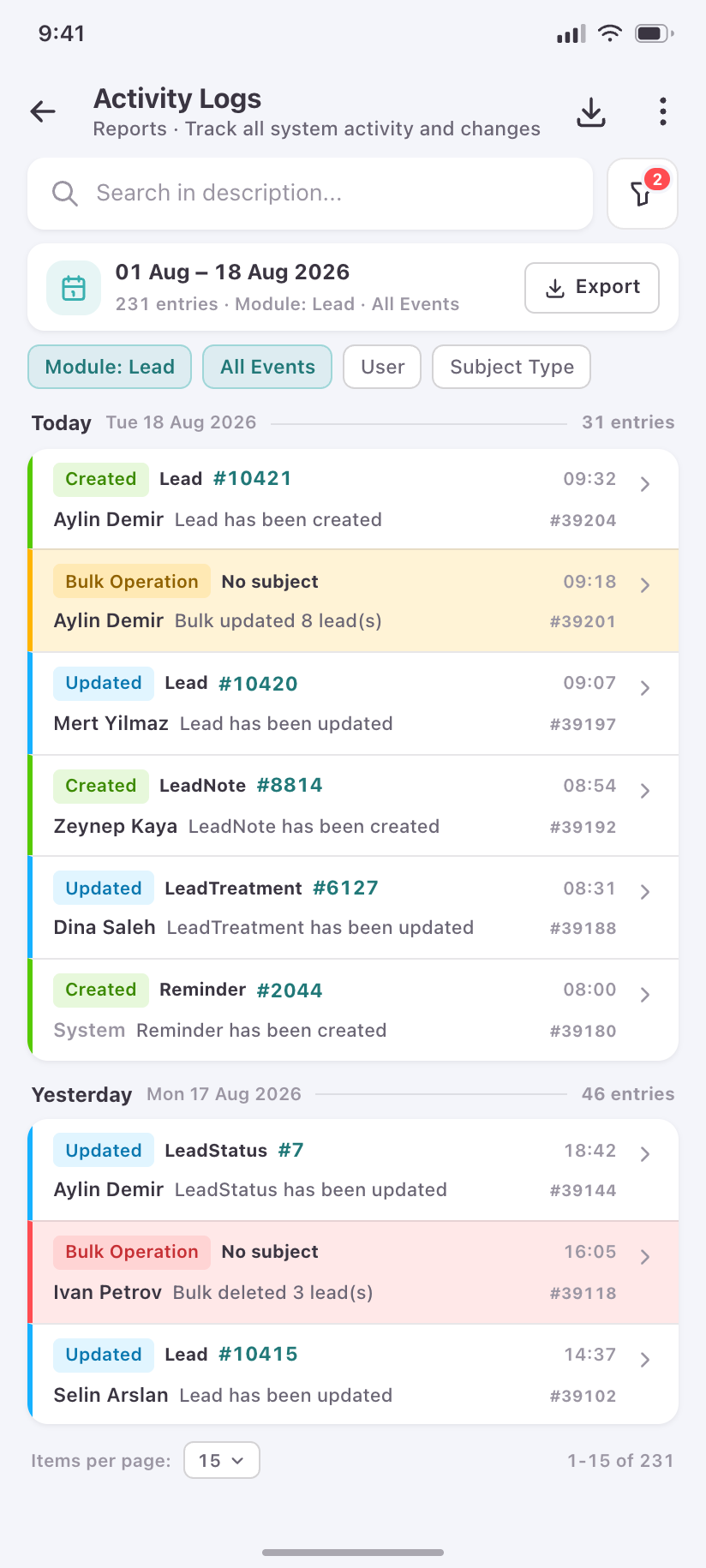
Report Logs
Who ran which report, with what parameters, and how long it took.
Account & system states
4States are part of the design, not an afterthought. These are the four a CRM user will actually meet.
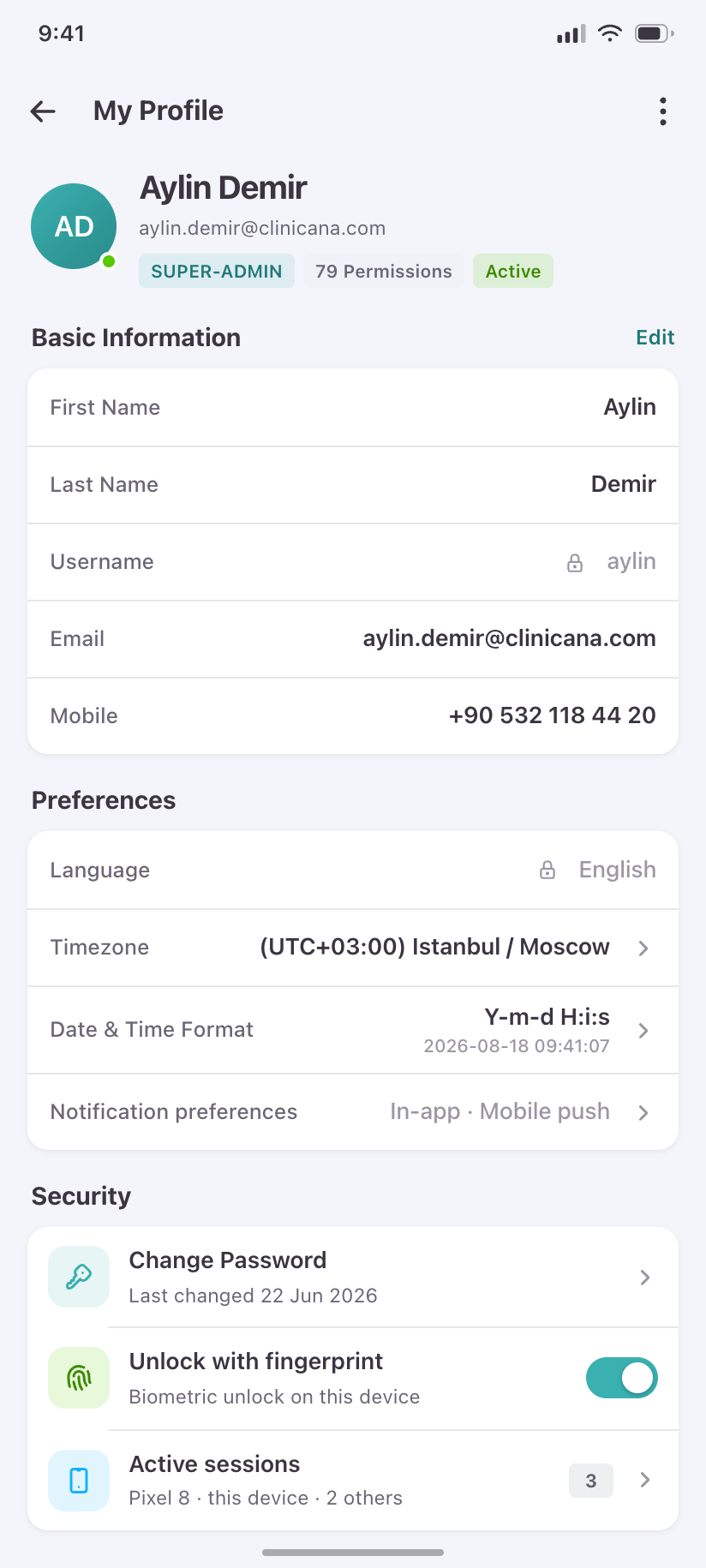
My Profile
Identity, language, timezone, datetime format and security — the self-service account screen.
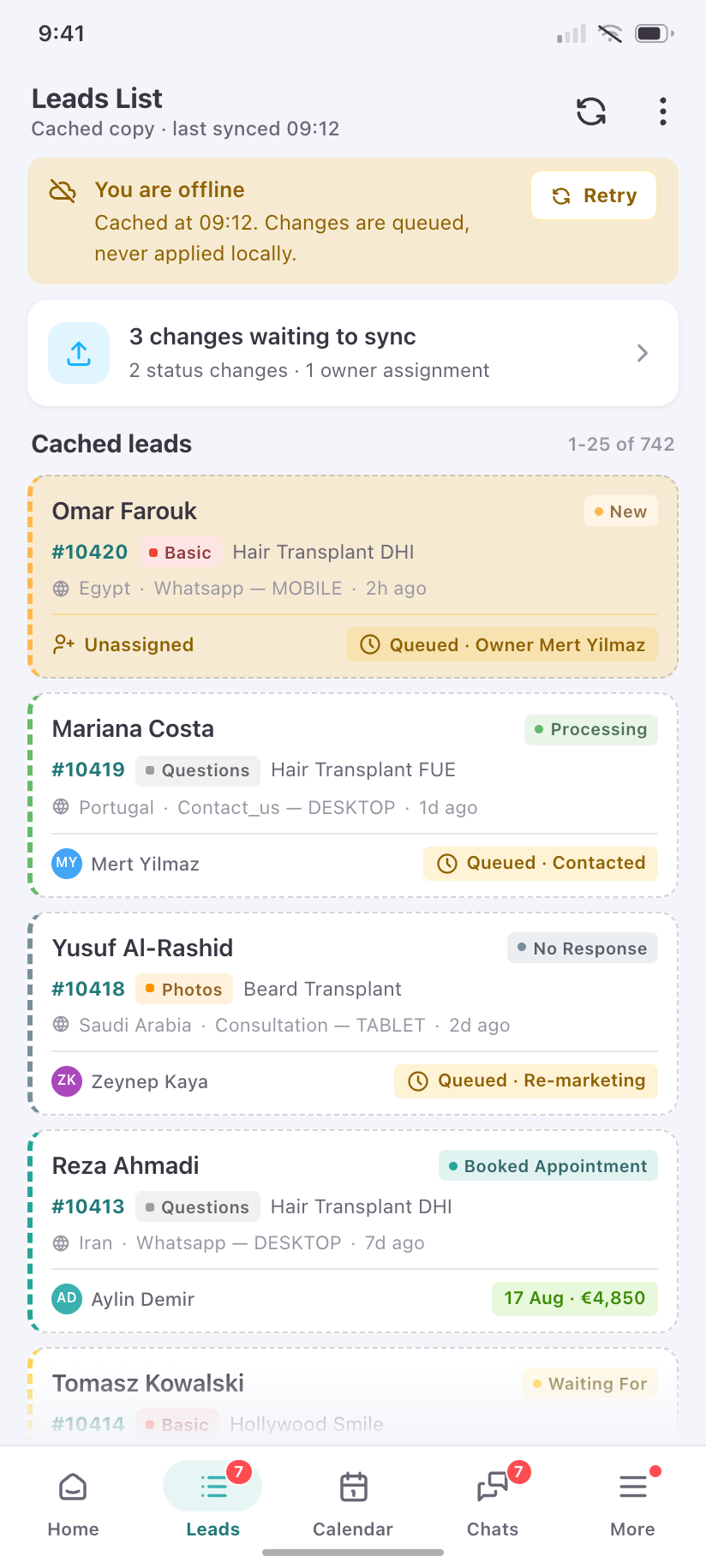
Offline
What a translator sees in a basement clinic: cached leads still readable, queued changes counted, nothing pretending to be live.
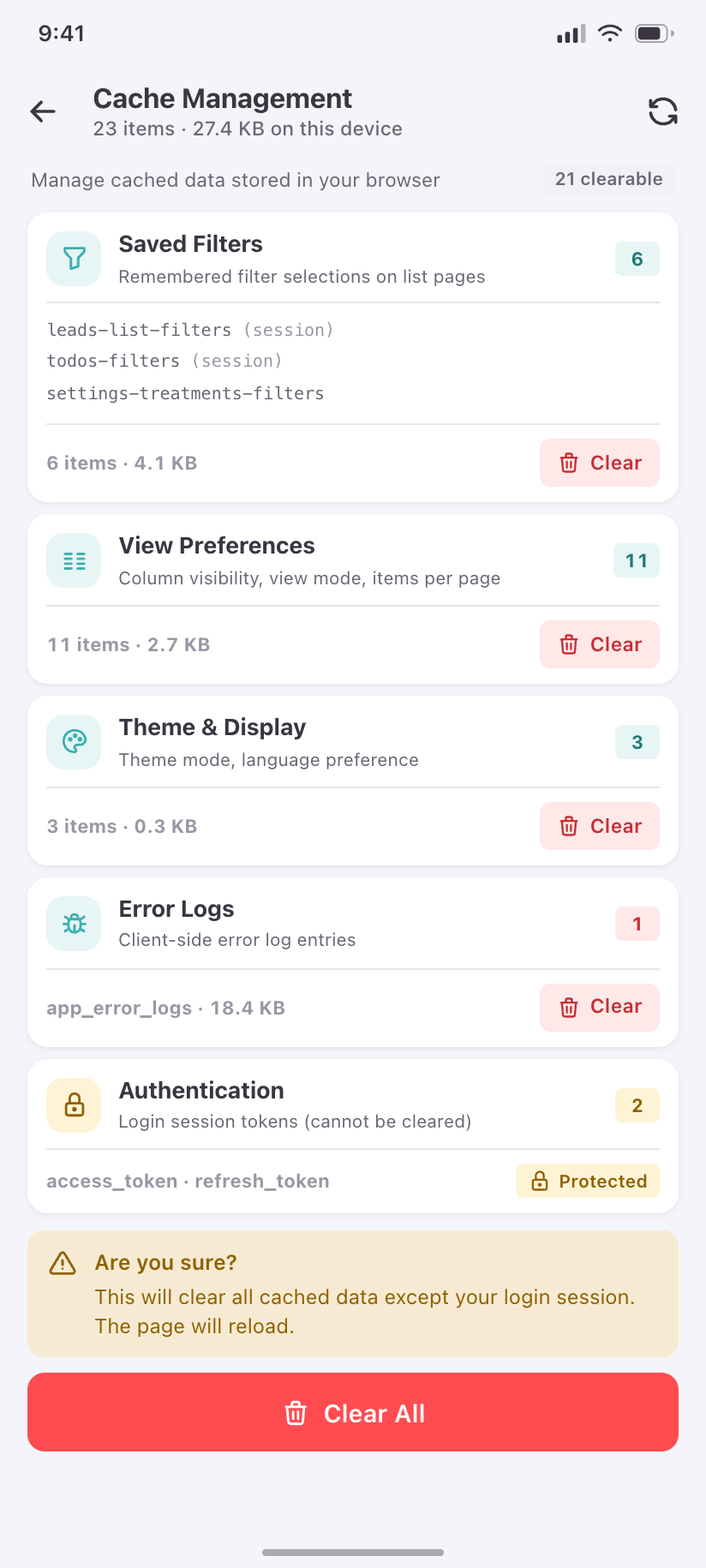
Cache Management
The five client-storage buckets, their keys and their bytes — with Authentication protected and the confirmation promoted out of its dialog.
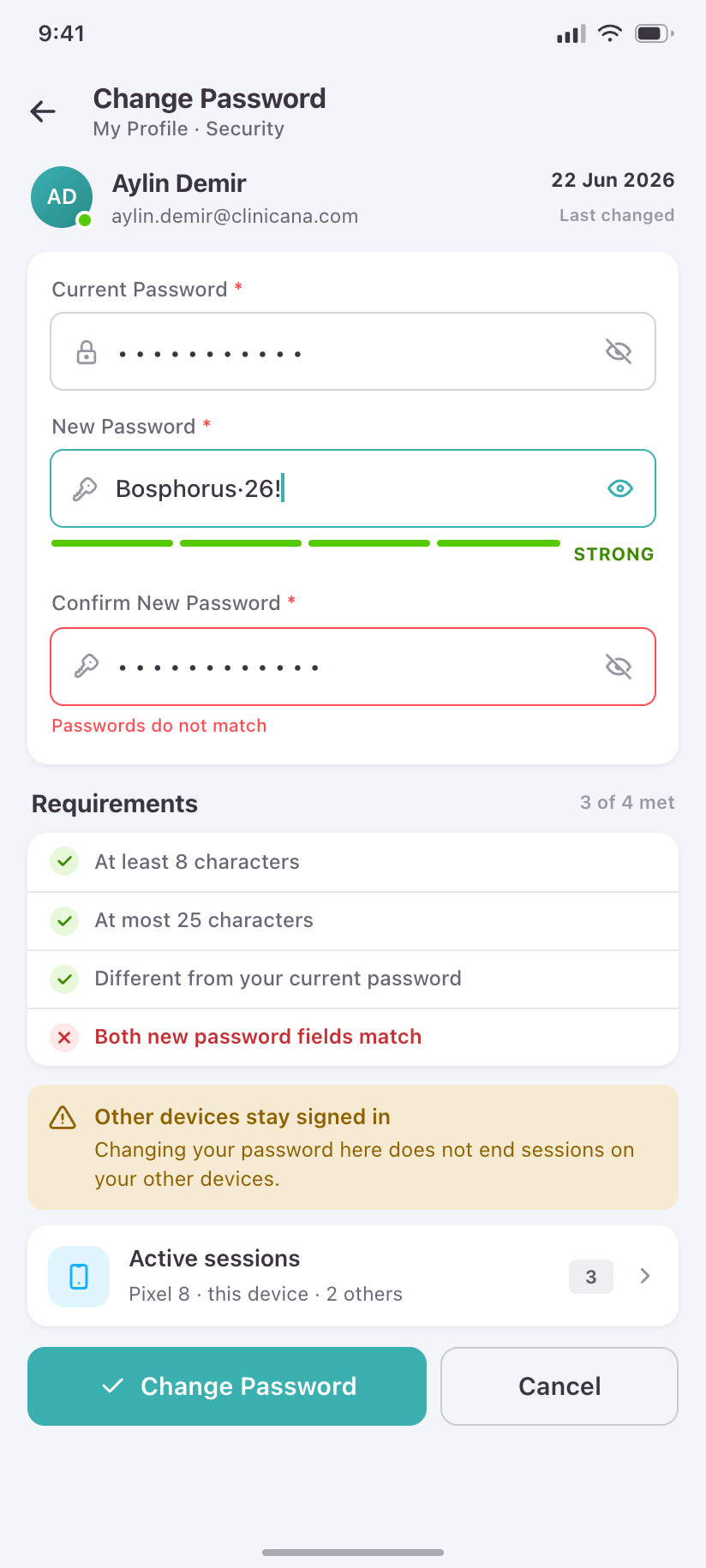
Change Password
Current, new and confirm, with the product’s own rules shown as a live checklist.
How this folder is built
Tokens
crm/theme.css holds the palette in both modes, plus the 13 lead statuses and 3 lead types with the product's own hexes. tokens.json is the same set in Tokens Studio format for Figma.
Components
crm/base.css is the component layer — app bars, bottom nav, cards, sheets, chips, status pills, charts, states. Screens compose it; they rarely add CSS.
Icons
175 Tabler icons lifted from the CRM's own @iconify-json/tabler, listed in ICONS.md and previewable in icons.html.
Rendering
node render.js renders every screen to both themes at 2× in seconds, node lint.js checks them, and node gallery.js rebuilds this page.